Key Takeaways
Actionable Insights for Collaborative Task Management
FocusBox AI treats AI-powered to-do lists and smart timers as practical tools for teams, not passing trends. For teams aiming to streamline group workflows, handing routine planning to AI-enhanced tools is a practical first step.
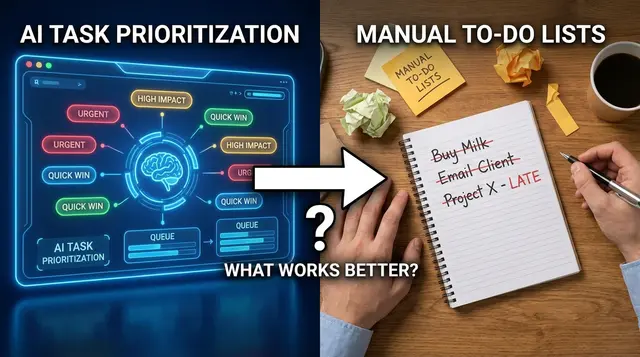
The team productivity insights in FocusBox show completed tasks, focus time and productivity trends across members, which helps a team notice when work is stalling. Make it a habit to review those insights and adjust workloads together. For a detailed look at maximizing AI for group productivity, see this comparison of AI task prioritization vs manual lists.
Importing tasks from the tools your team already uses (Asana, ClickUp, Jira, Todoist, Notion, Google Calendar) helps you minimize context-switching. Agree on one place for conversations about tasks, so fewer check-ins are needed and your team can focus on meaningful work. For more on reducing distractions, see this guide on managing digital distractions with AI notifications.
Automation should support – not replace – human judgment. Teams that see lasting gains from collaborative task management combine FocusBox AI’s insights with regular check-ins, ensuring transparency and trust. The most effective setups use technology to strengthen team accountability.
What Most Teams Get Wrong About Collaborative Task Management
Misconceptions That Stall Progress
Teams often try to improve collaborative task management by increasing meetings, chat threads, and status updates. While the intention is to stay aligned, this often leads to over-communication and micromanagement, slowing progress and eroding trust. Effective collaboration relies on clarity and autonomy, not a constant stream of updates.
Another common pitfall is relying on manual lists, spreadsheets, or basic project boards. These tools can cause tasks to slip through the cracks, duplicate work, and a lack of clarity on overall progress. Small inefficiencies accumulate, and teams may spend hours tracking responsibilities yet still miss critical deadlines.
Where AI Shifts the Equation
AI-powered tools like FocusBox AI take some of the routine work out of coordination, such as generating task lists, sending reminders and summarizing progress, so teams can focus on problem-solving. The aim is less time updating spreadsheets and more time advancing real work.
FocusBox’s AI prioritization helps each person decide what to work on next, and a shared team space keeps projects in one place. Team insights show completed tasks and focus time, and imports from Asana, ClickUp, Jira, Todoist and Notion cut re-typing between tools. For a comparison of these features with other productivity apps, see this side-by-side analysis.
AI as a Partner, Not a Replacement
The advantage of AI comes from using insights to guide – not dictate – teamwork. The best outcomes occur when automation is combined with strong human judgment and clear communication. For teams exploring AI-driven approaches, starting with a pilot project and reviewing the tradeoffs between AI automation and manual methods can help build confidence and buy-in.
Ultimately, better collaborative task management is about simplifying coordination, increasing transparency, and enabling people to do their best work, which is where tools like FocusBox aim to help.
Understanding Collaborative Task Management in the AI Era
What Collaborative Task Management Means Today
Collaborative task management now goes beyond sharing checklists. It’s about building shared responsibility, real-time visibility into progress and blockers, and adapting workflows as projects evolve. In 2026, effective teams coordinate, communicate, and adjust in response to changing needs and data.
Tools like FocusBox have advanced this by making task management dynamic rather than static. Where traditional systems required manual updates and frequent status meetings, today’s AI-enhanced platforms handle much of the administrative overhead, allowing teams to focus on meaningful work instead of chasing updates.
How AI Enhances Collaborative Task Management
AI has fundamentally changed task management platforms. AI can turn a goal into a task list, suggest priorities, and help block out time on the calendar. In FocusBox, the AI to-do list and project generators break work into tasks, AI time blocking helps schedule them, and team insights summarize completed tasks and focus time so nobody has to compile a status report by hand. Decisions about who does what still sit with the team.
Integration with the tools a team already uses is now expected, because it reduces context-switching and missed updates. For teams working with ADHD or in high-distraction environments, AI-powered features like timeboxing and ambient focus sounds help maintain momentum. For more on how AI timers support focus, see this comparison of top productivity apps in 2026.
| Component | What It Does | Why It Matters |
|---|---|---|
| AI Task and Project Generation | Breaks a goal or project into a list of concrete tasks | Cuts planning time and gives the team a starting point to edit together |
| Shared Team Space | Keeps team projects, roles and members in one place | Clarifies ownership and prevents work from being tracked in several places |
| Team Productivity Insights | Shows completed tasks, focus time and trends across members | Boosts transparency and gives check-ins something concrete to discuss |
| Reminders and Templates | Sends task reminders and reuses task structures for recurring work | Keeps deadlines visible without manual follow-ups |
| Integrated Focus Tools | Offers timers and ambient sounds tailored for productivity | Helps maintain attention and reduces distraction, especially for ADHD users |
Why AI-Driven Collaboration Matters
The case for AI-based collaborative task management is practical: less time spent building lists and chasing status, and earlier sight of work that is stalling, so problems get addressed while they are still small. A static to-do list does not give you that visibility.
Not every team will see these improvements immediately. AI-driven platforms require thoughtful setup and ongoing engagement, and some users may need time to adjust. For practical strategies on adoption, see advice from experts on AI’s impact in remote work.
Key Insight: AI turns collaborative task management from a static checklist into a responsive, data-driven engine that helps teams work smarter and finish more projects, faster.
Core Features of FocusBox AI for Teams
Key Insight: The value of FocusBox for teams is a shared place to plan, timebox and track work, so coordination takes less effort and everyone can see progress.
| Feature | Team Benefit | Implementation Tip |
|---|---|---|
| AI To-Do Lists | Reduces manual planning and ensures all team members see up-to-date priorities. | Encourage everyone to update their status so AI suggestions stay relevant. |
| Smart Timers (e.g. Pomodoro) | Boosts concentration for individuals, especially those with ADHD or who use timeboxing. | Combine timers with ambient sounds to support deep work sessions. See this guide on pairing timers with movement breaks. |
| Team Roles and Shared Projects | Clarifies ownership: invite members, assign roles and share the projects you work on together. | Set roles when you create the team so access matches responsibility. |
| AI Prioritization | Helps the team focus on what’s urgent versus important, cutting down wasted effort. | Use AI suggestions as a starting point, then refine priorities in team check-ins. |
| Team Insights & Reporting | Shows progress: completed tasks, focus time and productivity trends across team members. | Review the insights weekly and talk through blockers as a team. |
| Task Tool Integrations | Reduces re-typing by importing tasks from Asana, ClickUp, Jira, Todoist and Notion, and events from Google Calendar. | Import only this week’s tasks so the team view stays focused. |
AI To-Do Lists and Timers Explained
FocusBox AI’s AI-generated to-do lists help busy teams stay organized. Instead of relying on scattered notes, you can generate a task list from a goal or project, share the project in the team space, and edit it together. AI prioritization then helps each person see what needs attention next.
The smart timer system is especially valuable for users who rely on timeboxing or have difficulty maintaining focus. Each user can start a Pomodoro or custom timer directly from their to-do list, breaking work into manageable sprints, and each member keeps their own timer and ambient sound settings. Agreeing as a team to respect each other’s focus blocks helps cut interruptions. For an illustrative scenario of timers in a busy office, see this analysis of AI timers in the workplace.
For teams, this combination of AI-generated task lists and time-structured work sessions supports a more predictable, mentally healthy rhythm. It also reduces time lost on administrative tasks, allowing members to focus on project work.
Integrations with Your Task Tools
Most teams already keep tasks somewhere else. FocusBox imports tasks from Asana, ClickUp, Jira, Todoist and Notion, and events from Google Calendar, so nobody has to re-type work before they can timebox it. FocusBox does not connect to chat tools like Slack or Microsoft Teams, so agree on where task conversations happen.
Visibility and transparency build trust and accountability, especially in hybrid or remote setups. For more on coordinating digital notifications and reducing distraction, see this guide to managing digital distractions with AI.
In short, the integrations bring existing tasks into FocusBox, where the team can plan and timebox them without extra data entry.
How to Set Up Collaborative Task Management with FocusBox AI
Workspace Creation and Team Onboarding
Getting your team started with FocusBox AI involves more than just signing up. You’re establishing a digital environment where everyone can contribute, stay organized, and finish projects. Start by creating a dedicated workspace for your team – this becomes your command center, where shared projects, tasks, and deadlines are visible to all.
Invite team members using their work emails, ensuring everyone who needs day-to-day visibility is included. For distributed or remote teams, share the invite in the channel people already read, and follow up once, so nobody is left out.
Initial onboarding is key. Don’t just add members and hope for the best. Host a short kickoff meeting, demo the basics (like creating AI-generated to-do lists and setting timers), and clarify expectations around daily check-ins or status updates. If your team is new to AI-driven task management, choose a manageable pilot project – something concrete but not mission-critical. This lets the group get comfortable with AI features, such as AI task generation, AI time blocking and team insights, before rolling out to more complex initiatives.
| Before | After |
|---|---|
| “We just invited everyone to FocusBox, sent out a link, and hoped people would start using it. Some people never signed in, and updates got lost.” | “We created a team workspace, imported our Asana tasks into FocusBox, and ran a 15-minute onboarding call. Everyone set up their profiles, and we picked our upcoming client pitch as the pilot project. Now, updates and deadlines are posted in one place and no one misses critical tasks.” |
The improved approach works because it removes ambiguity, ensures all members are equipped to contribute, and gives the team a low-risk setting to build confidence with the platform’s features.
Assigning Roles and Permissions
A common pitfall is giving everyone unlimited access or, conversely, restricting permissions so tightly that only a manager can make changes. Defining clear roles in FocusBox AI ensures each person knows their responsibilities and has the access they need – without unnecessary complexity.
FocusBox Teams uses role-based access, so you can assign roles based on how much control each member requires. As a rule of thumb, the people who manage the team handle membership and settings, project leads get the access they need to organize tasks, and people who mostly need to follow progress get less.
Strong role management helps prevent accidental changes and keeps access in line with responsibility. It also supports accountability: when every task has a clear owner, there’s no confusion about who is responsible.
| Before | After |
|---|---|
| “Everyone in the workspace could edit, delete, or move any task. We lost track of who changed what, and some tasks disappeared without explanation.” | ”We gave project managers and team leads the roles they need to run their projects, and gave everyone else narrower access. Every task has a clear owner, so we always know who’s responsible, and accidental changes are much less likely.” |
The “after” example works because it brings transparency and accountability, while reducing the risk of errors. Each team member understands their boundaries and the workspace stays organized, even as projects scale.
For teams working with ADHD or those prone to distraction, FocusBox’s AI timers and ambient sound features can strengthen these benefits. By combining clear roles with focused work sessions, you give every team member the tools to contribute efficiently and finish what they start. For more on integrating AI-driven focus routines, see this guide to building a morning routine with AI task prioritization.
Assigning, Tracking, and Prioritizing Tasks Collaboratively
Collaborative task management is more than splitting up to-do lists. The challenge is ensuring tasks are assigned efficiently, progress is transparent, and priorities adapt as projects evolve. FocusBox AI brings an AI-powered approach to the planning side of these problems, generating task lists and priorities and using team insights to keep everyone in sync, while the team decides who owns what. Here’s how teams can move from manual chaos to streamlined clarity.
Before/After Example: Manual vs. AI-Enhanced Task Assignment
| Before | After (with FocusBox AI) |
|---|---|
| Team leads spend time in meetings or email threads divvying up tasks and following up on deadlines. Assignments often miss the mark – one person ends up overloaded, another underutilized. As priorities change, someone must manually reshuffle tasks. Accountability slips through the cracks. | With FocusBox AI, the lead generates the project’s tasks with AI and shares the project in the team space, and the team agrees on owners in a short planning session, checking who already has a full week. Team insights show completed tasks and focus time across members, so an overloaded person is easier to spot, and task reminders keep deadlines visible without anyone playing task traffic cop. |
The “after” version improves on the old approach: AI task generation cuts the time spent writing up work, AI prioritization helps each person pick what to do next, and shared visibility builds accountability into the workflow.
Key Insight: When AI handles the list-building and the team can see progress in one place, your team spends less energy on coordination and more on productive work.
Collaborative Task Management in Action: Assign, Track, and Prioritize
| Task Management Step | What to Track | Why It Matters |
|---|---|---|
| Assignment | Current workloads, skillsets, and availability | Prevents overload and ensures tasks fit each team member’s strengths |
| Deadline Setting | Due dates, urgency levels, dependencies | Keeps teams focused on what matters, and reduces last-minute fire drills |
| Progress Tracking | Task status, blockers, completion rates | Encourages shared accountability and surfaces bottlenecks quickly |
| AI-Driven Prioritization | Capacity, shifting project needs, impact | Suggests priorities as goals shift, which the team then confirms |
| Task Tool Integration | Tasks imported from Asana, ClickUp, Jira, Todoist or Notion | Reduces context-switching and avoids entering the same work twice |
The team insights in FocusBox AI drive behavior. When everyone can see completed tasks and progress across the team, it nudges the team to stay proactive. Missed deadlines or bottlenecks stand out early, making it easier to help before small issues become delays.
For hybrid or remote teams, this level of shared visibility is critical. For those with ADHD or attention challenges, clear prioritization – alongside built-in timers and focus tools – reduces overwhelm and supports steady progress. For more on reducing task overwhelm with AI, see this guide to managing task overwhelm with AI to-do lists.
Using Analytics to Monitor Project Health
Team productivity insights in FocusBox show completed tasks, focus time and productivity trends across members. Read them with questions in mind: Who’s frequently at capacity? Which tasks are getting stuck? Are deadlines slipping in a particular phase? Spotting these patterns helps teams catch bottlenecks before they escalate.
The insights are only useful if you act on them. If a team member is repeatedly overloaded, redistribute work in your next check-in. If a critical task has stalled, reprioritize it with the team rather than waiting for it to slip further.
These analytics also help leaders make the case for resources or process changes. When you can show your team’s completion rate improved after switching to collaborative task management with FocusBox, it’s easier to justify further adoption and training. For a deep dive on how AI-driven prioritization can reshape your daily workflow, see this breakdown of AI task prioritization in real-world routines.
No tool can replace human judgment entirely. But by combining FocusBox AI’s analytics with your own observations, you gain a granular view of project health – and a faster path to action when things start to slip.
Integrating FocusBox AI with Your Existing Team Tools
Bringing FocusBox AI into your workflow doesn’t require overhauling how your team works. FocusBox imports tasks from Asana, ClickUp, Jira, Todoist and Notion, and events from Google Calendar, so the work your team already tracks becomes timeboxed sessions instead of a second list to maintain.
Keep your project tool as the record of what needs doing, and use FocusBox to decide when each task gets done and to protect the time to do it. Reminders and alarms keep deadlines visible without side emails or repeated nudges.
Minimizing Workflow Disruption with Smart Integrations
Integrations are more than convenience – they reduce context-switching. Every time a team member leaves their main work environment to find an update or share a progress note, productivity drops. Importing tasks means the plan starts from work your team has already written down, rather than a copy that drifts. This is especially valuable for distributed or hybrid teams maintaining momentum across time zones and work styles.
For those considering a rollout, start with a phased approach. Pilot the integration with a single department or project to gather feedback and address friction points. Equip users with brief training materials and regular drop-in sessions – often more effective than long manuals, especially when introducing AI-powered features. Organizations that prioritize hands-on onboarding and peer support tend to see faster, more enthusiastic uptake. For more, see our analysis of productivity software adoption in 2026.
Reducing Digital Distractions with Integrated Notifications
Notification overload is a major challenge in collaborative task management. In FocusBox, reminders and alarms are tied to your own timeboxes, so they mark the start and end of focused work rather than interrupting it. Pair that with agreed quiet hours on your team’s chat tool.
Aligning reminders with timeboxing routines and Pomodoro cycles is especially useful for teams managing ADHD or sensory sensitivity. For specific strategies, see The 2026 Guide to Managing Digital Distractions with AI Notifications.
Thoughtful integration is fundamental for keeping teams aligned, cutting out redundant work, and building sustainable habits in an era of ever-multiplying apps.
Best Practices for Sustained Adoption and Engagement
Establish Consistent Routines and Team Rituals
The difference between initial excitement and lasting impact with FocusBox AI often comes down to team routines. Schedule regular check-ins – weekly or biweekly – where teams review their collaborative task management boards together. Use this time not just to update progress, but to spot trends in task completion, discuss priorities, and identify bottlenecks visible in FocusBox’s team insights. These meetings reinforce collective accountability, especially when everyone looks at the same numbers.
Keep these reviews short and focused so they stay worth attending. Their value comes from transparency and catching issues early. Consider piloting these routines on a small project first; this approach can make adoption smoother and provide visible quick wins.
Close the Feedback Loop and Iterate
Adoption is never static. The most effective teams actively seek feedback on both the tool and their workflows. Build feedback loops directly into your process: after each project sprint or milestone, gather quick input on what’s working and what’s not. Use FocusBox’s analytics to back up impressions with real data – such as time saved on coordination or where deadlines are slipping.
Acting on this feedback signals that input is valued and that workflows are always evolving. Over time, this leads to better team buy-in and higher engagement. For practical tips on managing feedback and overcoming adoption hurdles, see our analysis of productivity software adoption trends in 2026.
Celebrate Progress and Make Productivity Visible
Highlighting tangible productivity improvements is critical for maintaining momentum. When teams see evidence of their own progress, such as more tasks completed or fewer missed deadlines, they’re more likely to stick with new systems. Use FocusBox’s team insights to spotlight achievements during meetings. Even small wins, like clearing a stubborn backlog, deserve recognition.
Celebrate these moments with shoutouts, shared dashboards, or an informal leaderboard. Public wins reinforce the value of collaborative task management and encourage further engagement. For teams managing ADHD or struggling with focus, combining these celebrations with built-in Pomodoro timers and AI task generation can make progress feel more attainable. For more on pairing tech and motivation, explore our guide to AI timers and physical movement breaks.
Balance AI Automation with Human Judgment
While automation is a core advantage, human oversight remains essential. Use AI-driven suggestions as a springboard, but always contextualize with team knowledge and priorities. For example, team insights might show a stalled project, but only the team knows if it’s due to a resource issue or an external blocker. Encourage members to adjust priorities and deadlines in response to real-world conditions, not just algorithmic prompts.
This balance builds trust in both the platform and the process, ensuring that FocusBox AI serves as a collaborative partner rather than a rigid manager. The goal is to let AI handle the busywork while your team focuses on creative problem-solving and high-value execution.
Common Mistakes to Avoid When Using AI for Collaborative Task Management
Key Insight: The most effective teams combine AI-driven efficiency with human judgment, clear communication, and ongoing attention to privacy and transparency.
Don’t Let Automation Replace Real Communication
AI tools like FocusBox excel at automating repetitive tasks, from generating task lists to reminding people of deadlines. But automation alone will not keep your team aligned. Automation is not a substitute for clear communication and leadership. If you rely solely on the tool, misunderstandings can multiply – especially when task nuances or shifting priorities arise.
Teams see the best results when they use AI-generated insights as a springboard for regular check-ins and context sharing. For example, team insights in FocusBox can show that a project has stalled, but it’s up to the team to discuss root causes and reallocate resources. Transparency boosts accountability, but only if people talk about what the AI reveals.
Neglecting the Learning Curve Slows Adoption
Even with intuitive features and integrations, there’s a learning curve when adopting AI for collaborative task management. Rushing full-scale rollout without support can leave team members confused or disengaged. Start with a pilot project and provide real examples of how to use new features in daily routines – whether that’s generating to-do lists or using AI to surface urgent deadlines.
For more detailed strategies, see how teams are approaching AI adoption in 2026.
Overlooking Privacy and Transparency Risks
With AI platforms processing sensitive project data, privacy and transparency must be proactively managed. Failing to address these topics can undermine trust, especially in organizations handling confidential work. Make sure your team understands what data is collected, how decisions are made, and how to review automated recommendations. This is essential for long-term engagement and ethical use.
For teams in regulated industries, review best practices for productivity software security in 2026 to keep your workflow safe and transparent.
As AI becomes more deeply woven into collaborative task management, the real differentiator is how thoughtfully teams integrate new tools with established processes and values.
Case Studies: Real-World Impact of FocusBox AI on Team Productivity
For collaborative task management, practical evidence matters. Teams are more likely to embrace a new platform when they can see results in their own work. We don’t publish customer outcome figures here; the most reliable evidence is the data you collect yourself. Before a pilot, record a baseline for a few simple measures: tasks completed per week, deadlines missed, focus time per person, and roughly how much time goes into status meetings and updates. Compare the same measures after four to six weeks, using FocusBox’s team insights for completed tasks and focus time. The examples below are illustrative scenarios, not measured customer results.
How AI Timers Enhanced Office Focus in a Busy Workplace
This illustrative scenario of AI timers in a busy office environment shows how the pieces could fit together. In the scenario, the team struggles with frequent context-switching and unproductive time between meetings and tasks. With AI-powered timers and task lists in place, the team would expect fewer delays caused by interruptions, and the measures above would show whether that actually happened.
The key idea is Pomodoro cycles paired with clear, AI-generated task lists. Breaking up the workday and keeping prioritized tasks in view helps team members stay focused and aligned, and a clear shared task list can reduce the need for constant check-ins. For further details, see the full scenario.
Comparing AI Timer Features Across Productivity Apps
Not every timer-based solution produces the same results. The comparison post, AI Timer Features Compared: How Top Productivity Apps Stack Up in 2026, highlights where FocusBox AI stands out. The comparison looks at how FocusBox combines AI-driven task suggestions with customizable focus intervals, which lets a team adjust its workflow as priorities change rather than sticking to a rigid structure.
For teams, importing tasks from project tools such as Asana, ClickUp, Jira, Todoist and Notion means the timer works from the same list everyone already tracks. That matters most for distributed teams juggling multiple deadlines and shifting priorities.
The Confidence That Comes with Evidence
When choosing a collaborative task management tool, your own pilot data is the most useful evidence you can get. For another angle, the case study of a freelance writer’s productivity gains with AI timers looks at how the same tools fit individual work. Scenarios like these help you plan a rollout; your before-and-after measures tell you whether it worked for your team.
Frequently Asked Questions
How does FocusBox AI simplify collaborative task management for teams?
FocusBox AI streamlines collaborative task management by giving the team one space to share projects, with AI to generate task lists, task reminders for deadlines, and team insights for reporting. Teams spend less time on administrative overhead and more on meaningful work. With team productivity insights showing completed tasks, focus time and trends across members, project leads can see where work is stalling and step in earlier. Team features are available on premium plans.
Can we personalize workflows to fit our team’s unique needs?
Yes. You can create a team, assign roles, and share the projects you work on together. Task templates let you reuse structures for recurring projects, and AI prioritization helps each person order their own work. Each member also keeps their own timer and ambient sound settings, so people can work in the rhythm that suits them.
What integrations are available for existing team tools?
FocusBox imports tasks from Asana, ClickUp, Jira, Todoist and Notion, and events from Google Calendar, so your team can timebox existing work without re-entering it, which reduces context-switching. It does not integrate with chat tools such as Slack or Microsoft Teams. For more on managing digital distractions and streamlining focus, see this guide to managing digital distractions with AI notifications.
How do we encourage our team to adopt FocusBox AI and overcome the learning curve?
Start with a pilot project so your team can experience immediate value. Encourage small groups to experiment with AI task generation, timeboxing and team insights, then share their successes internally. Showing results from your own pilot, such as fewer missed deadlines, can spark buy-in. For practical steps, the 2026 guide to using FocusBox’s AI for smarter task management is a helpful resource.
How does FocusBox address privacy and over-automation concerns?
FocusBox AI is designed with transparency and data protection in mind. Teams should combine automated insights with human judgment and stay informed about how AI makes recommendations. Regular reviews of permissions and data use, plus open conversations about comfort levels, build trust. For a balanced look at AI’s role in productivity, check out the opinion piece on why AI should complement human focus – not replace it.
What are the first steps to get started with FocusBox AI?
Begin by creating a dedicated workspace for your team and inviting all relevant members. Host a brief onboarding session to introduce key features, set expectations for daily check-ins, and select a manageable pilot project. This approach helps your team build confidence with the platform before expanding to more complex initiatives.
How can we measure the impact of FocusBox AI on our team’s productivity?
Use FocusBox’s team insights to track completed tasks, focus time and productivity trends, and keep your own record of missed deadlines and time spent on status updates. Compare these measures before and after adoption to quantify any improvement. Sharing these results in team meetings can reinforce the value of the platform and encourage continued engagement.
Composed with PostNext app