AI Time BlockingOne click turns today's list into a time-boxed plan
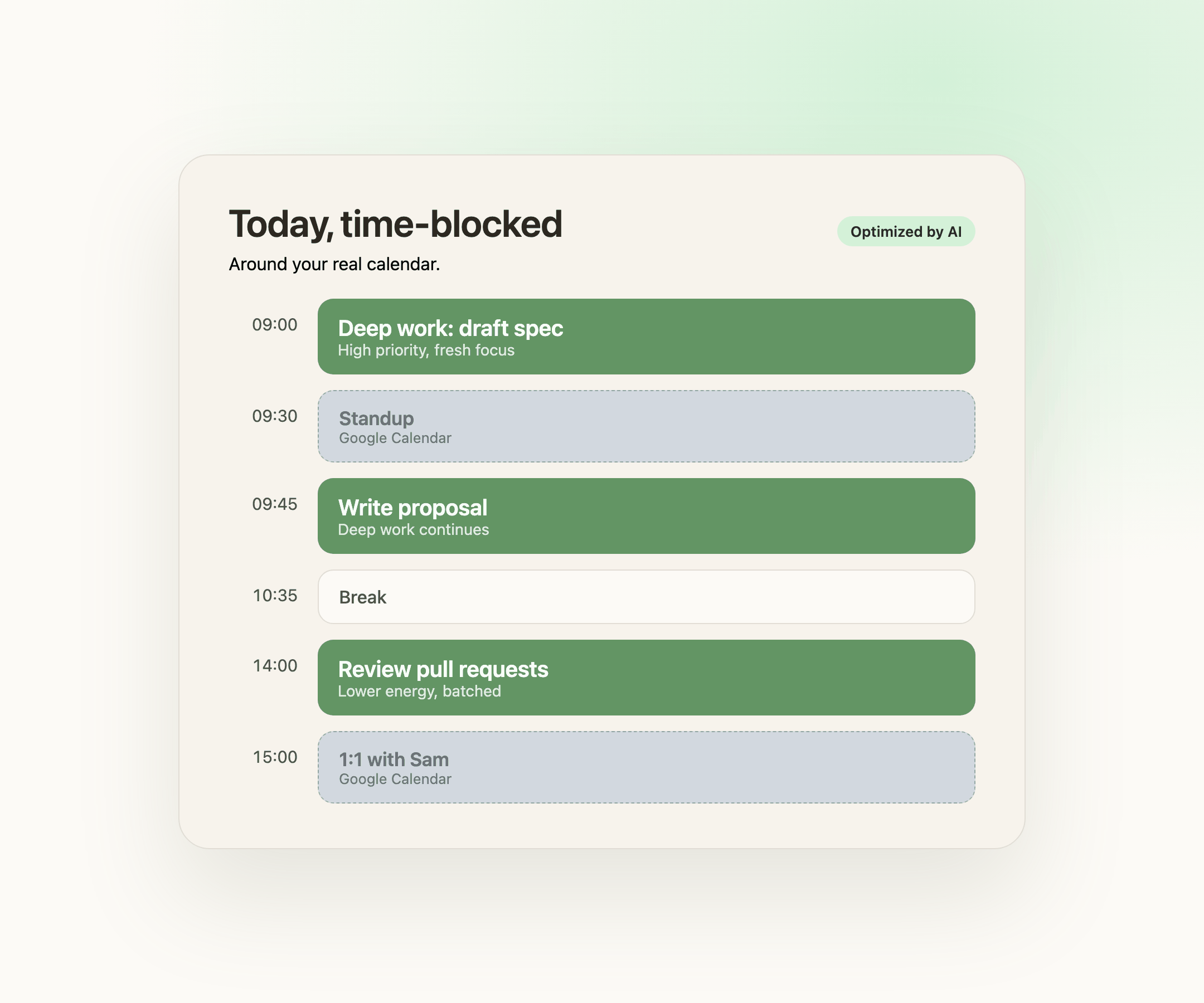
Tell FocusBox what is on your plate today. It orders your tasks, picks a realistic length for each, and drops them into the free gaps around your real calendar. No dragging blocks around for twenty minutes before you can start.
- Free plan, no card needed
- Web and iPhone, always in sync
- Built for ADHD brains
What you get
Calm, concrete day planning
One click turns today's list into a time-boxed plan
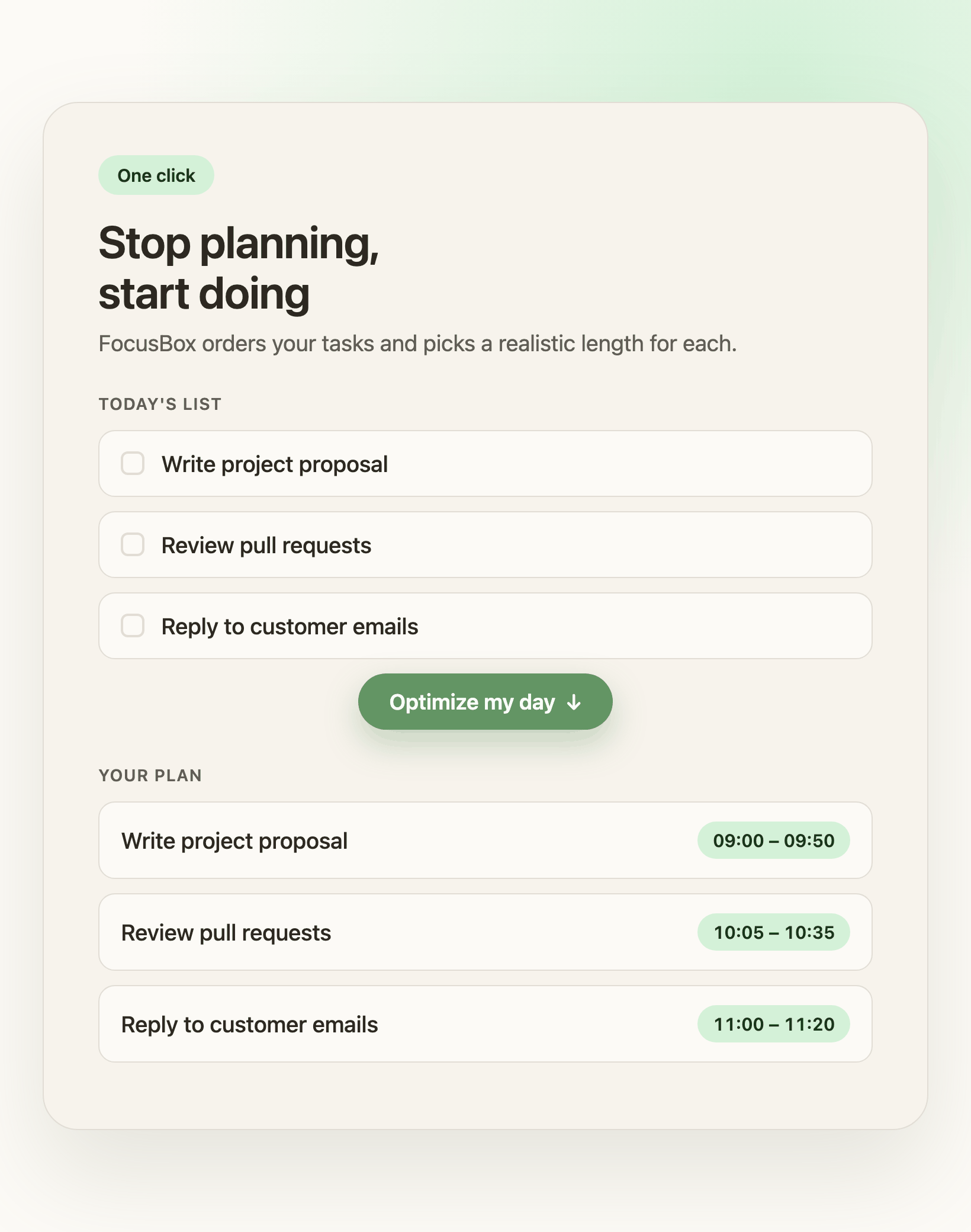
One click, a full day: "Stop planning, start doing"
The AI orders your tasks by priority and energy, picks a realistic duration for each, and fills your available time. You review the plan and apply it.
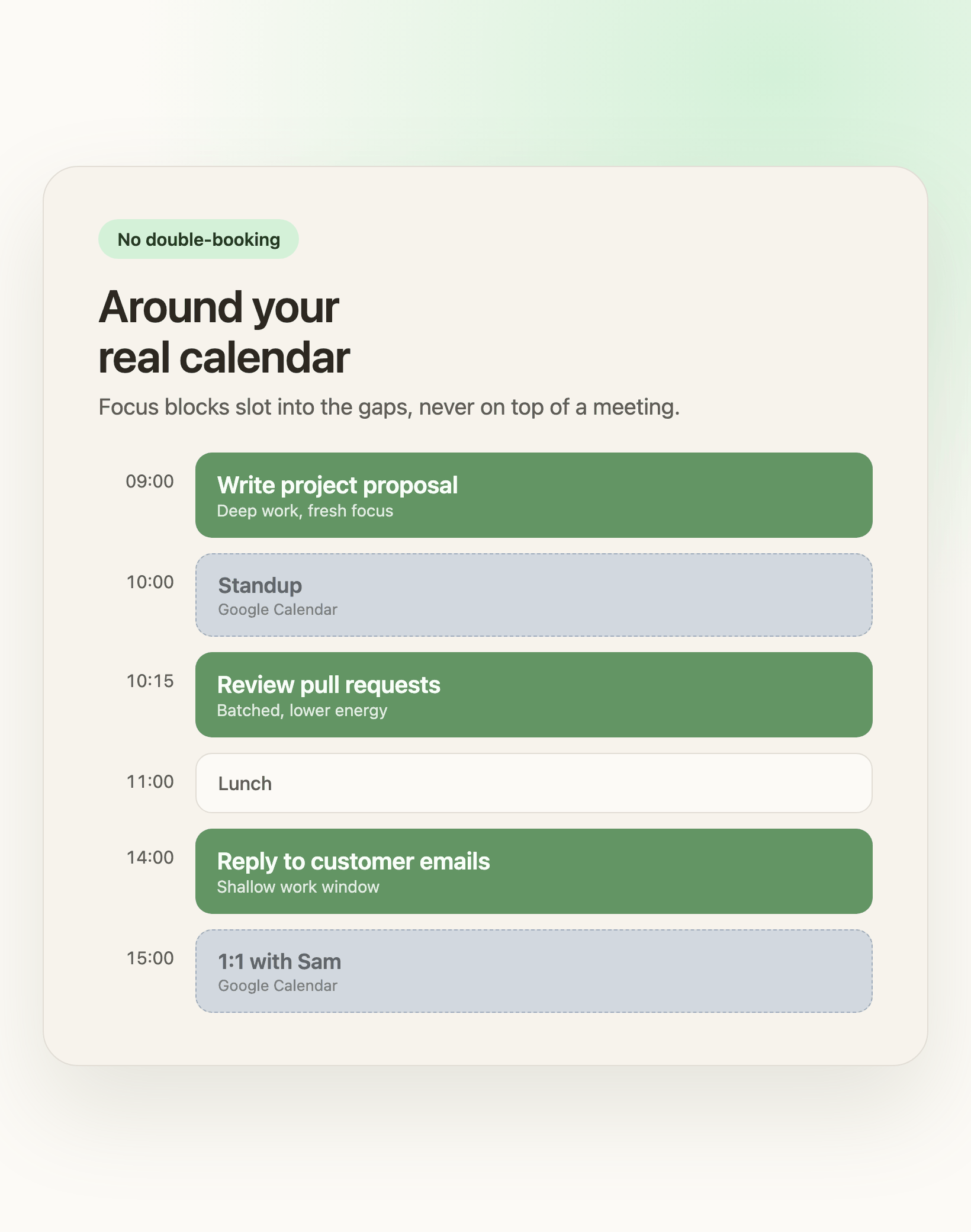
Around your real calendar: "No double-booking"
FocusBox reads your Google Calendar busy time so focus blocks never land on top of a meeting. Push the plan back as calendar events whenever you want them there.
How AI Time Blocking works
What you get
Calm, concrete day planning
One click turns today's list into a time-boxed plan
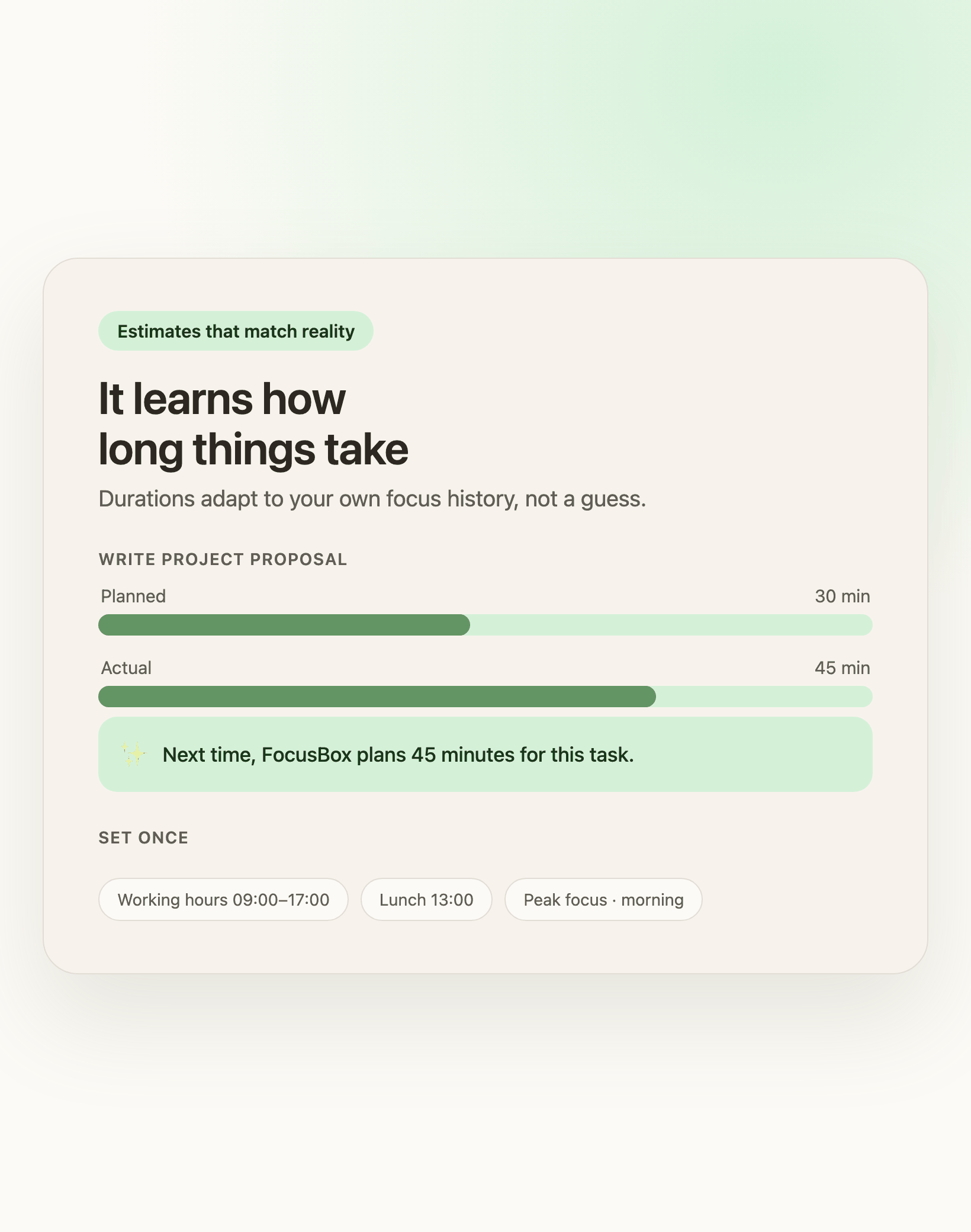
Estimates that match reality: "It learns how long things take"
Durations adapt to how long tasks actually take you, drawn from your own focus history. Set your working hours, lunch, and peak focus window once.
Frequently Asked Questions
Is AI Time Blocking free?
Every plan gets a taste of AI Time Blocking using your monthly AI credits. Paid plans get the full allotment of optimization runs. The free plan includes the core timer and task features.
Do I need to connect Google Calendar?
No. Without a calendar, FocusBox plans your tasks inside your working hours. Connect Google Calendar and it also plans around your real meetings, and can push the blocks back as calendar events.
Does it change or delete my tasks?
No. It only proposes a schedule (start times and durations) for the tasks already on your Today list. Nothing is applied until you click Apply, and you can adjust the plan first.
What happens if a task does not fit?
Tasks that do not fit your available time are listed separately as 'did not fit', so nothing is silently dropped. You can shorten durations, extend your working hours, or move tasks to another day.
Does it work on mobile?
The optimizer runs in the FocusBox web app today. Your scheduled day syncs to the iOS app, where you can run the timers and focus tools on the go.
How is this different from the AI to-do list generator?
The to-do list generator creates tasks from a description. AI Time Blocking takes the tasks you already have for today and schedules them into real time slots around your calendar. They work well together.
Can I change the plan before it is applied?
Yes. The proposed plan is a preview. Adjust it, then apply. Nothing is scheduled until you confirm.
Will it move tasks I have already finished?
No. It only plans tasks that are still open for today. Completed tasks are left alone.