Focus Better for Remote WorkersStreamline Your Remote Work with FocusBox
As a remote worker, you face unique challenges in maintaining productivity and focus. From the distractions of home life to managing your time effectively, it can be difficult to stay on task.

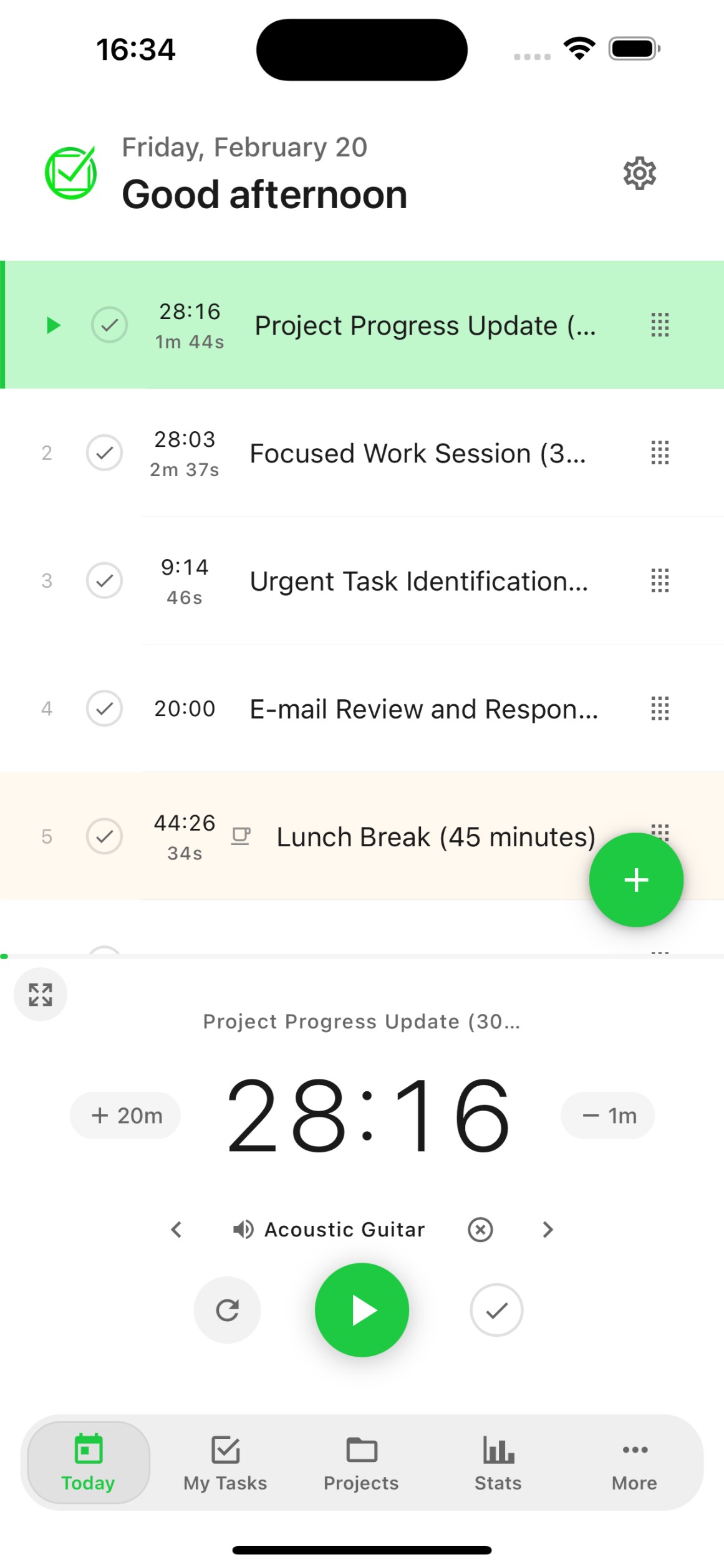
Benefits for Remote workers
Flexible, Efficient, Independent, Productive, Focused
Streamline Your Remote Work with FocusBox
Flexible Workflow
Work from anywhere, anytime with FocusBox's cloud-based platform.
Efficiency Boost
Stay on top of your tasks and prioritize your time effectively with FocusBox's task management tools.

How FocusBox Can Help You Get Tasks Done in Less Time
Benefits for Remote workers
Flexible, Efficient, Independent, Productive, Focused
Streamline Your Remote Work with FocusBox
Collaborative Teamwork
Improve team collaboration with FocusBox's team features and insights.
Reduced Distractions
Focus on your work with FocusBox's ambient sounds and Pomodoro timers.


Frequently Asked Questions
How does FocusBox help remote workers stay productive?
FocusBox provides structure for remote work with timeboxed sessions, ambient sounds, and Pomodoro timers. These tools help create a productive routine and maintain focus without a traditional office environment.
Can FocusBox help with work-from-home distractions?
Yes! Fullscreen focus mode blocks visual clutter, ambient sounds mask household noise, and Pomodoro timers create structured work intervals. These tools help you stay focused in any home environment.
Does FocusBox integrate with remote work tools?
Absolutely. FocusBox integrates with Asana, ClickUp, Todoist, Notion, Jira, and Google Calendar. Import tasks from your team tools and manage them in a focused environment.
How does timeboxing help remote workers?
Timeboxing assigns fixed time slots to tasks, creating structure in your remote workday. It prevents tasks from expanding to fill all available time and helps maintain work-life boundaries.
Can I track my remote work productivity?
Yes. FocusBox provides detailed productivity stats including completed tasks, focus time, streaks, and trends. Share these insights with your team or use them to optimize your remote work routine.
Does FocusBox support team collaboration?
FocusBox offers team productivity features that help remote teams stay aligned. Individual team members can manage their tasks while maintaining visibility into overall progress.
What ambient sounds does FocusBox offer?
FocusBox offers a variety of ambient sounds including rain, coffee shop, forest, ocean, fireplace, and more. These sounds help create a focused work atmosphere from anywhere.
Is FocusBox available on mobile for remote work?
Yes! The FocusBox iOS app syncs with the web version. Manage your tasks from any device, whether you are at your home desk, a coworking space, or working on the go.
Start for free. No credit card needed.