Key takeaways
- Pomodoro apps differ mainly in what happens around the timer: task links, sound and reporting.
- Pick on whether it fits your existing task list. A timer you have to feed by hand gets abandoned.
- A free tier is enough for most people. Pay only once you know which feature you actually use.
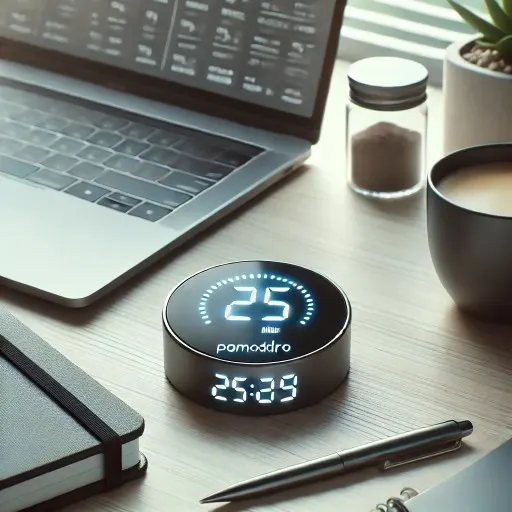
Staying productive in a world full of distractions can be challenging. That’s where the Pomodoro Technique comes in—a time management method that breaks work into 25-minute intervals, called “Pomodoros,” followed by short breaks. It’s simple, effective, and helps you focus on tasks while avoiding burnout.
Whether you’re a business owner juggling multiple responsibilities, a software engineer managing deadlines, or a student preparing for exams, Pomodoro timers can help you get more done in less time. With so many apps available, choosing the best one for your needs can feel overwhelming. To help you out, we’ve curated a list of the 8 best Pomodoro timer apps in 2026 that will help you boost your productivity.
Overview: 8 Best Pomodoro Timer Apps
Here’s a quick overview of the best Pomodoro timer apps you should consider for 2026:
- FocusBox - For Pomodoro sessions tied to your task list, with ambient sounds.
- RoundPie (formerly Pomodone) - For a timer on top of Trello, Asana, Todoist or Evernote tasks.
- Forest – For staying focused while growing a virtual forest.
- Be Focused - For iPhone, iPad and Mac users who want a simple Pomodoro timer.
- Pomofocus – For a simple, no-frills online Pomodoro timer.
- Toggl (formerly Toggl Track) - For detailed time tracking with Pomodoro timers.
- Focus To-Do – For combining task management with Pomodoro.
- Marinara Timer - For a web-based Pomodoro or custom-interval timer.
A Closer Look at the Best Pomodoro Timer Apps
1. FocusBox
Best for: Pomodoro sessions tied to your task list, with ambient sounds
FocusBox puts the timer next to the task list. You can start Pomodoro or custom timers on a task, pick an ambient sound such as rain or a coffee place, switch to a full-screen focus mode, and set reminders and alarms for the start and end of a session. Tasks can be typed in, loaded from templates, generated by the AI to-do list generator (each generation uses one AI credit; the free plan includes 1 a month and paid plans 50, per focusbox.io/pricing, October 2026), or imported from Todoist, Asana, ClickUp, Notion and Jira. Reports and insights show what you finished. It runs on the web and on iPhone and iPad. Learn more about its features here.
2. RoundPie (formerly Pomodone)
Best for: Task integration with productivity tools
Pomodone now goes by RoundPie. It runs a focus timer on top of the task manager you already use, including Trello, Asana, Todoist and Evernote, so you do not have to recreate your tasks, and it tracks the time you spend on each one. There are apps for Mac, Windows, Linux, iOS and Android, a web app, and a browser extension for creating tasks. It suits people who already rely on one of those task managers.
3. Forest
Best for: Staying focused while growing a virtual forest
Forest is a fun take on the Pomodoro method. While you focus on your work, a virtual tree grows on your screen. If you lose focus or leave the app, the tree dies. It’s a great motivational tool, especially for students and anyone who needs a bit of gamification to stay on track.
4. Be Focused
Best for: iPhone, iPad and Mac users who want a simple Pomodoro timer
Be Focused is built for Apple devices and syncs across iPhone, iPad and Mac. You create tasks, set work and break lengths, set a daily goal for completed intervals and review reports of your sessions, with CSV export.
5. Pomofocus
Best for: Simple, no-frills online Pomodoro timer
Pomofocus is a customizable Pomodoro timer that works in desktop and mobile browsers, so there is nothing to install. You add tasks, estimate how many Pomodoros each needs and work through them. Its Premium features add yearly reports, report downloads, Todoist task import and webhooks.
6. Toggl (formerly Toggl Track)
Best for: Detailed time tracking with Pomodoro timers
Toggl Track is now part of a single product called Toggl, which combines time tracking with capacity planning; existing Toggl Track users are still supported. You can start a timer, log hours afterwards or fill in a whole week, and it includes Focus mode and Pomodoro timers. It suits freelancers and teams that need time data per project or client.
7. Focus To-Do
Best for: Combining task management with Pomodoro
Focus To-Do is both a task manager and a Pomodoro timer in one. You can add tasks with subtasks, due dates, reminders, repeats and notes, then run Pomodoros on them and check statistics on where your time went. It syncs across Android, iPhone, iPad, Apple Watch, Mac, Windows and a Chrome extension.
8. Marinara Timer
Best for: Web-based Pomodoro or custom-interval timer
Marinara Timer runs in the browser. Pick the classic Pomodoro (25 minutes of work, 5-minute breaks and a 15-minute break after the fourth round), a Custom Timer where you name and size each period, or a plain kitchen timer. You can share a custom timer with teammates.
Getting More Out of Whichever App You Pick
The app matters less than how you set it up. A few things worth trying in the first couple of weeks:
- Tune the interval, don’t just accept 25/5. Some people find 20-minute sprints fit their attention better; others want longer blocks for deep work. Run a week on each and keep the one you actually finish.
- Decide the task before the timer starts. Pick the single item for the session from your list first. If something else comes up mid-session, write it down for later instead of switching.
- Use breaks for the things that interrupt you. Checking messages at the break, rather than whenever a notification arrives, keeps the next session intact.
- Test sound rather than assume it helps. Several apps on this list offer background audio. A 2024 meta-analysis of 13 studies found a small but statistically significant benefit of white and pink noise on task performance among children and college-age young adults with ADHD, while the same noise slightly reduced performance for people without ADHD. Try some sessions with a sound and some without, and compare.
- Review once a week. Look at which sessions you abandoned and when. If afternoon sessions keep failing, shorten them or move harder work earlier. Apps with reports make this easier, but a quick tally works too.
Frequently Asked Questions
What is the best Pomodoro app for free?
Pomofocus is a good place to start: the timer runs in your browser with no download, and Premium features are optional. Marinara Timer is another browser-based option, with a classic Pomodoro mode and custom intervals.
What are the best Pomodoro timers?
Some of the best Pomodoro timers include FocusBox for its customizable features, RoundPie for its task integration, and Forest for its motivational gamification.
Are Pomodoro timers good for ADHD?
Yes, Pomodoro timers can be particularly helpful for individuals with ADHD as they break tasks into smaller, manageable intervals. Our guide to the Pomodoro technique for ADHD covers how to adjust the intervals. This can improve focus and reduce feelings of overwhelm. Apps like FocusBox and Forest are great tools for maintaining focus.
Is the Pomodoro app effective?
Yes, the Pomodoro Technique is effective for many people. It encourages focus by providing short bursts of work followed by breaks, which helps prevent burnout and keeps you on track. Apps like FocusBox and RoundPie support this workflow by linking the timer to your tasks.
What is the 20-minute rule for ADHD?
The 20-minute rule for ADHD involves focusing on a task for 20 minutes at a time before taking a break. It’s similar to the Pomodoro Technique, which uses 25-minute intervals. Breaking tasks into these small chunks helps those with ADHD stay on track without feeling overwhelmed.
What is the downside of Pomodoro?
One downside of the Pomodoro Technique is that it may interrupt your flow if you’re deeply focused on a task when the timer goes off. Additionally, some people may find the constant start-stop pattern disruptive to their work rhythm.
Conclusion
Pomodoro timer apps are an effective way to manage your time, boost productivity, and maintain focus. Whether you want time data per client in Toggl or a bit of motivation from Forest, there is a Pomodoro timer for most ways of working. If you want the timer, your task list and ambient sounds in one place, FocusBox lets you load templates, generate tasks and subtasks with AI and run each one in a full-screen focus mode. Try two or three for a week each and keep the one you actually use.