Freelancers Boost Your ProductivityThe Ultimate Solution for Freelancers
As a freelancer, you wear many hats and juggle multiple projects at once.
- Free plan, no card needed
- Web and iPhone, always in sync
- Built for ADHD brains

Benefits for Freelancers
Independent, Skilled, Time-Sensitive, Reliable, Productive
The Ultimate Solution for Freelancers
Prioritize your tasks
The Pomodoro timers help you maintain focus for specific periods of time
Set realistic goals
The ambient sounds can provide a calming and distracting-free work environment

How FocusBox Can Help
Benefits for Freelancers
Independent, Skilled, Time-Sensitive, Reliable, Productive
The Ultimate Solution for Freelancers
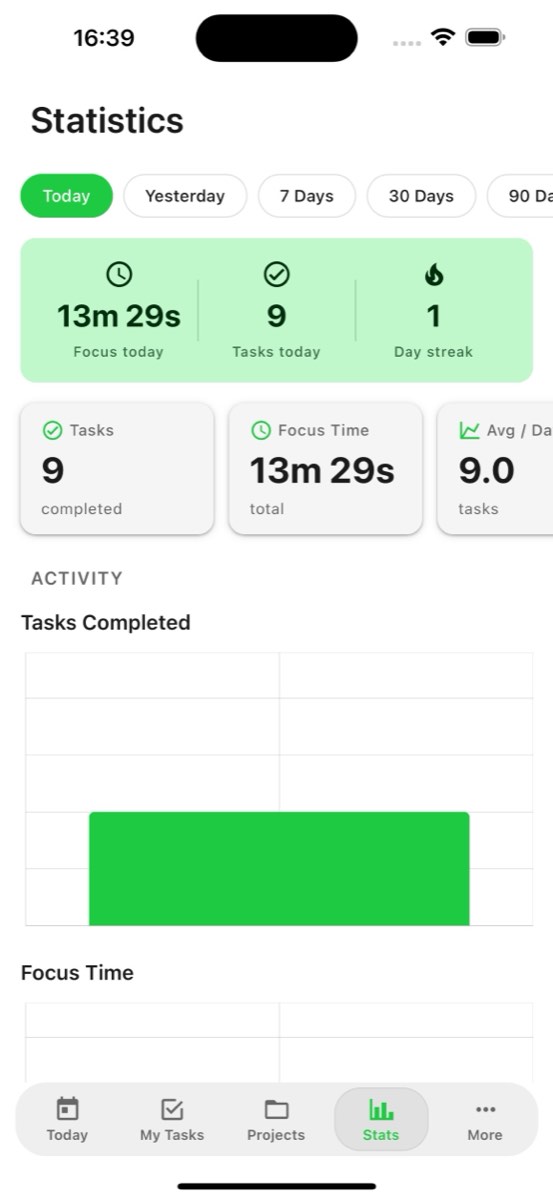
Track your progress
The data insights also provide a deeper understanding of your productivity patterns
Improve focus
FocusBox helps Freelancers improve their focus and can help identify areas for improvement.


Frequently Asked Questions
How does FocusBox help freelancers manage client work?
FocusBox lets freelancers organize tasks by client using Boxes, timebox focused work sessions, and track time spent on each project. Integrations with popular tools keep your workflow seamless.
Can I track billable hours with FocusBox?
Yes. FocusBox tracks time spent on each task, making it easy to calculate billable hours. View detailed stats per project to accurately bill clients for your work.
Does FocusBox integrate with freelancer tools?
Yes! FocusBox integrates with Asana, ClickUp, Todoist, Notion, Jira, and Google Calendar. Import tasks from your project management tools and focus on getting them done.
How does FocusBox help freelancers avoid distractions?
FocusBox offers fullscreen focus mode, ambient sounds, and Pomodoro timers to create a distraction-free work environment. These tools help freelancers maintain deep focus even when working from home.
Can I manage multiple client projects simultaneously?
Absolutely. Create separate Boxes for each client project with custom backgrounds and notes. Switch between projects easily and keep all your client work organized.
Is FocusBox affordable for freelancers?
FocusBox offers a free plan with one project, one completed task, and one AI credit. Pro is affordably priced and adds unlimited projects, AI task generation, and advanced features. It is free for three days with a card on file, then $8 a month or $60 a year.
How does AI task generation help freelancers?
Describe your project and FocusBox AI breaks it into actionable subtasks. This helps freelancers plan projects faster, estimate timelines better, and ensure no deliverable is missed.
Can I use FocusBox while traveling for work?
Yes! The FocusBox iOS app works anywhere with full offline support. Create and manage tasks without internet, and everything syncs automatically when you reconnect.