AI Project and Task SchedulerCreate Automated Schedules for Maximum Efficiency using AI
Balancing multiple routines and tasks can be challenging, especially when trying to maximize productivity and ensure adequate breaks. Keeping everything in sync and on schedule is a common hurdle.
- Free plan, no card needed
- Web and iPhone, always in sync
- Built for ADHD brains
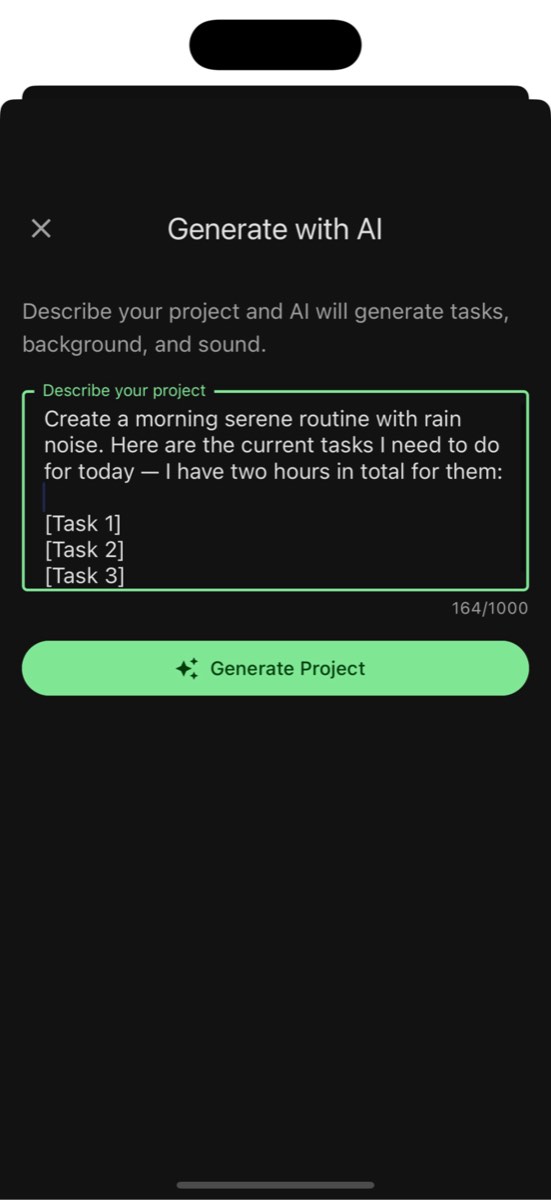
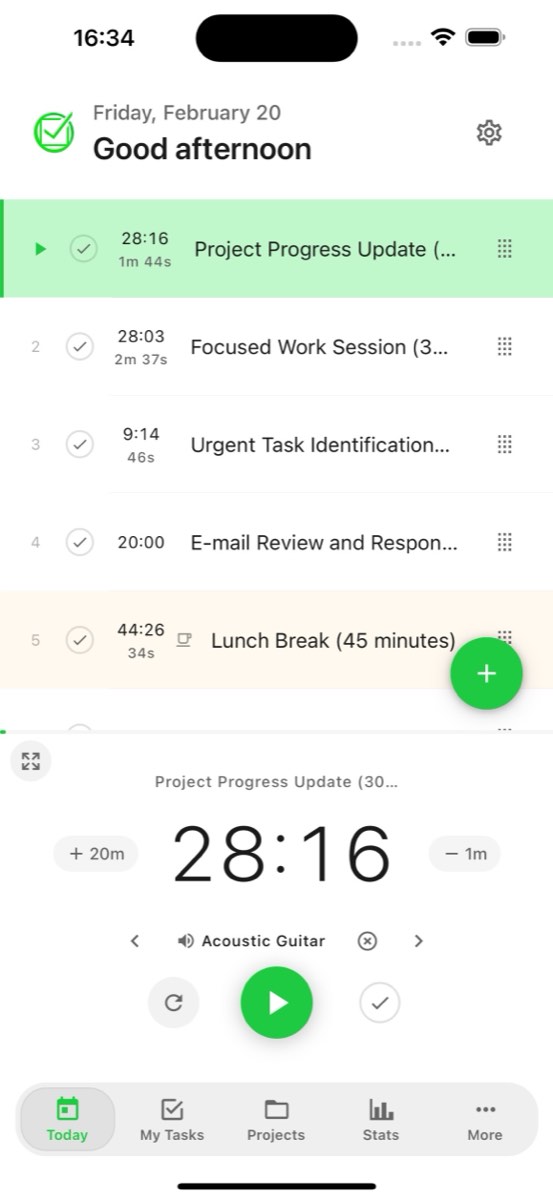
Benefits of Using AI Project and Task Scheduler
Plan evening routines that help you unwind and prepare for a restful night.
Create Automated Schedules for Maximum Efficiency using AI
Automate Routines: "Effortless Scheduling"
Automatically create schedules for tasks and breaks using AI, tailored to your needs.
Pomodoro Sessions: "Boost Productivity"
Plan Pomodoro sessions with precise work and break intervals to enhance focus and productivity.

How AI Project and Task Scheduler Can Streamline Your Routines
Benefits of Using AI Project and Task Scheduler
Plan evening routines that help you unwind and prepare for a restful night.
Create Automated Schedules for Maximum Efficiency using AI
HIIT Workouts: "Optimize Fitness"
Create high-intensity interval training schedules with exact times for exercises and rest periods.
Morning Rituals: "Start Your Day Right"
Set up morning routines with specific tasks and durations to kickstart your day.


Frequently Asked Questions
What is the AI Project and Task Scheduler?
The AI Project and Task Scheduler uses artificial intelligence to create optimized schedules for your tasks and routines. Describe your project and AI generates a structured timeline with work sessions and breaks.
How does AI scheduling work?
Tell the AI what you want to schedule, such as a project timeline, study plan, or daily routine. It generates a structured schedule with tasks, durations, and break intervals tailored to your needs.
Can AI create Pomodoro schedules?
Yes! The AI can generate Pomodoro-style schedules with precise work and break intervals. Specify your preferred work duration and break length, and AI creates the perfect session plan.
What types of schedules can AI create?
AI can create project timelines, study schedules, workout routines, morning and evening rituals, content calendars, sprint plans, and any other time-structured plan you need.
Can I customize AI-generated schedules?
Yes. All AI-generated schedules are fully editable. Adjust durations, reorder tasks, add or remove items, and fine-tune the schedule to match your exact requirements.
Does the scheduler sync across devices?
Yes! Schedules created with the AI sync automatically between the web app and iOS app. Plan on your laptop and follow your schedule from your phone.
How do I get the best results from AI scheduling?
Provide clear, detailed descriptions of your goals, time constraints, and preferences. The more context you give, the more tailored and useful the generated schedule will be.
Is AI scheduling available on the free plan?
Yes, with limits. AI scheduling uses the same AI credits as the other AI features: the free plan includes one AI credit a month and paid plans include 50. You can also build your schedule by hand with tasks and timers.