Get More Done with Full Screen ModeEliminate Distractions and Boost Productivity
Staying focused can be challenging, especially in today's digital age with constant notifications and distractions. It can be difficult to tune out the noise and concentrate on the task at hand.
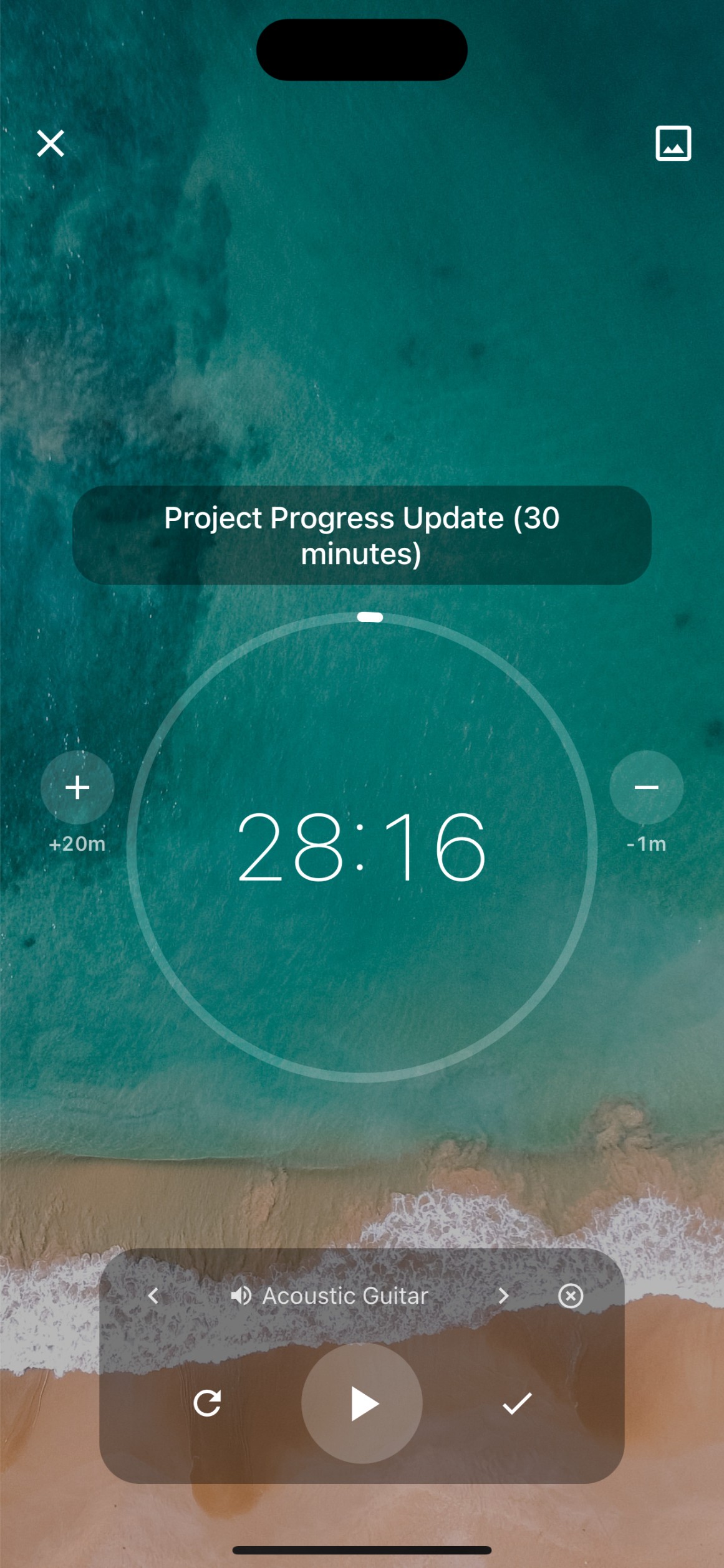
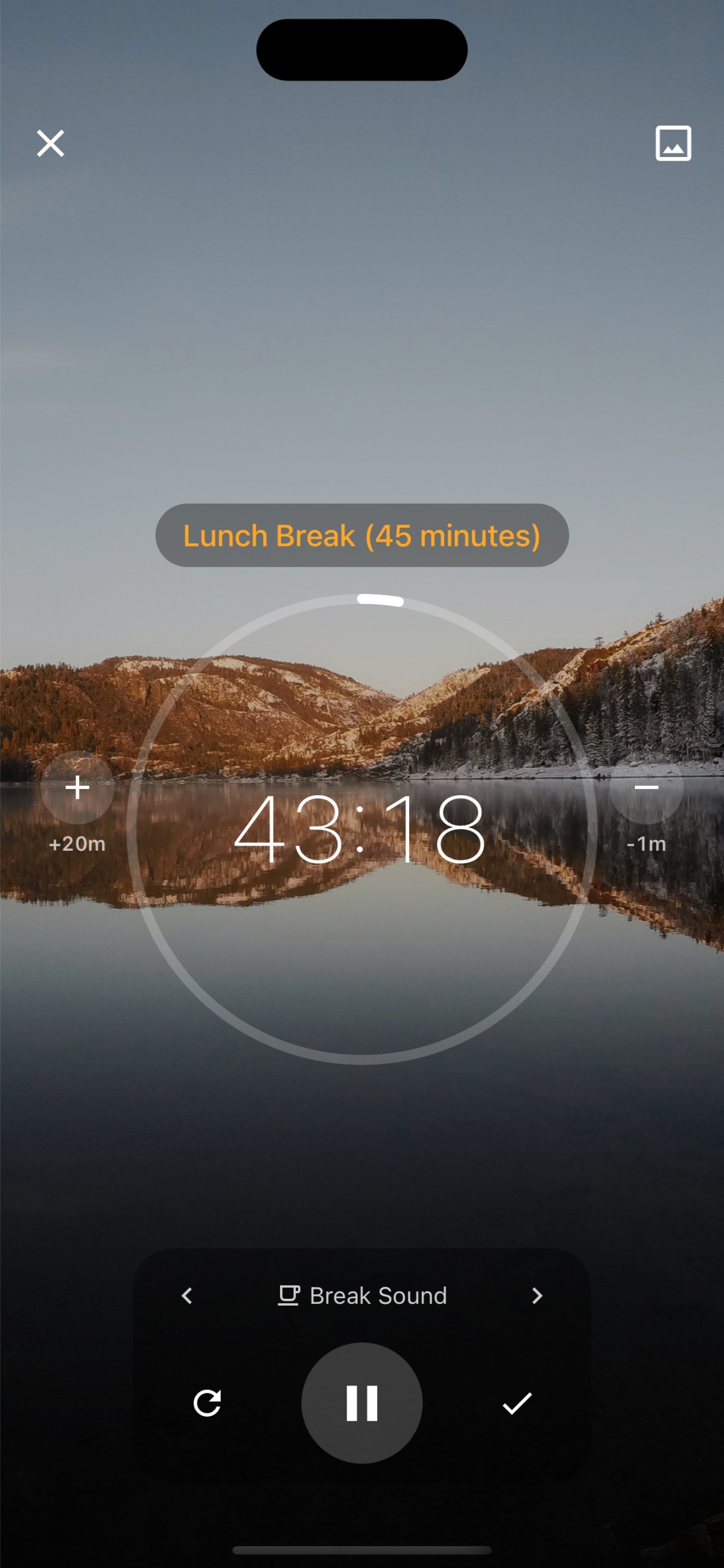
Benefits of Full Screen Mode on FocusBox
Stay Focused, Productive, and Comfortable with Full Screen mode on FocusBox
Eliminate Distractions and Boost Productivity
Eliminate Distractions: "Focus on the Task at Hand"
Minimize distractions and maximize productivity with Full Screen mode on FocusBox.
Boost Concentration: "Stay Focused"
Stay focused and concentrate on the task at hand with Full Screen mode on FocusBox.

How Full Screen Mode Can Help You Stay Focused
Benefits of Full Screen Mode on FocusBox
Stay Focused, Productive, and Comfortable with Full Screen mode on FocusBox
Eliminate Distractions and Boost Productivity
Maximize Efficiency: "Get More Done"
Reduce interruptions and complete tasks faster with Full Screen mode on FocusBox.
Reduce Eye Strain: "Take Care of Your Eyes"
Reduce eye strain and increase comfort during prolonged work sessions with Full Screen mode on FocusBox.


Frequently Asked Questions
What is fullscreen focus mode?
Fullscreen focus mode expands FocusBox to fill your entire screen, hiding browser tabs, bookmarks, and other visual distractions. It creates an immersive environment for deep, uninterrupted work.
How do I enter fullscreen mode?
Click the fullscreen button in FocusBox to enter fullscreen focus mode. Press Escape or click the exit button to return to the normal view. You can toggle it at any time during your work session.
Can I use fullscreen mode with timers?
Yes! Fullscreen mode works seamlessly with Pomodoro and custom timers. See your timer countdown front and center while working in a distraction-free environment.
Does fullscreen mode work with ambient sounds?
Absolutely. Combine fullscreen mode with ambient sounds for the ultimate focus experience. Immerse yourself visually and audibly in a productive work environment.
Can I see my tasks in fullscreen mode?
Yes. Fullscreen mode shows your current task, timer, and progress. You have everything you need to stay focused without switching back to the normal view.
Does fullscreen mode work on mobile?
The FocusBox iOS app provides a focused task view that minimizes distractions. While mobile screens are naturally more focused, the app is designed for distraction-free task management.
Can I customize the fullscreen experience?
Yes. Choose background themes, ambient sounds, and display preferences for your fullscreen sessions. Create a personalized focus environment that works best for you.
Is fullscreen mode available on the free plan?
Yes! Fullscreen focus mode is available on all FocusBox plans, including the free plan. Everyone can benefit from a distraction-free work environment.
Start for free. No credit card needed.