Key takeaways
- Firefighting feels productive and reliably starves the work that actually has a deadline.
- Sorting by deadline turns a list of urgent-looking items into a defensible order.
- Let the tool hold the deadlines. Memory and willpower are the parts that fail under pressure.
The Hidden Cost of Poor Task Prioritization: Why Deadlines Slip
Firefighting Mode: When Everything Feels Urgent
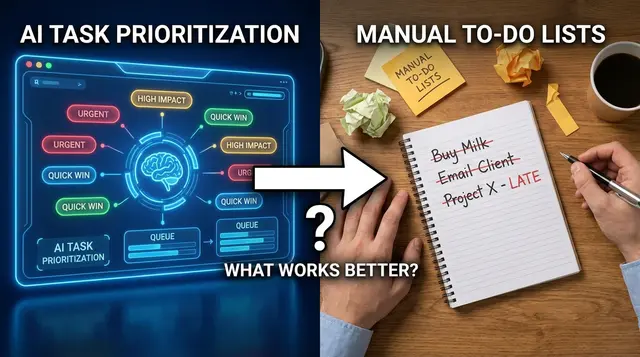
You’re at your desk, notifications pinging, emails stacking up, and Slack messages marked “urgent” keep arriving. By the end of the day, you’ve handled everyone else’s emergencies – yet the one project with a real deadline has slipped. This is the trap of reactive task management: constantly responding, but missing what matters most.
Knowledge workers typically juggle about 15 different tasks per day. Without a clear task prioritization strategy, every alert feels equally important, and the pressure never lets up. The result isn’t just stress – missed deadlines erode trust, delay projects, and contribute to burnout.
Why Reactivity Undermines Results
Staying busy doesn’t guarantee meaningful progress. Productivity comes from focusing on high-impact tasks, not just checking boxes. When every task is treated as an emergency, mental energy scatters and team alignment suffers. Deadlines slip not from lack of effort, but from a lack of perspective on what truly matters.
- Constant context switching increases cognitive load, making it harder to finish important work.
- Low-priority requests consume time that could be spent on tasks with real consequences.
- Without a master list or clear deadline tracking, it’s easy to lose sight of priorities.
Frameworks like the Eisenhower Matrix exist because it’s difficult to distinguish between urgency and importance in the moment. Without deliberate systems, the urgent often wins – regardless of impact.
How AI-Driven Prioritization Brings Clarity
AI-powered tools such as FocusBox are shifting this dynamic. Rather than relying on willpower or memory, you can sort your list by deadline and let AI time blocking fit the most pressing tasks around your calendar. You get a task order based on real deadlines, not just the loudest request.
This approach makes task prioritization a manageable habit. You see where your effort will have the greatest impact, and the risk of missing key deadlines drops. Stress decreases – not because you have fewer tasks, but because you have a system that brings the right ones into focus. Intelligent prioritization filters out the noise, keeping your attention where it counts.
Why Task Prioritization by Deadline Matters
Busy vs. Productive: The Real Difference
Every knowledge worker recognizes the challenge: fifteen or more tasks compete for attention each day. But there’s a difference between filling your hours and making meaningful progress. Task prioritization by deadline is what separates spinning your wheels from moving forward. Treating all tasks as equal, or simply tackling them as they arrive, risks spending your focus on work that feels urgent but delivers little impact.
Productivity depends on deliberate prioritization – not just activity. Frameworks like the Eisenhower Matrix, MoSCoW, and RICE all share a core message: be intentional about distinguishing true priorities from distractions. It’s not just about managing time – it’s about managing attention and energy. For those with high task loads or ADHD, methods that clarify urgency and importance can dramatically reduce stress and mental clutter.
Key Insight: True productivity comes from deliberately prioritizing tasks by real deadlines and impact, not from checking off as many boxes as possible.
From Overload to Focused Progress
The sheer volume of daily tasks creates a paradox: the more you try to do, the less you accomplish that matters. Box-ticking feels satisfying in the moment, but rarely advances strategic goals. A consolidated master task list, paired with a process for ranking by actual deadlines and impact, is foundational. When you use a tool like FocusBox to bring everything together and let AI highlight what truly needs attention, you’re investing effort where it counts.
Attention management is the real currency. Prioritizing by deadline ensures that high-impact work gets your best energy during peak periods, while lower-value or less time-sensitive tasks are scheduled, delegated, or dropped. This approach lowers stress, sharpens focus, and helps you finish more of what matters – on time.
In the end, task prioritization is about making smarter decisions – not just faster ones. With the right frameworks and digital tools, you can reclaim your attention and make visible progress, even on the busiest days.
Step 1: Build Your Master Task List in FocusBox
Before FocusBox’s AI can deliver meaningful task prioritization, you need a complete picture of what needs to get done. Scattered tasks – whether in your email, sticky notes, phone reminders, or just in your head – lead to missed responsibilities, duplicated work, and chronic stress. The antidote is a single, consolidated master list within FocusBox, capturing every obligation in one place.
A master task list is the foundation for effective AI prioritization. When FocusBox has every task in front of it, sorting by deadline and AI time blocking can produce an order that matches your real workload. If you leave something out, the plan can’t account for it. If you duplicate or delay entering tasks, you end up with chaos instead of clarity.
Why Centralizing Tasks Enables Smarter Prioritization
Knowledge workers juggle roughly 15 different tasks per day. It’s easy for important but non-urgent actions – like updating a project plan or following up with a client – to slip through the cracks when your responsibilities are fragmented. By funneling everything into FocusBox, you give the AI the raw material it needs to plan your day.
Start by pulling tasks from everywhere: your inbox, meeting notes, chat threads, mobile reminders, and even the mental lists that resurface at inconvenient moments. Use FocusBox’s import features to capture digital tasks from Todoist, Asana, ClickUp, Notion or Jira, or jot new items directly if they’re stuck in your head. The goal is a single source of truth – every obligation, deadline, and idea in a unified view.
Common Pitfalls to Avoid
- Relying on memory: Forgotten tasks reappear as last-minute emergencies, undermining both focus and confidence.
- Duplicating tasks: Entering the same item multiple times from different sources creates confusion and wasted effort. Always check for overlaps as you import.
- Omitting recurring responsibilities: Don’t just capture one-off tasks. Weekly reports, monthly check-ins, and routine maintenance need to be on the list to avoid accidental neglect.
How to Audit Your Task List Before Prioritizing
Even with every task in FocusBox, quality matters as much as quantity. Before you let the AI sort your priorities, audit your list to confirm it’s accurate, actionable, and ready for analysis. Here’s a checklist of what to look for – and why these checks matter.
| Check Item | What to Look For | Why It Matters |
|---|---|---|
| Completeness | All tasks from email, notes, meetings, digital tools, and your memory are included – nothing left out | Missing tasks can’t be prioritized, which risks urgent work slipping through unnoticed |
| Clarity | Each task is clearly described (action + outcome), not just vague references or shorthand | Ambiguous tasks confuse both you and the AI, leading to poor prioritization or procrastination |
| Real Deadlines | Confirm that each deadline is accurate, not a guess or placeholder | False deadlines distort AI-generated order, causing unnecessary stress or missed opportunities |
| No Duplicates | Scan for repeated entries from different sources or past imports | Duplicate tasks waste cognitive energy and can skew AI prioritization suggestions |
| Recurring Tasks Listed | Routine responsibilities (weekly, monthly) are included, not just ad hoc items | Ignoring regular work leads to last-minute scrambles and incomplete workload visibility |
When your master list in FocusBox is both comprehensive and accurate, you set the stage for meaningful task prioritization. Sorting and AI time blocking can then do their job, leaving you with a clear action plan instead of a guessing game. This first step is about more than organization. It’s about building trust in your own process and giving technology the right inputs for smarter results.
Step 2: Enter and Verify Deadlines for Each Task
There’s a big difference between wishing a task was done soon and setting a deadline that actually matters. If you want FocusBox’s AI to handle task prioritization accurately, you need to provide real deadlines – not guesses, not “ASAP,” not blanks. Real deadlines are the backbone of any effective prioritization system. They tell the AI which tasks are urgent, which can wait, and which are recurring routines that need a spot on your calendar but not a panic button.
Why Real Deadlines Matter
In FocusBox, deadlines are the main signal for ordering your list and choosing your next actions. When you enter an actual due date – whether it’s “Friday at 5pm” or “the 15th of each month” – you can distinguish between hard, soft, and recurring deadlines as you plan. This clarity separates meaningful progress from a never-ending shuffle of low-impact work. A task with a clear, enforced due date (like submitting a quarterly report) will naturally rise to the top, while flexible or recurring tasks can be scheduled around those pressure points.
Types of Deadlines: Hard, Soft, and Recurring
- Hard Deadlines: Non-negotiable dates. Missing these has real consequences – think tax filings, client deliverables, or event launches.
- Soft Deadlines: Preferred targets. These help pace your work but can sometimes be renegotiated – like “review draft by Thursday.”
- Recurring Deadlines: Regular, repeating tasks. These often need calendar slots but rarely cause emergencies if pushed by a day – like weekly status reports.
When you blur these boundaries or skip them, you risk letting the AI misinterpret what truly matters. It can’t tell if “ASAP” means today, tomorrow, or just “whenever you get a chance.” Leaving deadlines blank means the system may push your task to the bottom – or bury it entirely.
Before/After Example: From Vague to Actionable Deadlines
| Before | After |
|---|---|
| • Finish project plan (ASAP) • Email client update (soon) • Prepare tax docs ( ) • Write weekly summary | • Finish project plan (due July 14, 2pm – hard deadline) • Email client update (due July 11, 5pm – soft deadline) • Prepare tax docs (due July 30, 12pm – hard deadline) • Write weekly summary (every Friday, 3pm – recurring) |
In the “before” list, neither you nor the AI knows what’s urgent or what’s just nice to have. The “after” version spells out which tasks are non-negotiable, which can flex, and which repeat. FocusBox can now sort by what is due and let AI time blocking turn your task prioritization into an actionable schedule you can trust.
Be honest about what’s truly due and when. The more precise your deadlines, the smarter your workflow – and the more likely you are to finish what actually moves you forward.
Step 3: Let FocusBox’s AI Analyze and Rank Your Tasks
Once your tasks and deadlines are entered, FocusBox’s AI gets to work. Task prioritization is no longer an exercise in guesswork or arbitrary sorting. Instead, your list is ordered by deadline and AI time blocking places the most pressing tasks in the free time around your Google Calendar events. You weigh four core factors, deadlines, urgency, dependencies, and impact, drawing on proven frameworks such as the Eisenhower Matrix or MoSCoW, so the plan fits your workload.
For most knowledge workers, the daily reality includes a sprawling to-do list – on average, about 15 different tasks competing for attention. Manually ranking these tasks quickly becomes overwhelming, especially when each one has its own deadline, dependencies, or business consequences. FocusBox’s AI takes the pressure off your working memory, letting you focus on the work itself rather than on constantly rearranging your list.
| Factor | How It Works in FocusBox | Why It Matters |
|---|---|---|
| Deadlines | Sorting by due date puts tasks that must be completed soon at the top. | Prevents last-minute scrambles and missed deliverables by keeping time-sensitive work front and center. |
| Urgency | You mark tasks with immediate business consequences so they go into today’s time blocks. | Ensures you tackle what’s critical today, not just what’s “next” on the list. |
| Dependencies | You note which tasks are prerequisites for others and schedule them first when they unlock progress. | Reduces bottlenecks and keeps project momentum by sequencing tasks logically. |
| Impact | You judge which tasks drive meaningful results, then give them focused time blocks. | Helps prioritize work that actually moves the needle, avoiding the trap of “busywork.” |
Key Insight: The real value of AI-driven task prioritization is in freeing up mental bandwidth so you can focus on the work that actually matters.
Automatic analysis reduces cognitive load. Instead of spending energy deciding what to do next, you can trust that the most urgent, impactful, and time-sensitive items rise to the top. This shift is especially relevant for anyone managing chronic overwhelm. With AI sorting the noise, your attention is reserved for doing, not deciding.
That said, even the best AI depends on quality input. A common pitfall is overloading the system with incomplete or irrelevant tasks. If you bulk import old or out-of-date items, or leave deadlines blank, the recommendations can lose accuracy. The same goes for vague task names or unclear dependencies. Give the AI a clean, up-to-date list – complete with real deadlines and context – and you’ll get recommendations you can actually use.
Actionable Playbook: Maximizing the Value of AI Suggestions
Using FocusBox’s AI for task prioritization is a partnership between your judgment and the system’s analytical muscle. Here’s how to get the most from every AI-driven update:
- Review the AI-ranked list daily. Don’t just accept the order blindly. Scan the top three items and ask: does this match what actually needs to happen today? If something is off, adjust it manually – your intuition may catch a nuance the AI can’t see.
- Accept or modify AI recommendations. Use the suggestions as a starting point, not a final word. For example, if a task jumps to the top due to a tight deadline but is blocked by another deliverable, move it down and flag the dependency.
- Adjust priorities as information changes. If a project shifts or a deadline gets extended, update the relevant tasks immediately. Then run AI time blocking again so your schedule reflects the current reality.
- Avoid clutter and noise. Regularly archive or delete tasks that are no longer relevant. The cleaner your task list, the smarter the AI’s recommendations – and the less time you’ll spend overriding them.
- Document context for complex tasks. If a task’s importance or urgency isn’t obvious, add a quick note or tag. This gives the AI better data to work with and helps you (or your teammates) recall why something matters months down the line.
By combining AI-driven insight with your own expertise, you can maintain control without the mental fatigue of constant manual sorting. The result: less time spent shuffling tasks, and more time making real progress where it counts.
Step 4: Identify High-Impact Tasks and Schedule Smartly
Task prioritization is about more than just making a to-do list – it’s a deliberate process for identifying which work truly moves the needle and deserves your attention right now. Once FocusBox’s AI has ranked your list, the next step is to spot the highest-impact items and schedule your work blocks with intention. Otherwise, it’s easy to get pulled into low-value busywork or let important tasks linger until they become emergencies.
Start by zeroing in on tasks that are both urgent and important. These are the projects that can’t wait – miss them and you risk real setbacks. FocusBox’s AI will surface these by analyzing deadlines, dependencies, and your stated priorities. Don’t just accept the output at face value: read through the list, sense-check what’s been identified as urgent, and confirm that these align with your actual goals and consequences.
With your priorities clear, use timeboxing to carve out focused blocks on your calendar. Instead of vague plans like “work on report,” block one hour for “finish Q2 financial analysis.” FocusBox’s built-in timers and Pomodoro sprints make this easy, especially for users who struggle to resist distractions. For especially high-impact work, batch related tasks together – such as reviewing client feedback and drafting responses in a single deep-focus session.
Key Insight: When you let AI highlight urgent and important tasks, and then proactively block time to complete them, you make real progress instead of just crossing off the easiest items.
One common pitfall is overscheduling – cramming your calendar so full that critical tasks get squeezed out or you have no buffer for the unexpected. Another trap: ignoring those important-but-not-urgent items. These are easy to postpone, but neglecting them can undermine your long-term goals. Use FocusBox’s AI time blocking and reminders to set future work blocks for these tasks – don’t let them slip off your radar.
Comparing Prioritization Frameworks: Which Approach Works Best with AI?
The Eisenhower Matrix divides tasks into four categories based on urgency and importance. It’s especially effective when paired with AI, which can help sort your master list into these quadrants automatically. This makes it clear what to do now, what to schedule, what to delegate, and what to drop.
The MoSCoW method (must-have, should-have, could-have, won’t-have) is popular in project management and works well for larger initiatives or sprints. FocusBox’s AI project generator can break a larger initiative into tasks and subtasks that you then sort into these buckets, but it’s up to you to sense-check what truly counts as a must-have versus a nice-to-have.
For a more quantitative approach, the RICE framework (reach, impact, confidence, effort) brings structured scoring into the mix. FocusBox does not calculate these scores for you, so add your own estimates and adjust them to reflect your context, then time block the highest-scoring tasks.
| Framework | How It Ranks Tasks | Best Use Case | How FocusBox Integrates |
|---|---|---|---|
| Eisenhower Matrix | Urgency and importance | Daily priorities, quick triage | Sort by deadline, then time block the urgent and important tasks |
| MoSCoW | Must/Should/Could/Won’t | Project planning, sprints | AI project generator breaks the work into tasks you then group |
| RICE | Scoring: Reach, Impact, Confidence, Effort | Product roadmaps, backlog grooming | Score tasks yourself, then time block the top ones |
There’s no one-size-fits-all solution. The right framework depends on your workflow and the nature of your work. What matters most is that you use AI as a partner – helping you see what truly matters, so you can schedule your focus and energy where it counts.
Step 5: Delegate, Defer, or Delete: Managing Low-Priority Tasks
How AI Flags Low-Priority and Non-Essential Tasks
Planning your urgent and important work in FocusBox also exposes the tasks that don’t really move the needle. Once your deadlines and stated priorities are in place, the items that never make it into a time block are usually neither urgent nor important. For example, a recurring calendar clean-up or a backlog of “someday” ideas are likely candidates for deferral, delegation, or deletion.
Letting go of low-priority or nonessential tasks creates space for work that actually matters. Busywork and constant context switching drain more energy than most people realize. By trusting AI suggestions, you reduce the chance of falling into the trap of “doing for the sake of doing.”
Why Conscious De-Prioritization Reduces Stress
Task prioritization isn’t about getting everything done; it’s about getting the right things done. When your to-do list is a never-ending scroll, the urge to cling to every single item is strong. But deliberately postponing or offloading tasks – especially ones with no deadline and little impact – has a measurable impact on stress and focus.
Instead of subjecting yourself to the tyranny of an overloaded list, you’re making intentional choices. Say no to what doesn’t matter. Defer what can wait. Delegate where possible. These steps free up mental bandwidth and reduce anxiety. The result: you spend more time on high-impact work and less on tasks that barely register on your actual goals.
Mistakes: Clinging to Every Task and Failing to Delegate
Many people struggle with letting go. The biggest mistake? Treating every item as equally important or believing that only you can do the job. This mindset leads to bloated lists and constant overwhelm. Most teams and individuals benefit when they actively delegate or defer work that doesn’t demand their expertise or immediate input.
AI-backed suggestions make it easier to identify these offload candidates. If you find yourself resisting, remember: the goal isn’t to clear the list, but to ensure that what’s left directly contributes to real progress. That’s the core of effective task prioritization.
Step 6: Review and Adjust Your Prioritized List Regularly
Why Ongoing Reassessment Matters
Task prioritization is not a one-and-done exercise. Even if you’ve built a comprehensive master list and sorted it by deadline in FocusBox, real life rarely sticks to a plan. Deadlines shift, projects evolve, and new tasks appear without warning. If you treat your to-do list as static, you risk missing urgent updates, overlooking dependencies, or wasting time on work that’s no longer relevant.
How to Make Reviews a Habit
Set aside a few minutes at the start or end of each day to check and update your list. For knowledge workers juggling an average of 15 tasks daily, this quick review becomes a safety net. In FocusBox, use the deadline order and your AI time blocks as your baseline, but don’t hesitate to override it if circumstances have changed – a sudden request from a client, a blocked dependency, or a shifted project timeline can all affect what should come next.
- Daily check-ins: Scan your prioritized list each morning. Mark off completed items, drag up anything that’s become urgent, and defer tasks that can wait.
- Weekly reviews: Look for patterns. Are certain types of tasks always getting pushed back? Do you need to adjust how you’re estimating effort or deadlines?
- Re-planning: As you update task statuses, run AI time blocking again for what is left, and check your reports to spot high-impact opportunities and bottlenecks.
Pitfalls to Avoid
A common mistake is treating AI-generated priorities as gospel. The algorithm can factor in deadlines and dependencies, but only you know the full context – your energy levels, shifting team goals, or external pressures. Another trap is letting completed or outdated tasks linger, cluttering your list and making important next steps harder to spot.
The real power of FocusBox comes from combining automated insights with your own judgment. Treat your prioritized list as a living document. The more actively you review and adjust, the more likely you are to make deliberate choices about what deserves your attention – and avoid the stress of last-minute scrambles. With practice, you’ll start to notice which routines and review cadences help you consistently move the most important work forward.
Step 7: Communicate Progress and Deadlines with Your Team
Why Transparency Matters in Task Prioritization
Effective task prioritization doesn’t end with creating your master list or letting AI rank your to-dos. The real challenge in collaborative work is making sure everyone is on the same page. When you assume your teammates can see your priorities – or that their list matches yours – you set the stage for misalignment, duplicated effort, and missed deadlines. With so many tasks in motion, confusion can easily creep in.
Best Practices for Sharing and Updating Tasks
The first rule: actively communicate your priorities and changes. Too often, updates live in your head or stay private to your personal tool, while the rest of the team operates on outdated information. Make it a habit to update shared lists, flag completed or blocked items, and clarify which tasks truly carry urgency.
FocusBox is a personal planner, so keep the shared status in your team’s project tool. If the team uses Asana, ClickUp, Jira, Notion or Todoist, import your tasks into FocusBox to plan your own day, and update deadlines and finished tasks in the shared tool so everyone sees what is moving forward, what needs input, and what can wait. This visibility keeps everyone focused on the right work – and reduces the risk of last-minute fire drills caused by hidden bottlenecks.
Common Pitfalls and How FocusBox Addresses Them
- Assuming others see your priorities: Unless you’re using a shared tool and actually updating it, your most important work may be invisible to the team.
- Not updating shared lists: Stale information leads to wasted effort. Regularly update the shared project tool, bring the changes into FocusBox, and encourage your team to do the same.
- Failing to clarify deadlines: If a due date shifts or a blocker arises, make those changes visible – don’t rely on email threads or memory.
FocusBox’s AI can do much of the heavy lifting by turning your list into time blocks around your calendar. But the tool is only as good as the information it receives. Deliberate communication ensures everyone is moving in the same direction.
When prioritization becomes a team habit – not just a personal ritual – you prevent misunderstandings and keep projects moving. Shared visibility, proactive updates, and clear communication turn your AI-driven productivity system into a true advantage rather than a siloed to-do list.
Troubleshooting: What to Do When AI Prioritization Doesn’t Match Your Needs
Recognizing When AI Suggestions Feel ‘Off’
Even the best AI can miss the mark with task prioritization if your list isn’t complete or your deadlines shift. Maybe FocusBox recommends working on a task that looks urgent in your list, but you know a key dependency is blocked or a deadline was just postponed. When AI suggestions consistently seem disconnected from your actual priorities, that’s your cue to step in and fine-tune.
Editing Task Details for Better AI Results
Start by reviewing whether every important detail is captured. AI-driven systems like FocusBox depend on accurate deadlines and correct task descriptions to plan effectively. If you notice the AI bumping up low-impact or “nice-to-have” work, double-check your entries – did you forget to flag the true deadline, or miss adding a dependency?
- Add missing deadlines or update them if they’ve changed.
- Edit task descriptions so they reflect real urgency or relevance.
- Specify dependencies – if a task relies on something else, make sure that’s clear to both you and the AI.
Simple tweaks like these often nudge the AI toward more relevant suggestions, especially when your workload or project context evolves.
When to Override or Manually Adjust Priorities
There are moments when manual adjustment is not just justified, but necessary. AI can spot patterns and crunch numbers, but it won’t know that your boss just emailed a surprise request, or that a key meeting moved up unexpectedly. If FocusBox’s recommendations still don’t align, reorder the tasks or move the time blocks yourself to override the suggested order.
- Trust your judgment when a task’s real-world impact outweighs its apparent urgency.
- Move new or suddenly high-priority items to the top, even if AI hasn’t flagged them yet.
- Defer or delegate items that no longer fit, freeing up space for what truly matters.
Task prioritization is ultimately about balancing automation with human intuition. Use AI as your first filter, but don’t hesitate to intervene when your context demands it. The best outcomes come from a partnership: AI handles the sorting, you provide the real-world sense-check.
Summary Checklist: Using FocusBox AI for Deadline-Driven Task Prioritization
Quick-Reference Steps for Effective Task Prioritization
Turning task prioritization into a reliable habit means consistently following core steps – especially when deadlines are tight and distractions are plentiful. Here’s a streamlined checklist to guide your daily process with FocusBox:
- Consolidate every task into your master list. Don’t leave anything to memory or scattered notes.
- Enter and double-check deadlines for each item. Be realistic about what’s due and when – missing details here derails everything that follows.
- Let FocusBox’s AI plan your list. Check that the order and time blocks reflect deadlines, task importance, and dependencies.
- Spot urgent and high-impact tasks. Tackle these first, or schedule them during your peak energy periods.
- Proactively schedule important but less urgent tasks. Don’t let them slip into last-minute chaos.
- Delegate, defer, or delete low-priority items. Don’t confuse being busy with being productive.
- Review and update your list regularly. Adjust priorities as new work comes in or project demands shift.
- Communicate progress and changes with your team using the app’s collaboration features.
Self-Audit Table: Are You Using FocusBox AI Optimally?
| Check Item | What to Look For | Why It Matters |
|---|---|---|
| Master Task List Complete | Every responsibility captured in FocusBox | Prevents overlooked commitments and scattered focus |
| Deadlines Entered & Verified | All tasks have accurate, real-world due dates | Keeps prioritization grounded in reality, not wishful thinking |
| AI Task Ranking Reviewed | AI suggestions reflect actual urgency and impact | Reduces decision fatigue and highlights what matters most |
| High-Impact Tasks Scheduled | Urgent/important tasks blocked into calendar or timer | Ensures critical work is done before distractions take over |
| Low-Priority Items Managed | Delegated, deferred, or deleted as needed | Avoids busywork and preserves energy for high-value tasks |
| Regular List Review | Priorities updated at least daily | Adapts to shifting project needs and avoids stale plans |
| Team Communication | Status and changes shared promptly | Prevents misalignment and last-minute surprises |
Following these steps each day turns task prioritization from a chore into a powerful habit – one that keeps you focused, less stressed, and reliably on track for your deadlines.
Frequently Asked Questions
How does FocusBox’s AI prioritize my tasks?
FocusBox works from your master task list and the deadlines you set. For example, if you’re juggling 15 tasks, sorting by due date shows what is most pressing, and AI time blocking fits those tasks around your Google Calendar events. You add the judgement on dependencies and impact, using frameworks like the Eisenhower Matrix and RICE scoring to see not just what’s urgent, but what’s truly meaningful.
How do I avoid “busywork” and focus on results?
Let task prioritization drive decisions about what to schedule, what to delegate, and what to drop entirely. FocusBox’s deadline order and time blocks help you separate high-impact work (“Important and Urgent” or “Important but Not Urgent”) from low-value filler. If your to-do list is packed with tasks that won’t move the needle, consider focusing on the 20% of tasks that deliver the most value.
What if the AI recommendations don’t match my intuition?
AI is a powerful guide, but it isn’t infallible. If a suggestion feels off, review the task attributes – especially deadlines and dependencies. Manual adjustments are always possible. If you consistently see mismatches, double-check task details and deadlines. Remember, AI prioritization works best as a smart assistant, not a rigid rule-setter.
How do I use FocusBox for team projects and deadlines?
For collaborative work, start by consolidating all tasks in a shared master list. Assign clear deadlines and owners for each item. Keep that shared list in your team’s project tool, such as Asana, ClickUp or Jira, and import your own tasks into FocusBox to plan your day. When priorities shift, update the list and run AI time blocking again so you can adapt quickly. This reduces overlooked tasks and missed deadlines, especially on fast-moving projects.
What are the best practices for making AI prioritization stick?
- Keep your master list current – capture every new task as soon as it arises.
- Enter real deadlines, not just hoped-for dates, to get accurate rankings.
- Schedule “important but not urgent” work well in advance to avoid last-minute scrambles.
- Check in daily and adjust as needed. Priorities shift – your plan should too.
The right combination of AI assistance and your own judgment will make prioritization less overwhelming and more effective, freeing you to focus on what matters most.
Published through PostNext service
Related reading
- How to Use AI to Prioritize Your To-Do List for Maximum Productivity (2026 Guide)
- AI Task Prioritization vs Manual To-Do Lists: Which Boosts Productivity in 2026?
- Task Prioritization Frameworks Compared: Eisenhower, MoSCoW, RICE, and FocusBox AI in 2026
- The Ultimate 2026 Guide to Collaborative Task Management