Key takeaways
- A distraction-free desk is about reducing decisions, not about minimalism or a bare surface.
- Cognitive overload is the real target. Visual tidiness is only one contributor.
- Design it once and deliberately. A workspace you have to reset each morning is another daily task.
What Does a Distraction-Free Workspace Actually Look Like?
It’s About Focus, Not Just Minimalism
A distraction-free workspace isn’t defined by a bare desk or monochrome palette. While a tidy environment helps, the real goal is to create a space that supports sustained focus and minimizes mental clutter. If your mind is constantly interrupted by notifications, uncomfortable seating, or an overwhelming task list, a spotless desk alone won’t help you concentrate.
Intentional Workspace Design: Beyond Aesthetics
Effective distraction-free workspaces are built through intentional design. This means choosing the right tools and settings to support your workflow. For example, FocusBox pairs AI to-do lists and timers with ambient sounds that help mask background noise. The aim isn’t to strip your space to the bone, but to select elements that keep your attention where it belongs.
Boundaries matter, especially for remote workers. With so many people struggling to concentrate in home environments, setting up clear zones for work and relaxation is essential. Simple storage and a divider or rug help you define these areas, even in small apartments.
Reducing Cognitive Overload
A distraction-free workspace is about more than visual order – it’s about reducing cognitive overload. A tidy workspace can help, but physical tidiness is only part of the solution. Digital interruptions, unclear priorities, and poor lighting can sap your attention as much as a messy desk. Tools that manage your to-do lists, block unnecessary notifications, and encourage regular breaks are just as important as cable trays or clean lines.
Research involving the University of Exeter found that enriching a bare “lean” office with plants increased productivity by 15%. Personalizing your space – through greenery, ambient sounds, and clear boundaries – often does more for focus than striving for a sterile environment.
Intentional, Not Absolute
A distraction-free workspace isn’t about perfection or emptiness. It’s about intentional choices – selecting each element for its ability to support your focus and reduce mental clutter. Whether you work in a dedicated office or a kitchen corner, the goal is to create an environment that helps you think clearly and work effectively.
Why Distraction-Free Workspaces Matter
The Real Cost of Distractions
Distractions aren’t just minor annoyances – they have a measurable impact. Researchers have found that switching between tasks can cost up to 40% of a person’s productive time. Each interruption forces a mental reset, and it can take significant time to regain your previous level of focus. For remote workers and those managing ADHD, the challenge is even greater, with constant notifications, background noise, and visual clutter making deep concentration difficult.
Key Insight: A distraction-free workspace is essential for meaningful productivity and well-being, not just a nice-to-have feature.
Expert Perspectives: Environment Shapes Performance
Experts in organizational psychology emphasize the value of a distraction-free workspace. The physical environment – desk organization, lighting, and cable management – directly affects your cognitive load. When your workspace is cluttered, your brain spends extra energy filtering out irrelevant stimuli, leaving less focus for your actual work.
This is why it pays to set up your desk, storage and layout deliberately. FocusBox covers the digital side of the same goal: fewer sources of distraction, so your mind can stay on the work in front of you.
Evidence-Based Workspace Design
The Exeter-linked study found that adding plants to a bare office increased productivity by 15%. Natural light also matters to many people, and poorly lit spaces can feel draining. Practical workspace solutions now include adjustable lighting, plant integration, and noise reduction features. FocusBox allows users to fine-tune their environment with ambient sounds, timers, and AI-powered to-do lists, supporting the structure needed for sustained focus.
Balancing Technology and Simplicity
While digital tools can support productivity, they can also become distractions if not thoughtfully designed. FocusBox’s approach – favoring intuitive interfaces and minimalist design – reflects a growing recognition that less is often more. The aim is to provide just enough support to sharpen focus, avoiding overwhelming users with unnecessary features.
For anyone seeking to improve productivity – whether dealing with a noisy household, crowded office, or attention challenges – a distraction-free workspace is foundational for consistent, high-quality work and better mental health.
Distraction-Free Workspace Framework: Core Components
Physical Setup: Ergonomics, Lighting, and Greenery
A distraction-free workspace begins with the physical environment. Ergonomic furniture supports posture and energy, while proper lighting and greenery influence mood and cognitive clarity. The Exeter-linked study found that adding plants to a bare office increased productivity by 15%. Simple storage and cable management keep clutter at bay, supporting a more attentive workflow.
Digital Setup: Apps, Notifications, and AI Tools
Physical improvements alone are not enough if digital distractions go unchecked. FocusBox addresses this with AI-powered to-do lists, timers, and ambient soundscapes, all designed with a minimalist approach. Frequent task switching can cost up to 40% of productive time. The solution is not just silencing alerts, but designing workflows that filter out the unnecessary and surface what matters most.
Behavioral Routines: Boundaries, Breaks, and Habits
No tool or layout works without the right habits. The best distraction-free workspaces are reinforced by clear boundaries – especially vital for remote workers. It helps to designate a specific zone for work and keep it set up the same way each day. Regular breaks, structured with timers, help prevent burnout and sustain attention. Effective routines combine environmental design with consistent, intentional behavior.
| Component | What It Does | Why It Matters |
|---|---|---|
| Ergonomic Chair & Desk | Supports healthy posture and reduces physical fatigue | Prevents discomfort and keeps focus on tasks |
| Natural Lighting | Increases visibility and regulates circadian rhythms | Improves mood and energy; research links office plants to higher productivity |
| Clutter-Free Desk | Organizes work tools and cables | Reduces cognitive overload and makes it easier to find what you need |
| AI To-Do Lists & Timers | Automates task prioritization and time management | Minimizes decision fatigue and helps stick to routines |
| Notification Management | Filters and schedules alerts | Directly combats productivity drops from digital distractions |
| Designated Work Zone | Creates a physical boundary between work and life | Supports better work-life balance |
| Routine Breaks | Schedules pauses using timers | Prevents burnout and sustains attention |
Key Insight: A distraction-free workspace is built on intentional choices across your environment, digital tools, and daily habits – each reinforcing the others to create a sustainable focus zone.
Building a distraction-free workspace means aligning your surroundings, technology, and behaviors toward a single goal: protecting your attention. As remote and hybrid work become more common, investing in these core components makes it easier to sustain deep focus and enjoy the productivity benefits that follow.
How FocusBox Supports a Distraction-Free Workspace
Integrating FocusBox with Physical Workspace Elements
A distraction-free workspace requires more than clearing your desktop. Simple storage solutions and cable management make it easy to keep surfaces uncluttered, remove visual noise, and find what you need when you need it. FocusBox is software, so it works alongside these physical choices rather than replacing them.
Your physical setup can also draw on research on greenery: the Exeter-linked study found that plants in a previously bare office raised productivity. For remote workers, a clearly designated work zone helps, signaling to your brain – and your household – that it’s time to focus.
- Storage trays keep essential tools in reach, but out of sight
- Cable channels prevent tangled cords and messy distractions
- Plant holders and lighting options support mood and cognitive function
Combined with FocusBox on the digital side, these choices help you construct a workspace that feels intentional, organized, and genuinely conducive to focused work.
Optimizing Digital Focus with FocusBox
Digital distractions can be even more insidious than physical ones. FocusBox addresses this with AI-powered to-do lists that help clarify your top priorities. Instead of juggling multiple apps, the AI suggests what to tackle next based on your input and deadlines, reducing the overhead of constant self-management.
Integrated timers and timeboxing features support structured focus, especially for those with ADHD or anyone struggling with task inertia. FocusBox’s full-screen focus mode keeps other windows out of view, and it’s worth muting non-essential alerts on your device too, so your attention isn’t hijacked every few minutes. For those who work best with background sound, ambient noise features – like gentle rain or white noise – help mask distractions while avoiding becoming a new source of stimulation.
- AI-generated task lists clarify priorities each session
- Timers and timeboxing break big projects into manageable blocks
- Full-screen focus mode keeps your digital environment calm
- Ambient sounds support focus, especially in noisy home or open office settings
A common criticism is that digital productivity tools can introduce their own distractions. FocusBox counters this by prioritizing minimalist design and intuitive workflows, so the tool supports your process rather than competing for your attention.
The result is a workspace – both physical and digital – intentionally built for clarity and concentration. With FocusBox, you’re not just reducing distractions; you’re actively shaping an environment that lets your best work happen.
Designing Your Distraction-Free Workspace: Step-by-Step
Building a distraction-free workspace takes more than clearing your desk or silencing your phone. It’s about making deliberate choices in both your physical setup and digital workflow. FocusBox provides tools designed to address the real reasons people struggle to concentrate – especially if you manage ADHD or rely on timeboxing strategies. Here’s how to build a workspace that supports deep focus, using current research and FocusBox’s features as your blueprint.
Workspace Layout and Ergonomics: Positioning for Comfort and Focus
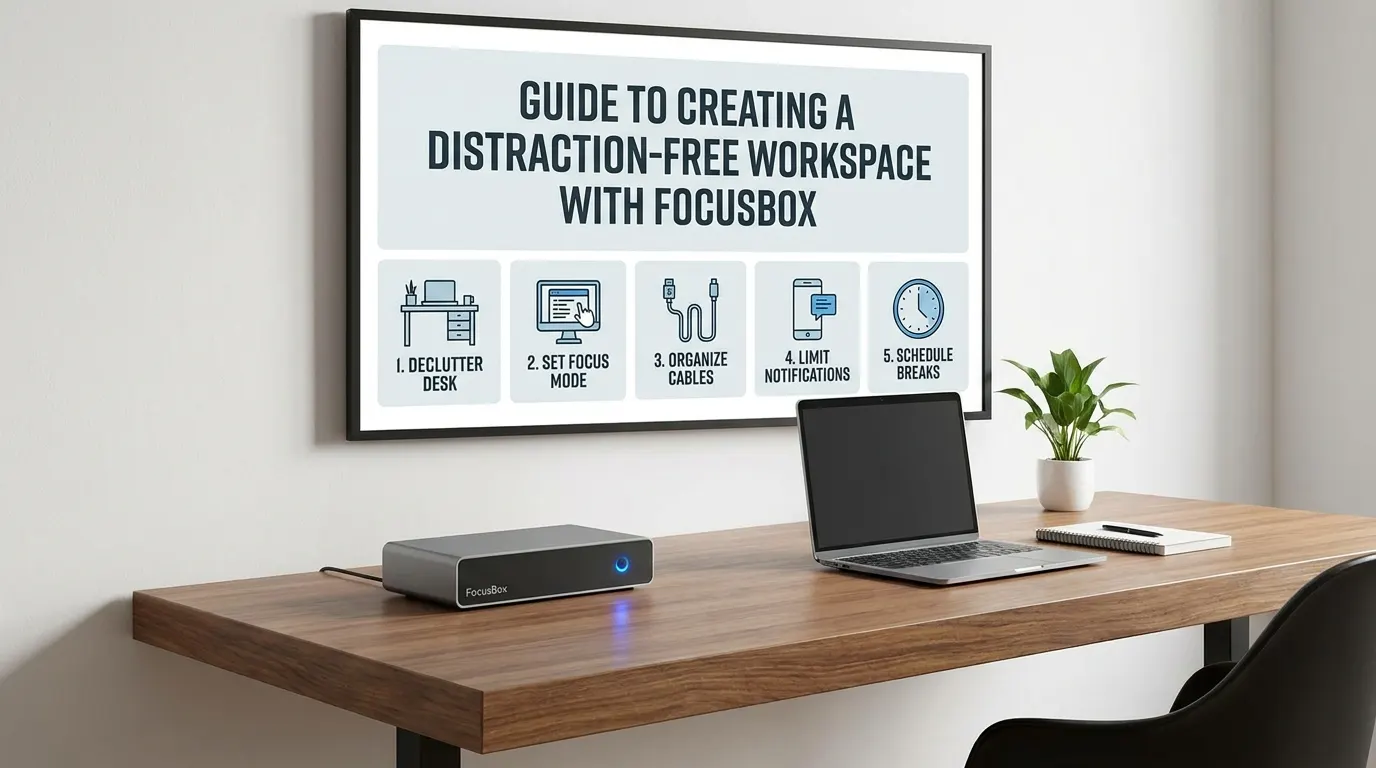
Start with the basics: declutter your desk. Physical clutter can add to cognitive overload. Remove nonessential items, keep only what you use daily within arm’s reach, and group similar supplies together. If the desk holds a stack of things you moved but never sorted, a timed clear-out of the doom pile is the quicker first step.
Cable clips and a few storage trays make this process straightforward. Tuck away chargers and cables out of sight. Store stationery, headphones, and notebooks in designated compartments. The result: fewer visual distractions and less time spent searching for what you need.
Next, consider ergonomics and furniture placement. Your monitor should sit at eye level, about an arm’s length away. Choose a chair that supports your back and lets your feet rest flat on the floor. If you work long hours, opt for an adjustable chair and desk to alternate between sitting and standing.
Lighting is crucial. Many people find natural light lifts their mood and energy. If windows are limited, use an adjustable lamp to simulate daylight. Add a desk lamp with a color temperature close to daylight (5000 – 6500K) and position it to avoid glare. For an extra edge, include a small plant: in the Exeter-linked study, adding plants to a bare office raised productivity by 15%.
| Before | After |
|---|---|
| • Laptop surrounded by cables, random papers, and coffee mugs • Desk lamp with harsh yellow light • Chair with no back support | • Laptop on a stand, cables routed through cable channels • Minimal desk items – just a notepad, pen, and water bottle • Neutral daylight lamp, adjustable for brightness • Ergonomic chair, feet flat on the floor • Small plant in the corner |
Why the improved version works: The “after” setup eliminates visual chaos, supports posture, and introduces elements linked to better mood and focus. The result is not just a tidier desk, but a workspace that actively supports your focus and productivity.
Digital Setup: Apps, Devices, and Integrations
Even with the perfect physical setup, digital distractions can be relentless. FocusBox streamlines your digital workflow so you’re only exposed to what matters. Start by installing the FocusBox AI to-do list and timer app on your main device. Use its AI-powered suggestions to break big tasks into manageable chunks – especially useful for users with ADHD.
Set up timers and ambient sounds for timeboxing. Pomodoro and custom interval options let you structure work periods and breaks. Ambient soundscapes – rain, white noise, or non-lyrical music – help drown out distractions. FocusBox’s minimalist interface keeps your attention on the current task, not on switching tabs or tweaking settings.
Notifications are a common productivity killer. Turn off non-essential alerts across your devices. FocusBox imports tasks from Todoist, Asana, ClickUp, Notion and Jira, and events from Google Calendar, so you can centralize your task list and deadlines. Use FocusBox’s full-screen focus mode during deep work sessions, and silence notifications on your device for the same stretch.
| Before | After |
|---|---|
| • Multiple to-do apps open, each with redundant lists • Email and chat notifications popping up every few minutes • No clear break schedule – work bleeds into downtime | • All tasks organized in FocusBox’s AI to-do list • Non-essential notifications silenced during work blocks • Timers running with scheduled breaks and ambient sounds • One dashboard displaying what needs attention right now |
Why this digital setup is better: By consolidating tasks and minimizing interruptions, you reduce context switching and reclaim hours lost to distraction. The digital declutter works hand-in-hand with your physical setup to create a truly distraction-free workspace.
Designing a distraction-free workspace with FocusBox is a deliberate process, but the payoff is clear: less stress, more clarity, and real gains in productivity – whether you work from home or in a shared office.
The Power of Ambient Sounds and Timers
Ambient Soundscapes: Filtering Out the Noise
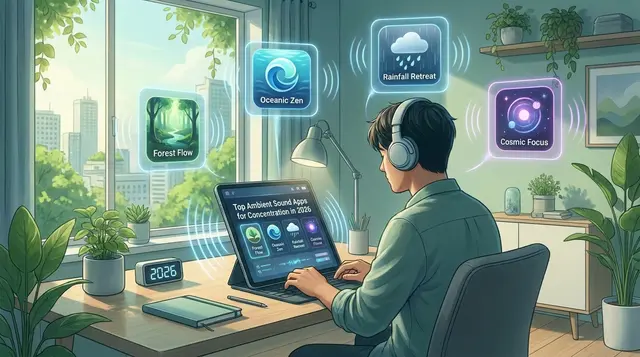
Background noise is a common threat to a distraction-free workspace. Open offices, shared homes, and makeshift workspaces all serve up unpredictable interruptions. FocusBox addresses this with integrated ambient soundscapes – carefully selected to mask intrusive distractions, such as low-volume white noise or subtle nature sounds.
Ambient audio can effectively block sudden noises that disrupt concentration. In environments where many employees struggle with focus, even small shifts matter. By swapping household noise for controlled soundscapes, you may get longer periods of uninterrupted work.
Timers, ADHD, and the Science of Focus
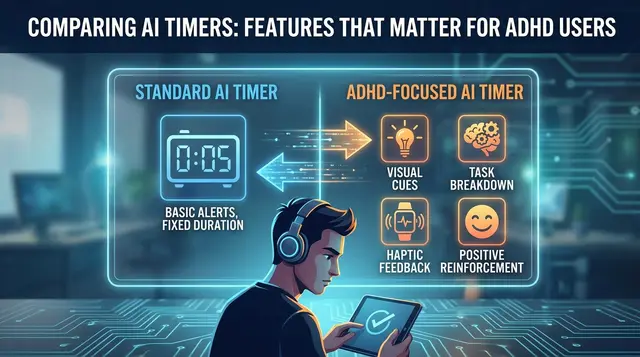
For those with ADHD – or anyone who struggles with task inertia – timeboxing is a widely used strategy. FocusBox’s Pomodoro timers break overwhelming projects into short, actionable sprints, typically 25 minutes of work followed by a 5-minute pause. Many neurodivergent users find external cues like this helpful for starting work and keeping momentum.
Many people use timeboxing and Pomodoro techniques to cut procrastination and finish more tasks. The key isn’t just the timer – it’s the built-in permission to rest, which helps prevent burnout and supports sustainable productivity.
Customization: Meeting You Where You Are
No two users share the same distractions or rhythms. FocusBox offers customizable settings for both soundscapes and timers. You can select audio that matches your environment and fine-tune timer durations to fit your workflow. This flexibility makes it easier to craft a routine that actually fits your needs.
Personalization aligns with a broader workplace trend: people want tools that adapt to their realities, not rigid systems. FocusBox’s flexible approach lets you experiment and find the combination that keeps you focused and energized.
When Interruptions Still Get Through
A tidy desk does not stop the pings. Microsoft’s telemetry shows that, among the heaviest-pinged Microsoft 365 users, employees are interrupted every two minutes during core work hours, 275 times a day, by meetings, emails, or chats. The bigger cost is getting back: in Gloria Mark’s research, interrupted work was resumed, on average, 23 minutes and 15 seconds later.
Two habits shrink that cost:
- Protect the block before it starts. FocusBox does not silence your device’s notifications or move other people’s meetings, so pair it with your calendar’s own focus-time settings and your device’s Do Not Disturb. Use AI time blocking to place the task in an open slot around your imported Google Calendar events, then start the timer in full-screen focus mode.
- Make the restart obvious. Work from a task broken into subtasks. When a message pulls you away, the current timebox and the next unchecked subtask are still there when you come back, so you restart the timer on the next step instead of rereading notes to work out where you were.
Filter and Batch Notifications Instead of Muting Everything
Muting everything sounds like the answer, but it tends to fail in one of two ways: you miss something that mattered, or you keep checking your phone because you are worried you might have. A setup that holds up has three parts:
- A short exception list. Let through direct messages from your manager or team lead and alerts for meetings about to start. Everything else waits.
- Release windows. Batch the rest and review it at fixed points, for example before lunch and at the end of the day, rather than as it arrives.
- Distraction as a reward. Finish a focus block, then give yourself five minutes with the app you were itching to open. If the block is not done, the reward waits.
Why not just multitask through the pings? Very few people can. In a driving simulator study, just 2.5% of 200 participants showed no decline when doing two demanding tasks at once. Students are no exception: in one line of research, the typical student was distracted for at least five of every 15 minutes set aside to study.
It also helps to notice what sends you to your phone in the first place. Boredom, frustration or a task that feels too big often come just before a “quick check”. Jot the trigger down when it happens; after a week the pattern is usually obvious.
Tracking Progress and Maintaining Your Distraction-Free Workspace
Using FocusBox Analytics for Real Results
A distraction-free workspace requires ongoing attention. FocusBox’s built-in analytics provide a clear picture of your progress, helping you connect workspace changes to real productivity gains. The app logs completed tasks and focus sessions, so you can track trends – such as improved output after adding a plant or switching to an ergonomic chair.
| Component | What to Track | Why It Matters |
|---|---|---|
| Completed Tasks | Daily and weekly totals, types of tasks finished | Shows real productivity and highlights workflow trends |
| Focus Sessions | Number, duration, and timing of Pomodoros | Reveals peak concentration periods and distraction patterns |
| Workspace Adjustments | Lighting, desk setup, addition of plants | Connects environmental tweaks to mood and task completion |
| Break Patterns | Frequency and timing of breaks | Prevents burnout by ensuring essential rest periods |
| Boundary Violations | Personal tasks entering work time (and vice versa) | Helps reinforce boundaries between work and personal life |
Regular Workspace Reviews and Adjustments
Routine check-ins make the difference between a clutter-free setup that lasts and one that slides back into chaos. A tidy workspace is easier to think in. Use a FocusBox reminder to prompt a regular desk review: Are cables starting to tangle again? Did a new gadget introduce more distraction than utility?
These small audits help you maintain the environment you’ve built. Over time, you’ll spot patterns – maybe productivity drops on cloudy days, or certain layouts work better for specific tasks. FocusBox analytics help you adapt accordingly.
Maintaining Boundaries Between Work and Personal Life
A distraction-free workspace depends on clear separation between work and everything else. Designate a zone just for work within your home, and use FocusBox reminders and alarms to tell you when to step away in the evening. This is especially important as remote work blurs the lines between professional and personal time.
Consistency is key. Use FocusBox to reinforce habits – close your laptop at a set hour, tidy your desk, and review your analytics. The end result is a workspace that supports your focus, not one that demands constant policing.
Before and After: Workspace Transformations
From Chaos to Clarity: Visual and Functional Shifts
Theory is one thing, but seeing the transformation in real environments drives the point home. Before adopting FocusBox principles, most users start with cluttered desks, tangled cords, and a jumble of digital and physical reminders. After the shift, the same space feels lighter, more intentional, and – most importantly – primed for deep work.
| Before | After |
|---|---|
| Desk piled with papers, sticky notes scattered, tangled chargers, open browser tabs, and overlapping personal/work zones. Background noise from TV or household chatter seeps in. The only “system” is a stack of to-dos written on whatever scrap is handy. | Decluttered desktop with a single notepad, chargers hidden with cable management, and personal items moved out. FocusBox’s AI to-do list sits on a dedicated screen, tasks sorted by timeboxing. Ambient sound masking replaces TV noise. A clear boundary (like a modular divider or a simple rug) marks the work area. |
| Lighting is harsh or inconsistent, often overhead fluorescents. Plants and natural elements are missing. No clear break schedule, leading to marathon sessions and fatigue. | Adjustable lighting ensures soft, even brightness. A desk plant adds visual calm and, according to the Exeter-linked study, may boost productivity. FocusBox’s Pomodoro timer cues regular breaks, supporting sustained energy through the day. |
Workflow and Focus Improvements
The impact on workflow and attention is clear. Changes like these tend to mean fewer context switches and longer stretches of focused work. With distractions minimized, the need to repeatedly reorient after interruptions drops. FocusBox’s minimalist interface and AI task management system become central tools, not sources of digital clutter.
Picture a routine that feels like “never knowing what to tackle next, with notifications always pulling me away.” With distraction-free practices and FocusBox in place, that day becomes structured – tasks broken into focused sprints, each with a clear start and finish, and work tracked automatically.
Lessons from the Transformation Process
- Clutter is cumulative. Even small messes build up and sap mental clarity. Regular resets – both physical and digital – are essential.
- Boundaries matter. Physically marking the start of a workspace, even with a simple mat or divider, helps the brain switch into “work mode.”
- Tech can help or hinder. The right tools, like FocusBox, should recede into the background once set up – serving the workflow, not dominating it.
- Personalization pays off. Adjustable lighting, plants, and custom soundscapes make a desk feel inviting and keep focus high throughout the week.
A distraction-free workspace isn’t only about removing obstacles – it’s about optimizing every element to serve your attention and well-being. The best transformations are visible in the space, but felt even more in the quality of your workday.
Customizing Your Distraction-Free Workspace
Adapting to Remote, Hybrid, and Office Environments
A distraction-free workspace means something different for everyone, especially as work settings diversify. Whether you’re at home, in a shared office, or balancing both, FocusBox runs on the web and on iPhone and iPad, so the digital side of your setup comes with you. Remote workers can define dedicated zones with simple furniture choices: think a compact work nook in your living room or a movable desk divider in a studio apartment. For hybrid workers, keeping the same timers and sounds in both places maintains consistent focus cues. In offices, storage and cable management help keep shared spaces organized and visually clean.
Tailoring FocusBox for ADHD, Neurodiversity, and Personal Triggers
One size doesn’t fit all when it comes to focus. FocusBox was designed with neurodiversity in mind, offering features like AI-generated to-do lists, ambient soundscapes, and Pomodoro timers. These address the specific challenges faced by users with ADHD or executive function differences. If you’re triggered by visual clutter, FocusBox’s full-screen focus mode hides everything except the current task. If you’re sensitive to noise, the app’s sound library can soften background distractions, even in bustling environments.
Personalization goes further with adjustable lighting and plants. The Exeter-linked study found that adding plants to a bare office raised productivity by 15%; a desk plant is an easy way to test this for yourself. Adjusting light levels – especially in home offices that double as living spaces – also helps set boundaries and signal when it’s time to focus or unwind.
Balancing Aesthetics and Function
Creating a workspace you want to spend time in matters as much as ergonomic function. FocusBox avoids the trap of overdesigned tech by prioritizing intuitive interfaces and clean lines. Minimalist design reduces the temptation to tinker with settings, so you spend less time fiddling and more time accomplishing tasks. Physical cable management and regular decluttering help maintain visual calm, supporting sustained concentration.
Not everyone wants a monochrome environment. Modular accessories and ambient lighting options let you add color and personality while maintaining utility. By balancing form and function, FocusBox encourages you to create a workspace that feels uniquely yours – inviting, practical, and built to support deep work.
Common Mistakes When Creating a Distraction-Free Workspace
Over-Reliance on Technology
Many people assume that the right app or digital system is all they need for a distraction-free workspace. This overlooks the critical role of the physical environment. A cluttered desk can add to cognitive overload and undermine focus. Even the best AI to-do lists or timers won’t compensate for tangled cables, poor lighting, or uncomfortable seating. Evaluate your surroundings: is your desk tidy? Are cables managed and supplies within reach? FocusBox handles tasks and timers, but don’t overlook storage, cable management and ergonomic adjustments. A supportive chair, adjustable lighting, and regular decluttering are just as essential as digital tools.
Neglecting Regular Reviews and Adjustments
A workspace that starts out optimized can easily slip back into chaos. Neglecting periodic reviews is a common pitfall. Over time, papers pile up, task lists balloon, and personal items migrate into work zones. The result: creeping clutter and a drop in productivity. A useful habit is a brief weekly audit – just five minutes to reset their space and digital tools. This practice keeps both physical and digital distractions in check. Set a recurring reminder, tidy your desk, archive old tasks, and adapt your setup as your needs evolve.
Creating a Sterile or Uninspiring Environment
In the drive for minimalism, some people turn their workspace into a blank slate – empty walls, gray surfaces, no personal touch. While a clean environment matters, research involving the University of Exeter found that adding plants to a bare office boosted productivity by 15%. Natural light, a framed photo, or a splash of color can make a space inviting rather than stifling. The sweet spot is a workspace that feels both organized and motivating, not stripped of personality.
Building an effective distraction-free workspace is about balance. The right blend of technology, thoughtful physical setup, and regular refreshes enables you to stay focused – while still feeling comfortable and free.
Honest Limitations: When FocusBox and Distraction-Free Design Might Not Be Enough
Unavoidable External Distractions
Even with a distraction-free workspace and FocusBox’s best efforts, some challenges are beyond the reach of software or design. If you work in a shared home or busy office, unexpected noise – children, street traffic, or chatty coworkers – can still break your focus. While ambient sound features or noise-canceling headphones help, they rarely eliminate all disturbances. In these cases, setting clear boundaries with others or negotiating quiet hours may be just as important as workspace optimization.
Individual Differences and Personal Triggers
No single tool can accommodate every user’s needs. While plant integration and natural light show productivity benefits on average, some people find greenery distracting or bright light fatiguing. Similarly, those with ADHD may require more frequent breaks or unconventional work rhythms that a timer-driven system cannot fully support. Adaptation is essential – experiment with workspace elements and features until you find your own ideal setup.
Discipline Over Tools
Even the best-designed distraction-free workspace is only as effective as the habits behind it. Tools like FocusBox can provide structure, but personal discipline – managing digital temptations, sticking to routines, and holding yourself accountable – remains crucial. The best results come when technology supports, but does not replace, conscious behavior change.
Frequently Asked Questions
How do I set up FocusBox for a distraction-free workspace?
Begin by clearing your physical desk. Import existing tasks from Todoist, Asana, ClickUp, Notion or Jira and events from Google Calendar, then use the AI to-do list generation to organize your day. Add a plant and adjust your lighting; the Exeter-linked study found plants raised productivity in a bare office.
What customization options are available?
FocusBox offers a wide range of customizable settings. Set up Pomodoro timers, choose from ambient soundscapes, set reminders and alarms, and use full-screen focus mode. The physical side, such as a sit-stand desk and adjustable lighting, is up to your own setup.
How can I troubleshoot common issues?
- If the AI to-do list isn’t syncing, check your internet connection and ensure your calendar integration is active.
- For timer or ambient sound issues, restart the app and confirm your device’s audio settings are enabled.
- If imported tasks or events are missing, check that your Todoist, Asana, ClickUp, Notion, Jira or Google Calendar connection is still active.
Most problems can be resolved by consulting FocusBox’s troubleshooting resources or reaching out to support.
What are some best practices for sustaining a distraction-free workspace?
- Establish clear boundaries between work and personal life. Use a divider or rug to physically mark your work zone.
- Adopt a consistent routine. Set regular work hours, and use built-in timers to schedule breaks – this prevents burnout and supports sustained focus.
- Incorporate nature. Add a plant or two to your workspace. This can improve both mood and focus.
- Minimize digital distractions by using FocusBox’s full-screen focus mode, which hides everything except the task in front of you.
Can technology itself become a distraction?
This is a valid concern. FocusBox addresses it by focusing on minimalist design and intuitive controls. Unlike feature-heavy tools that overwhelm users, FocusBox prioritizes only what’s essential for maintaining a distraction-free workspace. Periodically evaluate which features actually help you concentrate, and disable those you do not use.
How do I maintain my distraction-free workspace over time?
Schedule regular reviews – weekly or monthly – to reset both your physical and digital environments. Use FocusBox’s analytics to spot trends and make adjustments. Consistency is key: tidy your desk regularly, archive completed tasks, and adapt your setup as your needs change.
Building and maintaining a distraction-free workspace requires intention, the right tools, and ongoing adjustment. FocusBox is designed to help you stay organized and focused, but your daily habits play a crucial role in long-term success.
Created with PostNext tool
Sources
- Why plants in the office make us more productive (University of Exeter)
- Digital multitasking and hyperactivity: unveiling the hidden costs to brain health (PMC)
- Breaking down the infinite workday (Microsoft Work Trend Index)
- Too Many Interruptions at Work? (Gallup interview with Gloria Mark)
- Few drive well while yakking on cell phones; Yet 1 in 40 are ‘supertaskers’ who can do both (ScienceDaily, University of Utah)
- The distracted student mind: Enhancing its focus and attention (Kappan)