Daily Planning RitualsPlan your day, wrap it up, review your week
FocusBox gives your day a beginning and an end. Three guided rituals replace the endless list with a routine you can actually keep, even on the hard days.
- Free plan, no card needed
- Web and iPhone, always in sync
- Built for ADHD brains
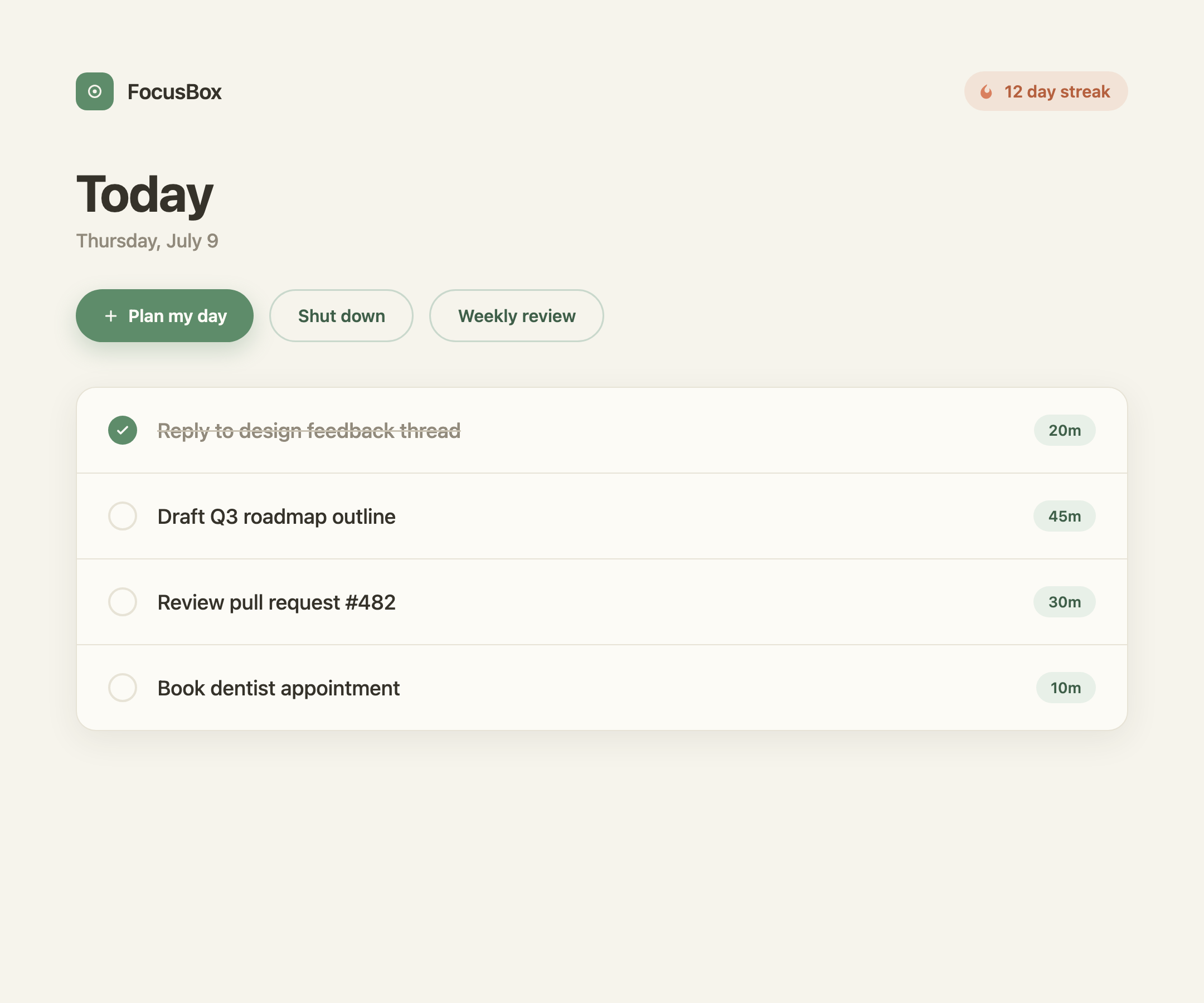
Start and end your day on purpose
Two short rituals give your day a clear shape
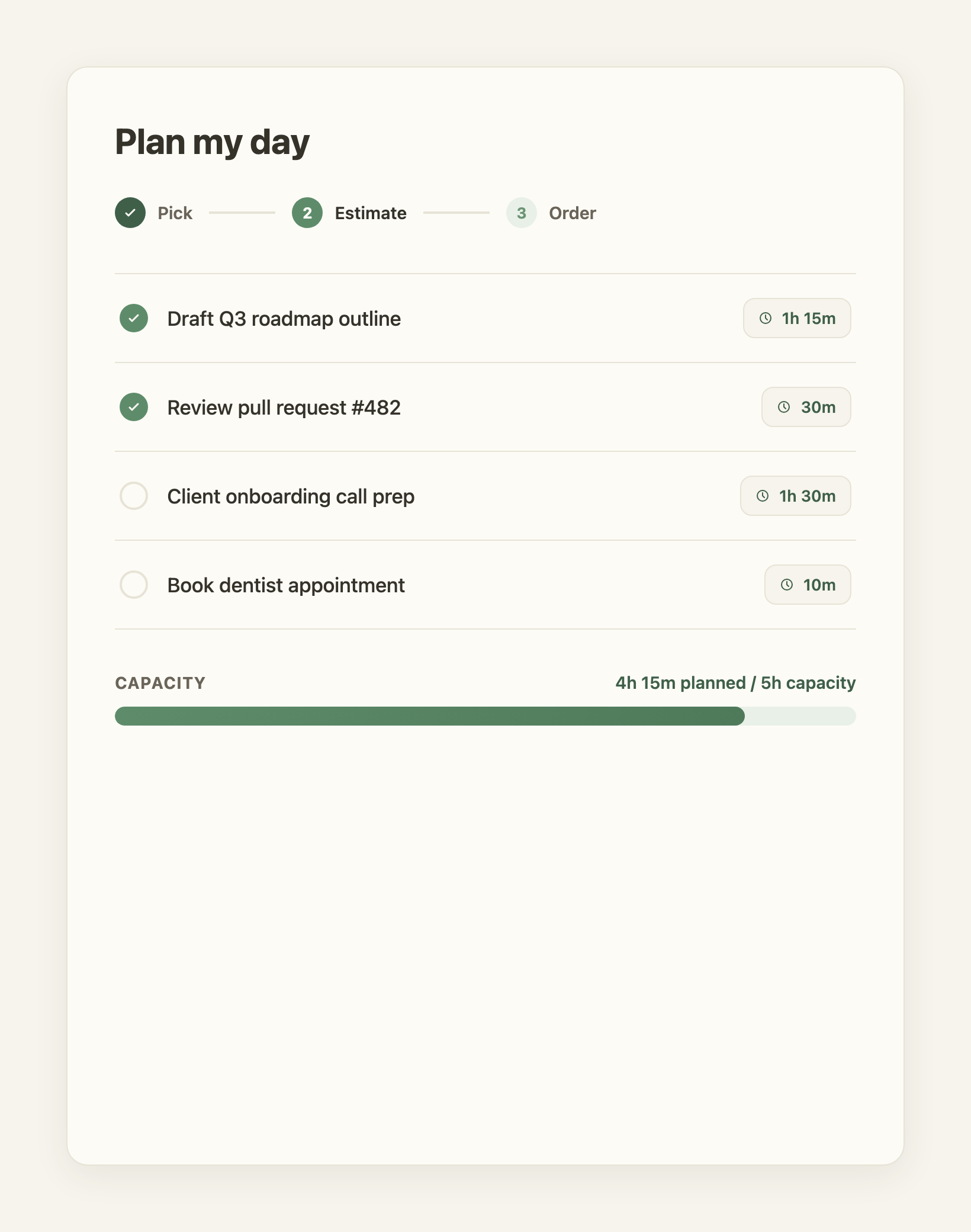
Plan My Day: pick, estimate, order
Each morning, a guided flow surfaces the tasks that matter, including anything that rolled over from yesterday, gives each one a time estimate from your own history, then lets you drag them into the order you will actually do them. A capacity meter warns you before you plan more than the day can hold.
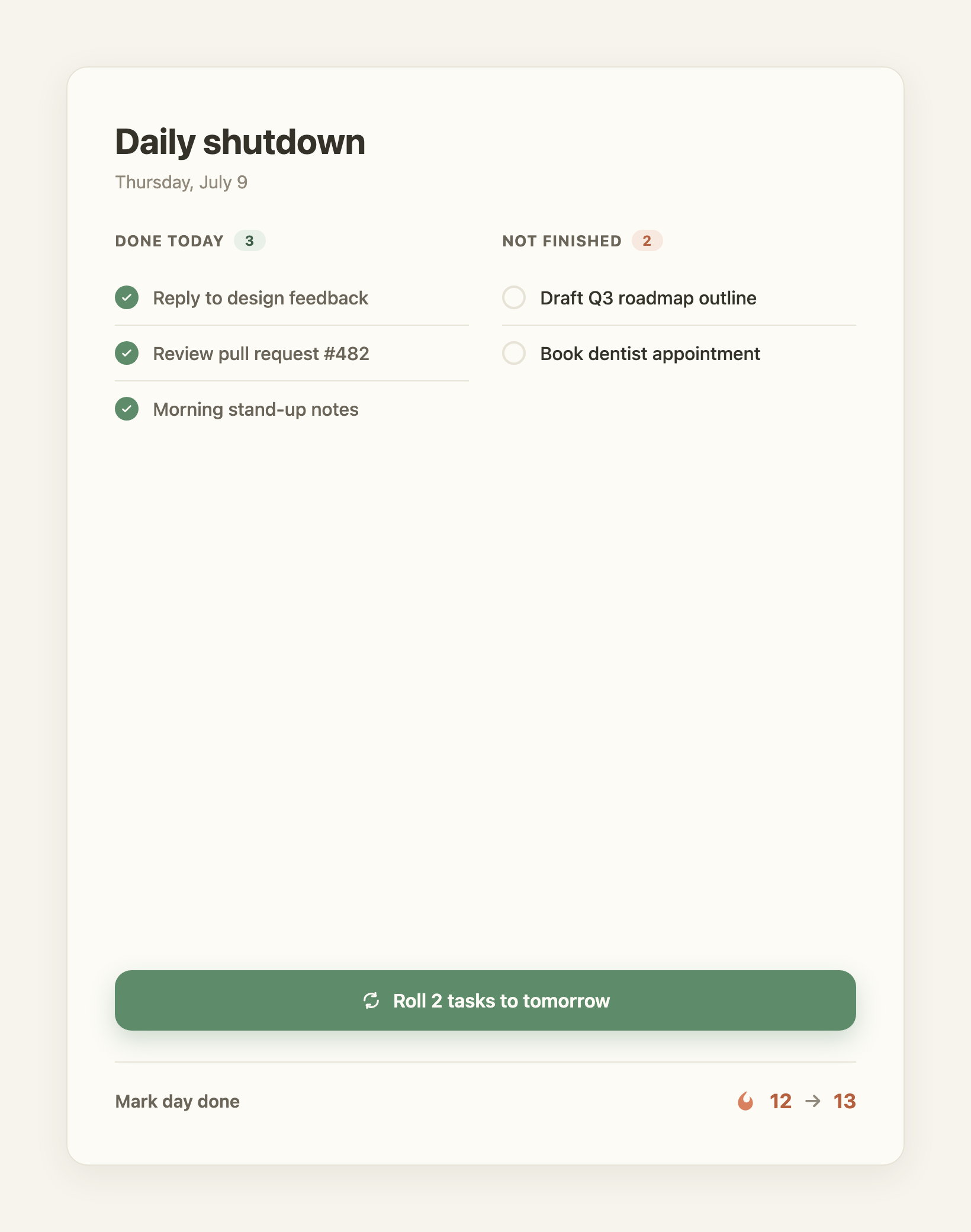
Daily Shutdown: close the day
At the end of the day, a one-tap shutdown shows what you finished, rolls the rest to tomorrow, and marks the day done. A streak keeps you showing up, so closing your day becomes a habit rather than a chore.
Zoom out once a week
The weekly review keeps the momentum going
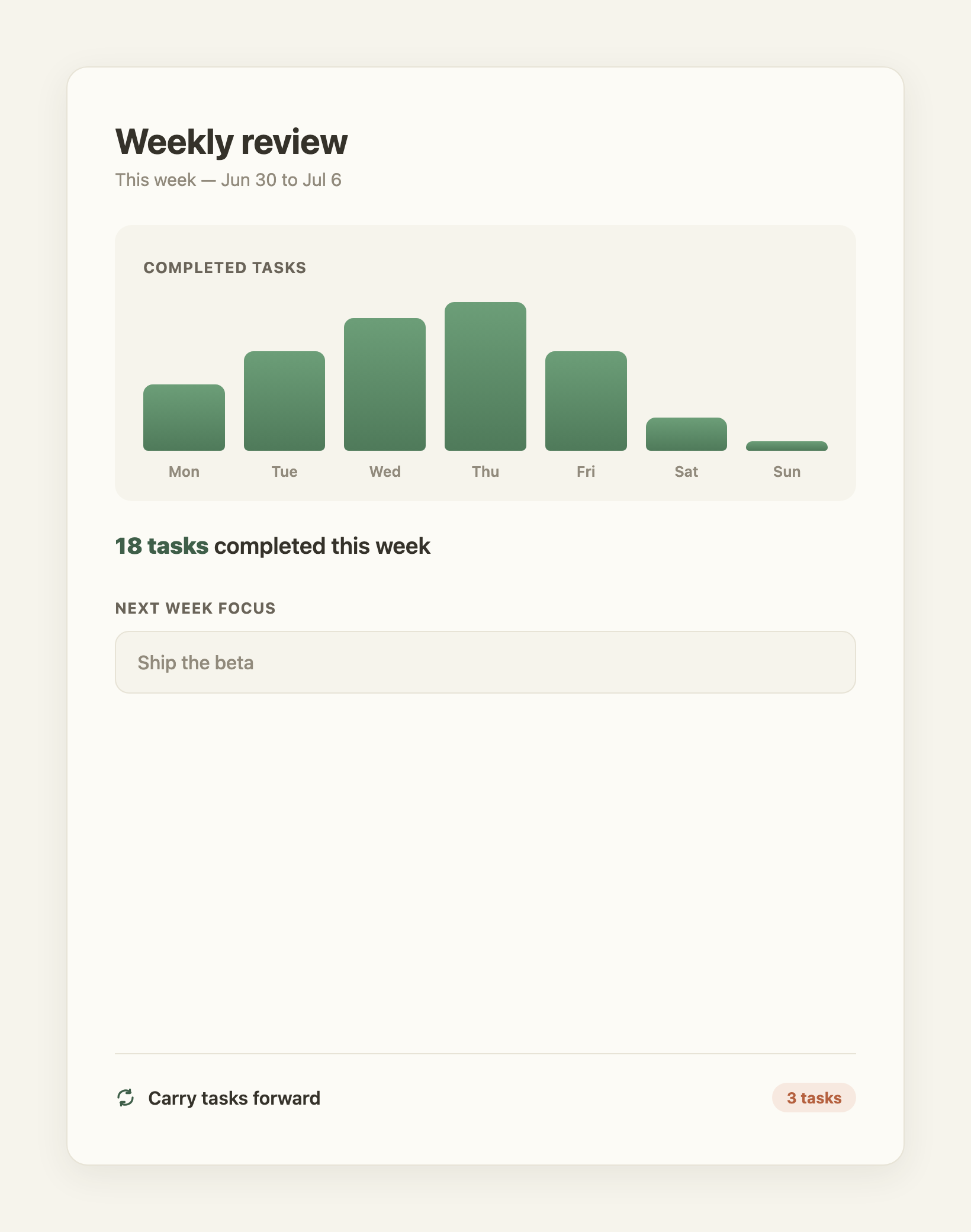
Weekly Review: look back, look ahead
On your chosen day, the Weekly Review shows what you completed this week with a per-day glance, then lets you carry the unfinished into next week and set a focus before it starts. Prefer a nudge? Opt in to gentle email reminders for each ritual, off by default, and tune everything in Rituals settings.
Daily planning rituals, answered
What is a daily planning ritual?
It is a short, repeatable routine that gives your day structure. FocusBox has three: Plan My Day in the morning, Daily Shutdown in the evening, and a Weekly Review to zoom out. Each one takes a minute or two and runs the same way every time, so it becomes a habit rather than a decision.
How is this different from a normal to-do list?
A to-do list only shows what is left. The rituals add the parts a list leaves out: choosing what actually fits today, estimating how long it will take, deciding the order, and formally closing the day so unfinished work moves forward instead of piling up.
Is this good for ADHD?
Yes. The rituals are built as executive-function scaffolding: they replace open-ended decisions with a guided flow, make time visible with estimates and a capacity meter, and use streaks and gentle nudges to support consistency without pressure.
How long does each ritual take?
Plan My Day and Daily Shutdown each take about a minute. The Weekly Review takes a few minutes once a week. They are designed to be fast enough that you keep doing them.
What is the capacity meter?
As you estimate your tasks, a bar shows your planned time against a daily capacity you set. When you plan more than the day can hold it turns red with a gentle nudge, so you can trim before you start rather than fall behind by lunchtime. It never blocks you.
Do I have to use all three rituals?
No. Use one, two, or all three. Each prompt can be turned on or off independently in Rituals settings, and the whole thing works whether you plan, shut down, review, or just do one of them.
Will it email or notify me?
Only if you ask it to. Email reminders are off by default. You can opt in per ritual and choose the times, and every reminder has a one-click unsubscribe. In-app prompts also respect your on and off settings.
Does it work on mobile?
Yes. FocusBox runs the same rituals in the iOS and Android apps and on the web, so you can plan your day wherever you are.