Key takeaways
- Sound quality and loop length matter more than library size.
- Apps built for relaxation are optimised for a different outcome than apps built for concentration.
- Look for control over mixing and volume. Fixed tracks stop working once you notice them.
The New Gold Standard: How to Choose an Ambient Sound App for Focus
What Makes an Ambient Sound App Effective for Deep Work?
Choosing the right ambient sound app can be the difference between distracted multitasking and sustained, meaningful focus. While the market is crowded with options, not every app is designed with productivity in mind. Many are built for relaxation or sleep, but if your goal is to study, write, or tackle complex projects, you need more than just background noise. Certain sound environments – especially those with moderate ambient noise – can sharpen thinking and reduce distractions when thoughtfully implemented.
Key Criteria: What Sets the Best Apps Apart
- Sound Quality: High-fidelity recordings and consistent loops are essential. Poorly produced apps with repetitive or artificial noises can disrupt concentration instead of supporting it.
- Feature Set: Look for features like mix-and-match sound layers, adjustable volume for each element, and integration with productivity tools. Apps such as Noisly and myNoise offer extensive libraries and layering options, letting you tailor soundscapes to specific tasks or moods.
- Personalization: Flexibility matters – whether you prefer the hum of a coffee shop or the subtlety of rainfall. myNoise, for example, offers calibrated soundscapes designed for individual hearing profiles and distraction filtering, though it comes with a learning curve.
- Scientific Grounding: Apps that incorporate research – such as using moderate ambient noise levels, as highlighted in the Journal of Consumer Research – are more likely to deliver real cognitive benefits, not just the perception of productivity.
Prioritizing Focus Over Relaxation
Many ambient sound apps are marketed for relaxation, but the focus here is on concentration. The best apps help you block out distractions, maintain energy, and stay engaged with demanding work. Tools like Brain.fm use AI-generated music specifically tuned for focus, while Coffitivity and Rainy Cafe recreate coffee shop environments that have been associated with creative thinking and broader cognitive processing.
Not every app suits every user or task. For example, Rainy Mood and Raining FM are ideal for those who find steady rain calming, but may be less effective for people who need more variety to prevent mental fatigue. Subscription pricing and feature complexity are also important considerations if you want a frictionless experience.
As of 2026, the gold standard for an ambient sound app lies not in the largest sound library or the flashiest interface. Instead, it emphasizes thoughtful features, scientific grounding, and customization that align with real productivity needs. Choosing intentionally can turn background noise into a genuine asset for focus.
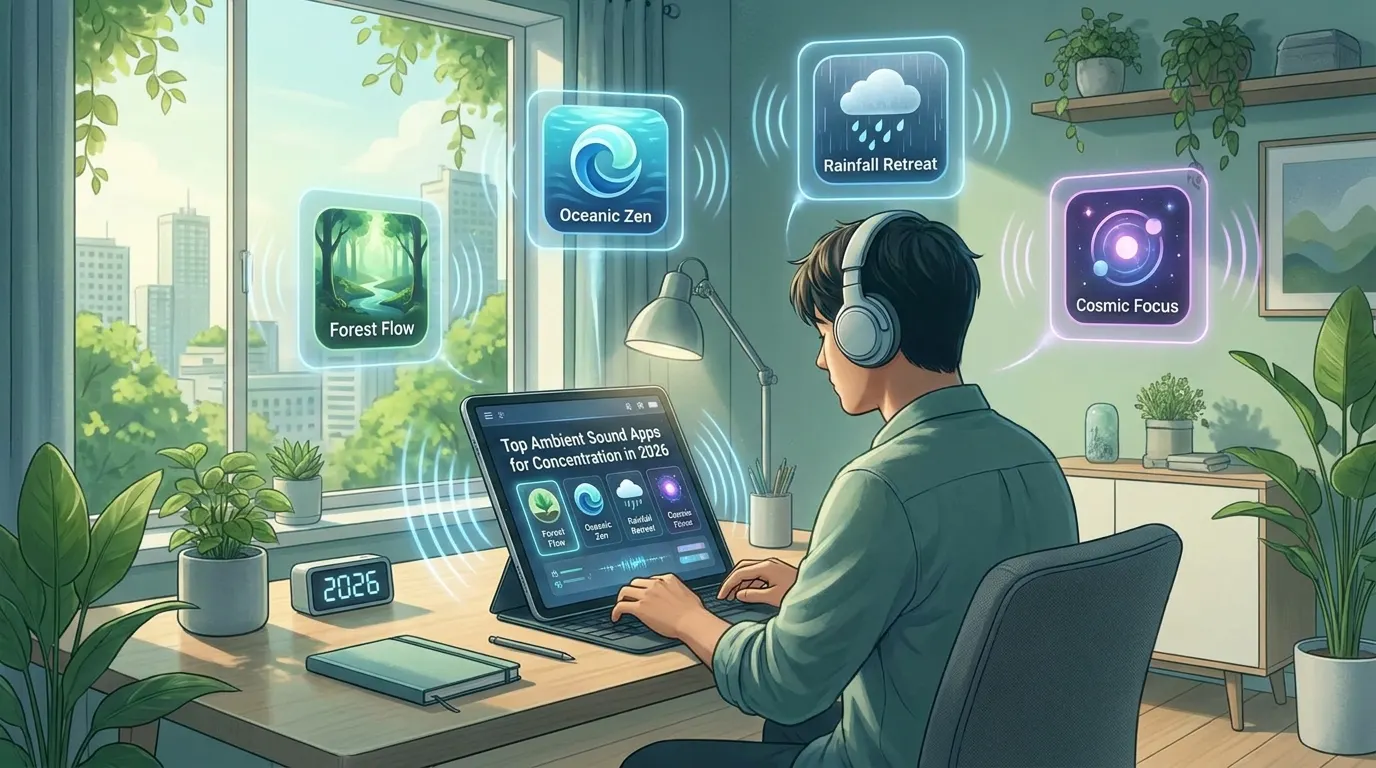
Quick Comparison: Top Ambient Sound Apps for Concentration in 2026
Ambient Sound Apps at a Glance
The best ambient sound apps in 2026 cater to a wide range of preferences, from classic coffee shop vibes to AI-powered music designed for cognitive enhancement. Each app has its distinct strengths and trade-offs, so understanding these differences is key for anyone serious about focus or creativity. Below is a detailed comparison of the market leaders, covering their best features, limitations, ideal use cases, and pricing.
| Name | Key Strength | Key Limitation | Best For | Price |
|---|---|---|---|---|
| Coffitivity | Authentic coffee shop soundscapes; simple, distraction-free interface | Limited customization, no sound mixing | Simulating a café environment for work or study | Free (web & mobile) |
| Rainy Cafe | Mixes coffee shop chatter with customizable rain sounds | Fewer sound options; basic controls | Students and professionals needing background ambience | Free (web) |
| Noisly | Extensive sound library and mixing; clean interface | Requires subscription for full access | Users who want to fine-tune their environment | Free (limited); subscription for full features |
| myNoise | Highly customizable soundscapes and noise generators | Steeper learning curve for new users | Blocking distractions, personalized auditory needs | Free (web); premium options available |
| Rainy Mood | Realistic rain and thunder; soothing loops | Limited to rain-based sounds | Relaxation or focus in quiet settings | Free (web); paid app versions available |
| Brain.fm | AI-generated music tuned for focus and relaxation | Not traditional ambient noise; subscription required | Deep work, cognitive enhancement | Subscription-based |
| VirtOcean | Unique underwater and oceanic soundscapes | Niche selection; less mainstream appeal | Users seeking novelty or relaxation | Free (limited); subscription available |
| Asmrion | Wide array of ASMR and nature sounds | Some sounds may be distracting to non-ASMR fans | Calming nerves, personalized background noise | Free (web); subscription available |
Choosing the Right Tool for Your Routine
The variety of ambient sound apps available means you can tailor your auditory environment to nearly any work style or sensory need. Whether you prefer the steady murmur of a coffee shop, the rhythm of rainfall, or engineered music for cognitive enhancement, each app brings something unique. Watch for subscription requirements and consider how much customization you actually need – sometimes, less is more when it comes to focus.
FocusBox: AI-Driven To-Do Lists Meet Advanced Ambient Sound
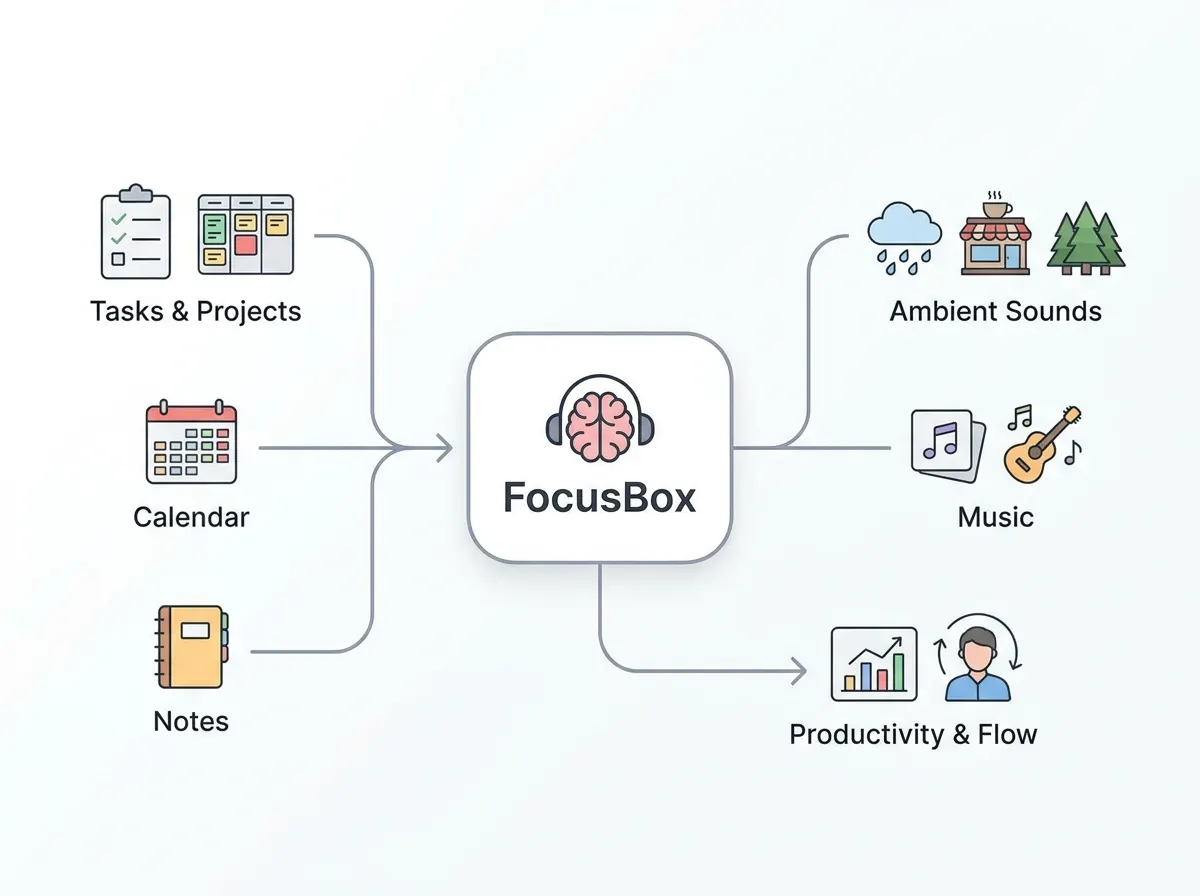
Key Insight: FocusBox combines AI-powered task management with thoughtfully selected ambient soundscapes, creating a highly customizable productivity tool designed for focused, sustained work – especially for users with ADHD or those who benefit from timeboxing.
AI Task Management with Ambient Sound
FocusBox’s core strength is its combination of AI-driven to-do lists and integrated ambient soundscapes. While most ambient sound apps focus solely on audio, FocusBox pairs productivity tools with a built-in set of ambient sounds. The app uses AI to help you build personalized task lists: describe your work in plain text and it returns tasks and subtasks, and AI time blocking fits them around your Google Calendar events. If you struggle to start deep work before noon, for example, you can use the energy audit to see when you work best, place key tasks there, and set reminders so they don’t slide.
What sets FocusBox apart is that tasks and ambient audio live in the same app. You choose a soundscape, like gentle rain or coffee shop chatter, and play it while a timer runs on the task in front of you. Research in the Journal of Consumer Research links a moderate level of ambient noise with more creative thinking, so a moderate volume is a sensible starting point. This makes ambient noise a part of your workflow rather than a separate app.
Pomodoro and ADHD-First Design
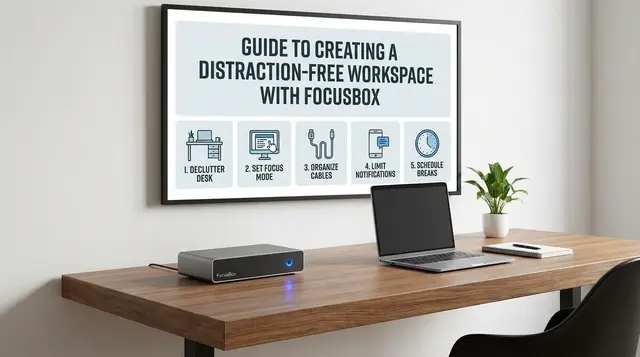
FocusBox was built with neurodiverse users in mind, particularly those with ADHD who benefit from clear structure and frequent feedback. The app’s Pomodoro timer works alongside your to-do list, allowing you to timebox tasks into focused sprints – typically 25 minutes – followed by short breaks. Templates let you save the session and break lengths that suit you, and the energy audit supports energy management rather than just rigid time tracking.
The full-screen focus mode reduces cognitive overload by showing only the current task and relevant controls. There’s no endless menu diving or distracting notifications – just a clear path from one step to the next. For users needing more tailored support, FocusBox provides reminders and alarms, for example when it is time to switch tasks, and celebrations when you finish one. This attention to how real people with ADHD work makes FocusBox feel more like a digital work partner than just another productivity app.
Sound Library and Customization
FocusBox’s ambient sound library is thoughtfully selected rather than infinite, but it covers the essentials for most productivity needs. Options include coffee shop murmurs, gentle rain, ocean waves, forest ambience, and a crackling fireplace. The soundscapes are chosen for their ability to mask distracting noises while supporting flow, rather than simply offering a grab-bag of novelty effects. Each track is meant to sit in the background for a full work session.
Users can customize their experience by choosing the sound and adjusting the volume for each session. For example, you might use coffee shop noise for brainstorming, then switch to rain sounds for deep work or writing sessions. However, unlike apps such as myNoise, which offer granular sound generators and virtually endless personalization, FocusBox’s library is intentionally limited to avoid decision fatigue and keep the interface clean.
- Selected soundtracks – chosen to mask background noise
- Audio next to your tasks – play sound while a timer runs on the current task
- Your choice – pick the sound and volume for each session
There are two notable caveats: an account is required to unlock full features, and the sound library, while thoughtfully assembled, won’t satisfy those seeking ultra-niche or endlessly customizable audio. For most users, FocusBox delivers a balanced blend of AI productivity tools and ambient sound environments that support – rather than distract from – serious work.
In a crowded field of ambient sound apps competing solely on audio features, FocusBox’s integrated approach offers a genuine edge for anyone seeking focused, structured productivity with just enough flexibility to adapt to different work styles.
Coffitivity & Rainy Cafe: Coffee Shop Vibes Anywhere, Anytime
If you’ve ever craved the steady hum of a coffee shop to get through dense reading or remote meetings, Coffitivity and Rainy Cafe bring that experience right to your headphones. Both apps are favorites among students and remote workers who know that the right background noise can make the difference between staring at a screen and getting into the zone.
Coffitivity specializes in recreating the subtle buzz of a café – indistinct conversation, the clink of cups, and the occasional whoosh of a milk frother. Rainy Cafe lets you blend café chatter with gentle rain sounds, creating a relaxing, unobtrusive ambience.
- Free and accessible on most platforms – just open a tab or use your phone
- No sign-up required
- Minimal controls: Adjust the mix, press play, and go
Their strength lies in simplicity. You don’t have to sift through endless options or tweak dozens of sliders. If you thrive on a gentle background bustle, these are the digital equivalent of grabbing your favorite corner seat at a neighborhood café.
Before/After: Studying with and without Café Ambience
| Before | After |
|---|---|
| Silence at home: You sit at your desk in total quiet, every creak in the house and distant siren distracting you. After 20 minutes, your focus drifts and you start doomscrolling. | Coffitivity on, headphones in: The steady murmur of café conversation fills your ears. The outside world fades. Your reading pace picks up and your mind wanders less. An hour later, you’ve finished your chapter and feel like you’ve actually been somewhere. |
Here’s why the “after” works: The gentle, consistent background noise masks household distractions without becoming the main event. Unlike music with lyrics, café sounds don’t compete with your thoughts. Moderate ambient noise can boost creative and cognitive performance by encouraging broader thinking. You’re not just working; you’re working better.
Accessibility and Use Cases
Coffitivity and Rainy Cafe are both free to use, browser-based, and work across devices. No app store downloads or account hassles. This straightforward approach makes them ideal for students, freelancers, and remote teams who need an instant mood shift – whether it’s a late-night cram session or an afternoon productivity push.
Unlike more complex ambient sound apps, these tools don’t require technical know-how. You simply hit play, adjust the café/rain balance if you like, and get to work. This minimalism is their charm and main strength.
Honest Limitations
There are tradeoffs. You won’t find a vast sound library here. The options are fixed and intentionally limited. Looking for the ambience of a Parisian bistro or a rainy day in Tokyo? Not available. There’s also no advanced customization – no volume curves, no spatial audio, and no integration with productivity tools. If you want to fine-tune every aspect of your soundscape, Noisly or myNoise might be a better fit. And for those who need complete silence or highly structured music, café ambience could simply add another layer of distraction.
Still, for many, the appeal is precisely in that simplicity. Coffitivity and Rainy Cafe do one thing – and for the right user, they do it well. As remote work and digital study routines become more common, having a frictionless way to summon that productive coffee shop energy is a small but powerful advantage.
Noisly: Custom Soundscapes for Every Mood
For anyone serious about personalizing their focus environment, Noisly stands out among ambient sound apps. Its strength is a deep sound library and a mixer that gives you control over what you hear. Where many apps offer a handful of presets, Noisly lets you build your own backdrop for concentration, relaxation, or creativity – whether you’re tackling a big project or just need a little background calm.
Noisly’s core appeal is its blendable library of nature sounds, steady white noise, and subtle urban ambiances. You can layer rain with a crackling fire, add the gentle hum of a coffee shop, and dial in just the right amount of wind or birdsong. The interface is intuitive: simple drag-and-drop sliders and icon toggles make adjusting your soundscape quick and frustration-free.
This flexibility is especially valuable if you’re sensitive to specific sounds or need to mask unpredictable distractions. With Noisly, you can tailor the noise floor to match your mood or the demands of a task – turning up the pink noise for deep work, or blending in water and leaves to keep stress at bay during long study sessions. The approach isn’t just about blocking sound; it’s about crafting an environment that supports your working style.
Moderate ambient noise can actually boost creativity by encouraging broader, more associative thinking. Noisly’s fine-tuned mixer lets you hit that sweet spot, whether you’re writing, brainstorming, or just trying to drown out the neighbor’s dog.
Customizing Your Concentration Zone: How to Build an Ideal Soundscape for Deep Work
Building the right soundscape in Noisly is straightforward, but the payoff is significant. Start by considering what you need: Do you work best with total calm, or does a gentle hum help you focus? For deep concentration, try a blend of white noise and soft rain – white noise provides a steady base, while rain adds natural randomness that can mask intermittent distractions like hallway chatter or keyboard clicks.
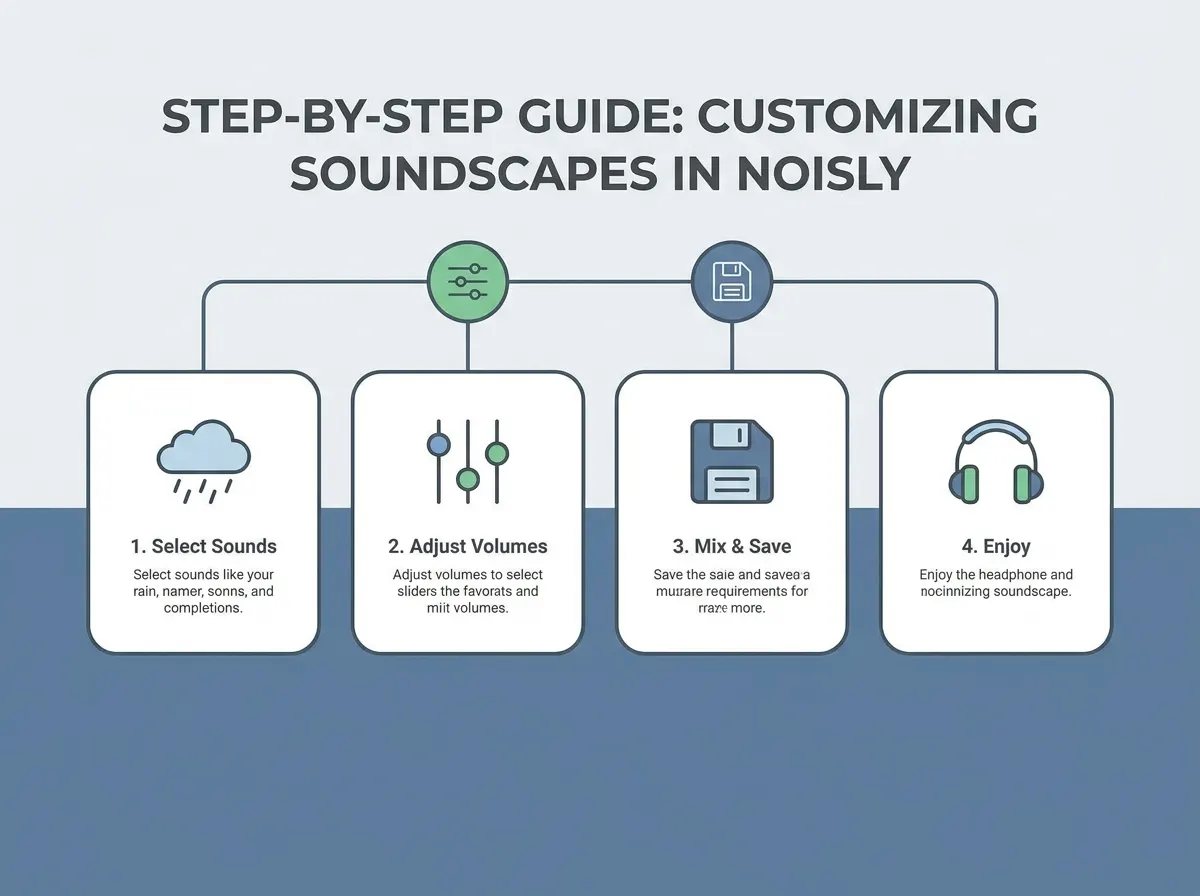
- Select your base sounds: Open the mixer and choose one or two foundational layers, such as white noise and wind. Adjust their volumes until you have a stable, non-distracting background.
- Add texture: Layer in subtle nature sounds – like water streams or rustling leaves – if you want more depth. These can make long stretches at your desk feel less sterile and help reduce cognitive fatigue.
- Experiment with urban ambiances: If you miss the background murmur of a coffee shop, add in café chatter or muffled city sounds. This type of ambient noise can stimulate creative thinking, which is useful for writing or problem-solving sessions.
- Fine-tune for mood and task: Use the drag-and-drop sliders to adjust each sound’s intensity. You can save favorite combinations for easy reuse, so your perfect “deep work” mix is always ready.
Noisly stands out for how quickly you can shift gears. If your focus drops, swap in new layers or tweak volumes within seconds – no need to fumble with complex menus or presets. The platform’s clean layout means even first-time users can create unique blends without frustration.
One caveat: While Noisly’s free version offers a taste of its capabilities, the full sound library and advanced mixer tools require a paid subscription. For users who want total soundscape control, this paywall may be a sticking point. Still, for those who treat their focus environment as seriously as their task manager or calendar, Noisly’s customization options can be worth the investment.
As remote work and self-directed study continue to rise, the demand for genuinely adaptable ambient sound apps is only growing. Noisly’s approach – putting the user in charge of every detail – sets a high bar for flexibility and user experience in this space.
myNoise: Science-Backed Personalization for Every Ear
For anyone who has struggled to find just the right background sound, myNoise stands apart from typical ambient sound apps. Its approach isn’t about picking a preset or dragging a few sliders. Instead, it offers calibrated, science-backed sound generators designed to match both your hearing profile and your environment. If you want to block out the exact frequencies that distract you – whether that’s HVAC hum, office chatter, or tinnitus – myNoise gives you the precision tools to do it.
myNoise’s extensive sound catalog is a standout. You’ll find everything from classic rain and thunder to binaural beats, white, pink, and brown noise, Gregorian chants, and field recordings. Each soundscape can be tweaked in ways that go beyond what most apps offer. Want to cancel low-frequency rumble but keep the gentle patter of rain? With myNoise, you can adjust individual frequency bands to fine-tune the result. For users with auditory sensitivities or neurodivergent needs, this level of control can mean the difference between distraction and deep focus.
Unlike Noisly, which leans on an accessible sound mixer and a handful of popular presets, myNoise is built for those willing to invest time in personalizing their experience. That investment pays off in soundscapes that feel engineered for you, not the masses. The flip side is a steeper learning curve. Setting up a calibration takes patience, careful listening, and sometimes multiple sessions to get right. You might spend 10-15 minutes at first just to craft your ideal background, especially if you’re targeting a specific distraction in your environment.
| Sound Type | Customization Level | Best Use Case |
|---|---|---|
| Rain & Thunder | Extensive – adjust low/high frequencies, add randomness | Masking street noise in urban apartments |
| Coffee Shop Ambience | Medium – control crowd size, clinking cups, chatter | Simulating café energy for remote work |
| White, Pink, Brown Noise | High – independent volume/frequency sliders | Blocking office HVAC or electronic hum |
| Binaural Beats | Granular – set exact frequency difference | Promoting focus for studying, ADHD, or meditation |
| Field Recordings (e.g., Forest, Seaside) | Moderate – layer and blend real-world sounds | Recreating outdoor calm for relaxation |
For those serious about personalized auditory environments, myNoise is best-in-class. It’s especially valuable for neurodivergent users, people with tinnitus, or anyone sensitive to specific frequencies. The tradeoff is time: initial setup isn’t instant, and the interface can overwhelm new users who just want to press play and focus. But once you calibrate your ideal profile, you gain a tool that outperforms one-size-fits-all mixes and adapts to new locations or changing distractions.
myNoise vs. Noisly: Customization and Science
Where Noisly excels at ease of use, myNoise doubles down on scientific rigor. Noisly’s sound mixer is built for speed: pick a few icons, blend up to five sounds, and save the result. It’s quick, intuitive, and perfect for users who want to get started in seconds. myNoise, by contrast, asks you to calibrate. This process involves a hearing test and environment scan, then lets you adjust sliders for each frequency band, not just the volume of each sound. You can even compensate for your own hearing loss or the acoustics of your room.
The end result is a level of personalization that Noisly doesn’t try to match. If you’re easily distracted by a particular pitch – say, high-pitched fan whine – myNoise lets you sculpt a sound profile that neutralizes it without washing out the atmosphere you want. For most users, Noisly’s preset mixes and clean design are “good enough.” But for anyone who’s struggled to focus with generic background noise, or who needs specific frequencies masked, myNoise’s extra effort can be a revelation.
Ambient sound apps are evolving, and myNoise is proof that personalization isn’t just a buzzword – it’s a science. The right soundscape, tuned to your environment and sensitivities, can make the difference between background noise and genuine focus.
Rainy Mood & Raining FM: For Lovers of Rain and Thunder
Immersive Rain and Thunder at Your Fingertips
If your ideal background noise is a steady downpour punctuated by rolling thunder, Rainy Mood and Raining FM are the ambient sound apps for you. Both deliver rich, layered soundscapes that mimic everything from gentle showers to heavy storms. The fidelity here is notable – these apps reproduce rain and thunder with a natural depth that stands out from generic white noise generators. Listeners often find the experience as close as you can get to opening a window during a summer storm, minus the wet socks.
Simple, Distraction-Free Design
One of the biggest strengths of Rainy Mood and Raining FM is their minimal, user-friendly interface. Unlike feature-heavy platforms, these apps launch straight into the rain. With only a few basic controls for volume and track length, you won’t find yourself fiddling with settings when you should be settling into a deep work session. This makes them especially appealing for users who want consistent, soothing background audio without the temptation to tweak or customize.
Ideal for Focused Work – If You Love Rain
For many, water sounds rank among the most effective audio cues for concentration. Moderate levels of ambient noise can enhance creative thinking and focus. Rainy Mood and Raining FM deliver a single, highly refined experience. Students, writers, and remote workers who rely on steady noise to block distractions will find these apps deliver exactly what they promise – no more, no less.
Limitations: Sound Variety and Personalization
- Narrow focus: Only rain and thunder – no wind, birds, or urban sounds to mix in.
- Limited personalization: You can’t adjust the type of rain, add background effects, or save custom mixes.
- Not for every preference: If you need variety or want to switch between different ambient environments, you’ll want a broader platform like myNoise or Noisly.
For those who find a steady storm the ultimate productivity soundtrack, Rainy Mood and Raining FM offer a reliable, immersive experience with virtually zero friction. Just press play and let the rain do the work.
Brain.fm: AI-Generated Music for Cognitive Enhancement
Brain.fm isn’t simply another entry in the list of ambient sound apps. Instead of looping rainstorms or coffee shop chatter, it uses AI-designed soundtracks that target the brain’s natural rhythms. The goal: to nudge your mental state towards deeper focus or relaxation, depending on your needs.
Brain.fm’s music is built from the ground up using algorithms trained on neuroscience research. Each track is composed to stimulate specific brainwave patterns – for example, increasing beta activity for concentration or alpha waves for calm. The team behind Brain.fm has published studies showing that their audio can measurably improve attention in controlled settings, with users reporting increased productivity and reduced mind-wandering during work sessions.
The audio experience feels distinct from typical ambient mixes. Instead of background noise, you get instrumental music that’s subtle but structured, with rhythmic elements designed to entrain your brain. For some, this means entering a flow state faster than with static noises or environmental loops. For others, the music-driven approach takes some getting used to, especially if you’re accustomed to the indistinct hum of traditional ambient apps.
Who benefits most? Brain.fm is ideal for those who are open to music-driven focus tools and want a scientifically validated way to enhance their working or studying hours. It’s especially popular among students, remote workers, and professionals tackling cognitively demanding tasks. If you find yourself distracted by silence but bored by nature sounds, Brain.fm’s tailored audio may fill that gap.
How Brain.fm Compares to Traditional Ambient Apps
The biggest difference between Brain.fm and other ambient sound apps lies in the underlying philosophy. Most competitors – like Noisly, myNoise, or Rainy Mood – offer customizable soundscapes built from environmental recordings or synthesized noise. These apps give you control over the sonic palette, letting you mix and match rain, thunder, city sounds, and more. Their goal is to block distractions and create a neutral, comforting background for work or study.
Brain.fm, by contrast, doesn’t just mask distractions. Its AI-generated music is designed to actively modulate your cognitive state. The tracks evolve in structure and rhythm, responding to research about how the brain responds to sound. This method is less about offering endless variety and more about delivering targeted results – namely, improved focus or relaxation.
For example, if you’re studying for an exam and want to maximize concentration, traditional apps like Coffitivity or Noisly provide a familiar auditory blanket. Brain.fm, on the other hand, aims to accelerate your entry into a productive mindset with scientifically tuned compositions. The flip side is that you lose out on the endless customization and pure ambient options that other apps deliver. And while Brain.fm’s studies are promising, not everyone will prefer structured musical soundtracks over nature sounds or environmental recordings.
Brain.fm is best for users who want more than just background noise. If you’re looking for personalized, science-backed audio that actively supports your mental state – and you’re comfortable with a subscription model – Brain.fm is a compelling alternative to the classic ambient sound experience.
VirtOcean & Asmrion: Unique Soundscapes for Niche Preferences
Beyond the Usual: Catering to Distinct Sensory Needs
Most ambient sound apps focus on familiar environments – coffee shops, rainstorms, crackling fireplaces. VirtOcean and Asmrion take a different approach by offering exotic and niche soundscapes you rarely find elsewhere. If you find working “underwater” soothing or prefer the subtle crunch of rustling leaves to traditional white noise, these apps are designed with you in mind.
Niche Sound Libraries: What Sets Them Apart
VirtOcean’s main draw is its collection of underwater ambient tracks – think bubbling currents, distant whale calls, and the soft hum of subaquatic life. Asmrion, on the other hand, leans into the ASMR space with hyper-specific sounds: gentle tapping, soft whispering, and natural textures like leaves and paper. The result is a toolkit for users who find standard sound palettes uninspiring or even distracting.
- VirtOcean: Best for users who crave immersion in aquatic or deep-sea atmospheres. Ideal for those who want something fundamentally different from rain or wind.
- Asmrion: Caters to fans of ASMR and those who favor close-mic, tactile sounds. It’s especially useful for people who use sound as a sensory regulation tool.
Who Benefits Most?
These apps are best suited for users with specific sensory needs – such as neurodivergent individuals seeking non-traditional stimuli, or creatives who draw inspiration from unusual backgrounds. Unlike mainstream options, VirtOcean and Asmrion give users a sense of exploration within their auditory environment, letting them select atmospheres that match very personal preferences.
Limitations to Consider
Not every soundscape will appeal universally. Some users may find underwater or ASMR tracks polarizing – soothing for a few minutes but tiring over several hours. Certain sounds, like repetitive tapping or gurgling currents, may be distracting or even uncomfortable for some. Scientific research around these niche sound categories is thinner compared to established options like rain or café noise, so their effectiveness is less validated in academic studies.
For those who crave auditory variety or struggle to concentrate with standard background noise, however, VirtOcean and Asmrion fill a gap that more mainstream ambient sound apps overlook. As the appetite for personalized sensory experiences grows, expect to see even more specialized options emerge in the years ahead.
What the Research Says About Focus Audio
The evidence for ambient sound is real but modest, so it helps to know what it does and does not show before paying for an app. In a study presented to the Acoustical Society of America, office workers who heard a natural sound masker (a mountain stream) were more productive and reported better moods than workers who heard white noise or no masker. For office-style work, that points toward apps with good nature recordings rather than a plain hiss.
Brain.fm is the app on this list with published research on its own audio. A 2024 study in Communications Biology, co-authored by Brain.fm staff, found that music with rapid amplitude modulation supported sustained attention, and that beta-range modulation helped more for participants with more ADHD symptoms. It is a peer-reviewed result, but company staff are among the authors, so treat it as promising rather than settled.
Two habits make any of these apps work better:
- Rotate across days, not within a session. Your brain tunes out a sound it hears constantly, so a track that helped on Monday can fade into nothing by Friday. Keep one sound for a session, but switch between rain, forest and café every few days.
- Tie the sound to your timer. Use one soundscape as the cue for a focus block, then turn it off or change it for the break. The contrast marks when work starts and stops, and it keeps sound fatigue from building over a long day.
White Noise, Pink Noise or Nature Sounds?
Most of the apps above offer some mix of these three, and they behave differently over a long session.
- White noise spreads energy evenly across frequencies, which makes it good at covering chatter and traffic. The downside is fatigue: many people find the hiss tiring after an hour or two.
- Pink noise rolls off the harsher high frequencies, so it sounds softer, closer to steady rain. It masks sudden noises less well than white noise but is easier to leave on for a long stretch.
- Nature sounds such as rain, waves or forest add gentle variation. Pick recordings without sudden bird calls or thunder claps, because an abrupt sound in a loop breaks concentration as quickly as a real interruption.
If you have ADHD, plain noise is worth testing: a 2024 meta-analysis of 13 studies with 335 participants found a small but statistically significant benefit for children and young adults with ADHD, and a slight drop in performance for people without ADHD. The same white noise track that helps one person can slightly hurt another.
One practical caution: a steady masker in headphones also hides sounds you may need to hear, such as a colleague trying to get your attention, a doorbell or a child in the next room. If you need to stay partly alert, keep the volume low rather than masking everything.
When Not to Use Ambient Sound Apps: Understanding Their Limits
Some Tasks Demand Silence, Not Sound
Ambient sound apps are popular tools for boosting focus, especially when you need a creative nudge or want to drown out household noise. However, their benefits don’t extend to every situation. Tasks that require extreme precision – such as coding complex algorithms, proofreading legal contracts, or analyzing detailed financial spreadsheets – often call for uninterrupted silence. While moderate ambient noise can boost creativity, for meticulous analytical work, even subtle background chatter can erode accuracy and slow you down.
Sensory Profiles and Potential Distractions
Not every brain thrives on audio stimulation. For individuals with auditory sensitivity, even the most carefully crafted soundscapes can become intrusive. Apps like myNoise offer extensive controls to personalize frequencies, but finding the right balance takes time – and for some users, it may never feel “just right.” If you notice that sound apps leave you feeling agitated or distracted, it’s a sign that silence, or perhaps noise-cancelling headphones, might be a better strategy.
Subscription Fatigue and Learning Curves
The rise of personalized audio comes with practical drawbacks. Many popular ambient sound apps, such as Noisly and Brain.fm, require subscriptions for full access. As people juggle multiple productivity tools, the growing pile of monthly fees can trigger subscription fatigue. Moreover, customization features – like the calibrated soundscapes of myNoise – sometimes have a steep learning curve. If your goal is quick focus, the setup time could offset the intended productivity boost.
Ultimately, choosing whether to use ambient sound apps comes down to your personal work style and sensory needs. Experiment, but remember: sometimes the quietest environment is still the most productive.
How to Choose the Right Ambient Sound App: Decision Framework
What Really Matters When Picking an Ambient Sound App?
The explosion of ambient sound apps in 2026 means you have more choices than ever. But more options can make selection overwhelming. The right app depends on your auditory preferences, your workflow, and how much you care about scientific backing. Before you pick, consider how you want to use background noise: is your goal focus, relaxation, creativity, or masking distractions?
Decision Framework: Match the App to Your Needs
Not every app nails the same criteria. Some excel in customization, others in scientific validation or price. Use this table to compare leading options and zero in on what matters to you.
| Criteria | Why It Matters | Apps that Excel |
|---|---|---|
| Sound Preference | Specific noises (coffee shop, rain, underwater) can boost focus or creativity, but not all apps offer every type. | Coffitivity, Rainy Cafe, Rainy Mood, VirtOcean |
| Customization & Mixing | Personalized soundscapes help you tune out distractions and avoid fatigue. Ability to blend sounds is key for longer sessions. | Noisly, myNoise, Asmrion |
| Scientific Validation | Apps that use research-backed methods (like AI-generated music targeting brainwaves) may yield more reliable results for focus and relaxation. | Brain.fm, myNoise |
| Interface & Usability | A clean, intuitive interface reduces friction, especially when switching between tasks or adjusting sounds quickly. | Noisly, Rainy Cafe |
| Platform Availability | Support for web, iOS, and Android lets you use your soundscapes anywhere, whether you’re on a laptop or a phone. | Rainy Mood, Raining FM, Coffitivity |
| Price & Subscription | Some apps are completely free, while others require subscriptions for premium features or full libraries. | Coffitivity (free), Rainy Cafe (free), Noisly (subscription), myNoise (free & premium) |
| Special Features | Look for extras like timers, AI to-do lists, or ADHD support if you want to tie focus sounds to productivity workflows. | FocusBox |
Tips for Testing and Iterating Your Perfect Focus Sound
- Start simple: Try a free ambient sound app like Coffitivity or Rainy Cafe to see if generic soundscapes work for you.
- Mix and match: If you find yourself losing focus, experiment with customized blends on Noisly or myNoise. Adjust volume, layer different noises, or calibrate to your hearing profile.
- Pay attention to science: For deep work or creative thinking, test an app with research-backed audio, such as Brain.fm. Some users report improved concentration, especially during tasks like exam prep or coding.
- Integrate with your workflow: Apps like FocusBox combine ambient sounds with to-do lists and ADHD-friendly timers, which can streamline your session planning.
- Check device compatibility: Make sure the app works across your devices if you switch between phone and desktop during your day.
There’s no universal best choice. The ideal ambient sound app is the one that fits your routine, your attention style, and your favorite background vibe. Iteration is part of the process – what sharpens your focus today might need a tweak tomorrow.
Frequently Asked Questions
How do ambient sound apps help with concentration?
Ambient sound apps use soundscapes – like coffee shop chatter, rainfall, or gentle white noise – to create a background environment conducive to focus. Moderate ambient noise encourages broader thinking and can improve creativity during cognitive tasks. These sounds provide subtle stimulation that masks distracting noises, helping you stay engaged whether you’re studying or working.
Is there a difference between ambient sound and music for productivity?
Yes. Ambient sounds are typically non-melodic and repetitive, such as rainfall or city hum, designed to fade into the background and minimize distraction. Music, on the other hand, often contains lyrics, melodies, and changes in tempo that can interrupt concentration, especially during reading or analytical tasks. While some apps like Brain.fm use AI-generated music to stimulate certain brainwave patterns, most productivity experts recommend ambient noise for tasks that require prolonged attention and minimal interruption.
How do I choose the right ambient sound app?
Start by identifying the kind of environment that helps you focus – some people prefer the hum of a busy café, others find nature or rain more calming. Coffitivity and Rainy Cafe are excellent for recreating coffee shop energy, while Rainy Mood and Raining FM specialize in customizable rain and thunder. If you want to build your own background mix, Noisly and myNoise provide extensive libraries and fine-tuned controls. For those seeking something more tailored, myNoise lets you calibrate the sounds to your personal hearing profile, although it does have a steeper learning curve. Cost is another consideration: many apps are free with basic features, but subscriptions unlock larger sound libraries and advanced controls.
What are some use cases for ambient sound apps?
- Studying for exams: Block out home or library distractions and enhance memory retention.
- Remote work: Create a consistent home-office environment, especially when sharing space with others.
- Creative brainstorming: Moderate ambient noise can spark new ideas and broader thinking.
- Managing ADHD symptoms: Consistent background noise can help anchor attention and reduce anxiety, supporting productivity routines like timeboxing.
- Sleep or relaxation: Some users employ these apps to wind down, using softer soundscapes before bed.
How do I maximize the benefits of ambient sound apps?
- Experiment with different environments – coffee shop, rain, waves – to discover what suits your focus style.
- Keep the volume moderate. Too loud can become distracting or fatiguing.
- Pair with productivity tools. Use timers or AI-powered to-do lists (like those in FocusBox) to structure your sessions and monitor your progress.
- Use headphones for a more immersive effect, especially in noisy settings.
- Avoid switching sounds frequently. Give your brain time to adapt to a single background for optimal results.
Are there any common pitfalls or troubleshooting tips?
Some users find that certain sounds, like thunder or intense rainfall, can be overstimulating or anxiety-inducing. If you experience this, opt for gentler noises such as soft chatter or ocean waves. Subscription fatigue is another issue – while many ambient sound apps offer free versions, advanced features often require paid plans. Be selective and test multiple apps before committing. Finally, recognize that tasks demanding detailed, error-free work – such as financial modeling or dense reading – may be better suited to near-silence or minimal white noise rather than highly dynamic soundscapes.
What should I do if the app isn’t improving my focus?
Start by adjusting the type and volume of the background noise. If the issue persists, try using the app only during specific work blocks rather than all day. Sometimes pairing soundscapes with structured productivity techniques, like the Pomodoro method or AI-generated task lists, can boost the impact. If you notice persistent distraction or fatigue, take a break from auditory stimuli and work in silence to recalibrate your focus.
Ambient sound apps are not a universal solution, but when matched thoughtfully to your work style and environment, they can become a powerful staple in your productivity toolkit.
Built with PostNext planner
Sources
- Tuning the cognitive environment: Sound masking with “natural” sounds in open-plan offices (Acoustical Society of America)
- Rapid modulation in music supports attention in listeners with attentional difficulties (Communications Biology, PMC)
- White, pink noise improve focus for children with ADHD, OHSU study shows (OHSU News)