Key takeaways
- ADHD-friendly apps externalise executive function. They plan and start for you, rather than just storing tasks.
- Judge an app on how it handles a missed day, not on how good the setup week feels.
- Endless customisation is a warning sign. Configuration is another task you have to remember to do.
2026 Guide: Choosing the Right Apps for ADHD Focus
Finding productivity tools that genuinely support ADHD isn’t just about downloading the latest app – it’s about matching features to the real challenges you face every day. In 2026, the best apps for ADHD focus are built to address time blindness, task paralysis, and executive dysfunction, not just organize lists. The right app can help externalize mental load, reinforce routines, and make daily productivity feel less like a struggle.
What Makes an App ADHD-Friendly?
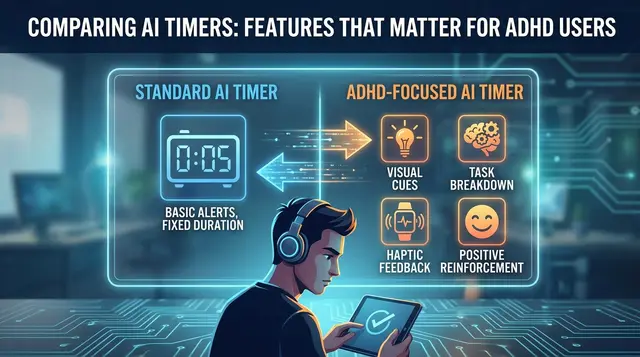
Apps designed for ADHD go beyond basic task management. They externalize executive function – helping you plan, start, and finish tasks by reducing decision fatigue and making priorities visible. Features like visual time blocking, adaptive reminders, and multisensory cues (such as color coding or focus music) turn abstract intentions into concrete actions. The most effective tools minimize unnecessary choices, break down projects into manageable steps, and provide reminders that are hard to ignore.
Key Insight: The most useful ADHD-focused apps reduce cognitive overload and adapt to your needs, making it easier to start, persist, and finish important tasks.
How to Evaluate Apps for ADHD Focus
Not every productivity app is built with ADHD in mind. When choosing, prioritize these criteria:
- Externalization of executive function: Look for apps that handle planning, prioritization, and reminders, making them visible and actionable.
- Reduction of cognitive overload: Clean, intuitive interfaces prevent you from feeling buried under options or information.
- Adaptive support: Tools that adjust to your changing needs – such as AI-driven scheduling or suggested routines – can help manage time more effectively.
- Multisensory features: Visual cues, auditory aids, and even tactile elements recognize that ADHD brains process information in varied ways.
- User control and feedback: The best apps let you remain in charge of key decisions and evolve based on real feedback from users with ADHD.
- Simplicity over complexity: Features should serve a clear purpose, not add to the noise.
Why Most Productivity Apps Miss the Mark
Many mainstream tools offer endless customization but rarely address the realities of ADHD: missed deadlines, lost momentum, and the frustration of juggling priorities. Popular apps often expect users to create their own structure, rather than providing scaffolding that adapts to ADHD challenges. That’s why this guide focuses on tools that automate, simplify, and adapt – whether through AI-driven scheduling, visual frameworks, or focus aids grounded in neuroscience.
Ultimately, the right app is more than a digital notebook. It’s an external support system that helps you build routines, stay accountable, and finish what matters – without adding another layer of stress. With more options than ever in 2026, making a smart selection is essential for lasting productivity and focus with ADHD.
Comparison Table: Top 7 Apps for ADHD Focus in 2026
Quickly Compare the Best Apps for ADHD Focus
Choosing the right apps for ADHD focus means matching your unique challenges – like time blindness, task overload, or distractibility – to the tool that addresses those needs best. The table below highlights the top seven tools making an impact in 2026, with each app’s biggest strength, key limitation, target user, and pricing approach. Use it to pinpoint which features matter most for your daily routine, and where trade-offs might exist.
| Name | Key Strength | Key Limitation | Best For | Pricing Model |
|---|---|---|---|---|
| FocusBox | AI to-do lists and Pomodoro timers designed for ADHD and timeboxing | Limited integrations with third-party calendars | Users seeking simple, ADHD-friendly task management with built-in focus aids | Freemium; Premium adds unlimited tasks and more AI credits (focusbox.io/pricing, October 2026) |
| Morgen | Frame-based visual time blocking and deep calendar/task integration | Manual approval needed for AI schedule suggestions | Solopreneurs, freelancers, professionals needing structure and flexibility | Subscription; tiered plans for individuals/teams |
| Motion | Automated, AI-driven real-time scheduling | Higher cost; less user control over schedule changes | Busy professionals who want to minimize decision fatigue | Premium monthly subscription |
| RescueTime | Detailed distraction analytics; time tracking with focus feedback | No built-in task management or scheduling | Those who need accountability and awareness of digital habits | Freemium; paid plans add advanced insights |
| Focus@Will | Neuroscience-based focus music tailored for ADHD brain patterns | Works best with headphones; no task features | Users who benefit from auditory focus aids | Subscription-based; annual and monthly options |
| Todoist | Flexible task management with reminders and cross-device sync | Some advanced features require premium | Individuals or teams needing organized, prioritized task lists | Freemium; premium unlocks labels and filters |
| FocusTree | Website and app blocking for distraction-free sessions | Potential for workaround if user disables blocker | Users who need strict distraction barriers during work | Free with optional in-app upgrades |
How to Use This Table
Start by identifying the core ADHD challenge you want to address – such as time management, task initiation, or minimizing digital distractions. Scan the Key Strength and Best For columns to match apps to your specific needs. If you value visual structure, Morgen’s frame system is ideal; if real-time automation is more appealing, Motion’s AI scheduling stands out. For those overwhelmed by choices, FocusBox offers a blend of AI-curated tasks and ADHD-friendly timers without excess complexity.
Don’t overlook the Key Limitation column – some apps may introduce friction, like manual schedule approvals or limited integrations, that could frustrate you in practice. Pricing also varies, from freemium with basic access (FocusBox, RescueTime, Todoist) to subscription models with more sophisticated features (Motion, Focus@Will).
Ultimately, the most effective apps for ADHD focus are the ones you’ll use consistently. Stay mindful of feature bloat and app overload. The right combination of tools can help externalize executive function, reinforce focus, and make daily productivity feel more manageable.
FocusBox: AI To-Do Lists and Timeboxing for ADHD Productivity
FocusBox stands out in 2026 for its blend of AI-powered to-do lists, Pomodoro timers, customizable timeboxing, and multisensory cues like ambient soundscapes. The app excels at externalizing the mental load of planning and prioritization – making it practical for challenges like time blindness and task paralysis. Instead of facing a blank slate each morning, you’re met with a prioritized list, tasks broken down into smaller steps, and timeboxed sessions that structure your day.
| Before (Without FocusBox) | After (With FocusBox) |
|---|---|
| • Uncertain where to begin each day. • Decision fatigue from choosing between competing tasks. • Tasks pile up, with little sense of progress. • End the day feeling unproductive. | • AI suggests a prioritized list based on your projects and deadlines. • Tasks are broken down into actionable steps. • Timeboxing allocates focused sessions for each task, with breaks built in. • Visible progress at day’s end, replacing stress with accomplishment. |
This shift isn’t just about checking off more boxes. AI-generated to-do lists and automatic timeboxing reduce the friction of deciding what’s next, a known trigger for decision paralysis. Multisensory cues – like ambient noises and Pomodoro timers – provide external reminders that help sustain attention. FocusBox gives you a structured, adaptive framework that fits how your brain works, without requiring you to invent a system from scratch.
No digital tool is a magic bullet. FocusBox’s flexibility can be a hurdle – abundant customization options might feel overwhelming at first, especially for those who crave simplicity. It may take some experimentation to find the right settings, but the payoff is a workflow that feels achievable rather than exhausting.
Integrating FocusBox with Other ADHD Tools
FocusBox works best as part of a broader productivity system. Pair it with:
- Calendar apps: Import your Google Calendar events so your tasks are time-blocked around meetings, for one view of your day.
- Focus music: Use a dedicated app like Focus@Will alongside timers for multisensory support.
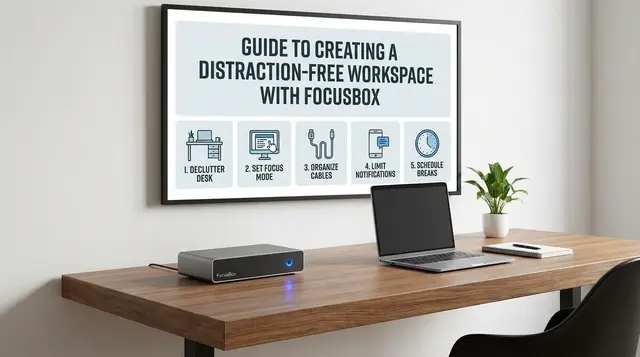
- Distraction blockers: Combine with site blockers during timeboxed sessions to minimize interruptions.
- Task import: Bring tasks in from Todoist, Asana, ClickUp, Notion or Jira so you are not typing them twice.
For those managing medication or mental health, apps like Medisafe or journaling tools can run in parallel, supporting treatment adherence and reflection. The goal is external clarity: each tool plays a role, but FocusBox acts as a hub, turning scattered intentions into a coherent daily plan.
Morgen: Frame-Based Time Blocking for Visual Thinkers
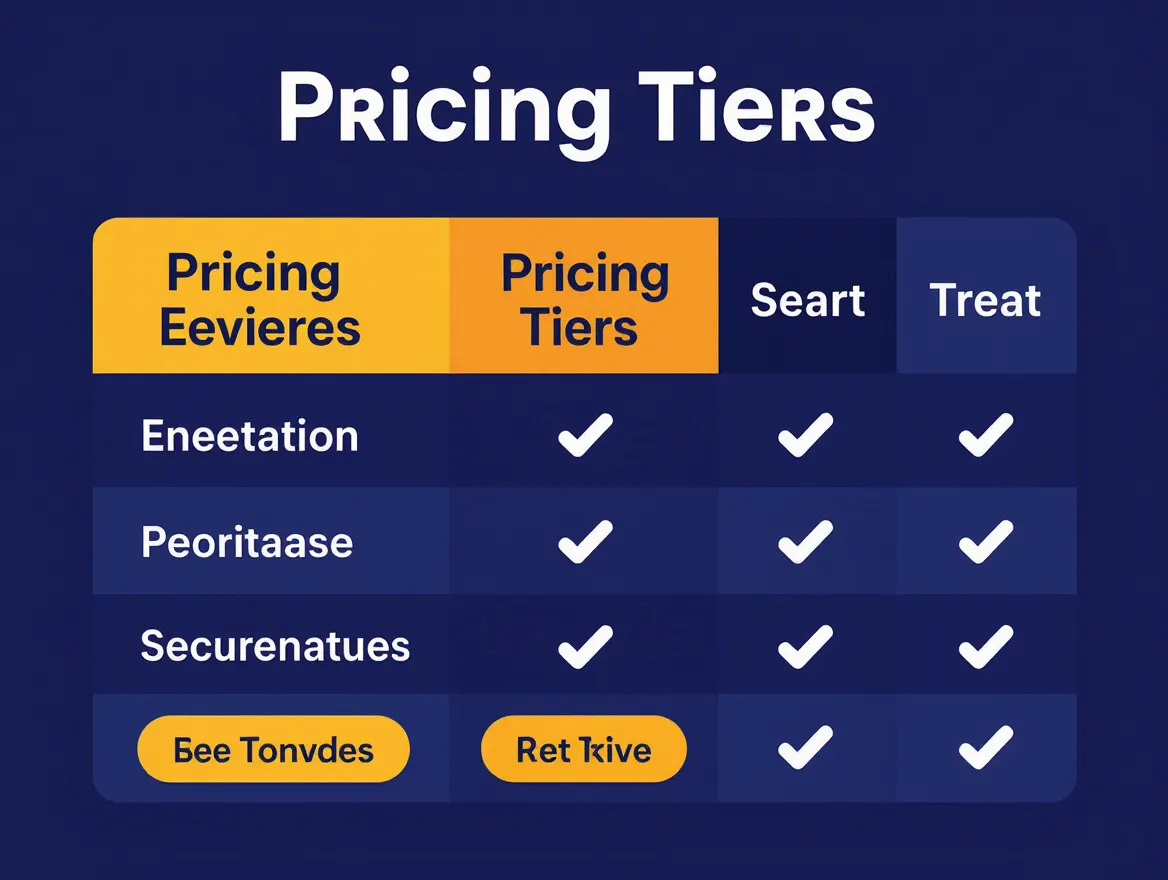
Morgen has built a loyal following among visual planners for its frame-based time blocking approach. By turning time into color-coded blocks, Morgen helps users with ADHD make routines visible and concrete. Its deep integrations pull in data from calendars and to-do lists, reducing cognitive overload and making it easier to spot conflicts or overcommitments. You can drag and drop tasks into time slots, create recurring routines, and use templates to anchor your day with predictable structure.
Key Insight: Morgen’s visual system turns time into something you can see and shape, giving ADHD users practical tools to replace chaos with clarity.
Unlike fully automated tools, Morgen leaves final control in your hands. Its AI planner suggests schedules, but you approve changes – ideal if you want just-in-time nudges without surrendering control. This contrasts with FocusBox, which excels at quick AI to-do lists and timeboxing but doesn’t offer the same depth of calendar or task integration.
| Before | After (With Morgen) |
|---|---|
| Start the day with a cluttered to-do list and calendar. Urgent tasks derail plans, appointments overlap, and time slips away unnoticed. | Open with a visual template: blocks for work, breaks, meals, and focus sessions. Drag tasks into frames, see your workload at a glance, and adjust as needed. Time becomes visible and manageable. |
For visual thinkers, Morgen’s frame system externalizes executive functions, offering a dashboard for the day that’s both flexible and concrete. This visual structure reduces decision fatigue and helps you recover faster from distractions. However, if you find color-coded blocks overwhelming or prefer everything handled by AI, Morgen may feel manual. Too much customization or visual clutter can backfire for some, so consider your preferences before committing.
Motion: AI Scheduling That Adapts to Your ADHD Workflow
Motion takes a different approach by automating scheduling and task reprioritization. Its AI engine dynamically reshuffles your calendar as meetings move or tasks take longer than expected, keeping deadlines and dependencies in order. This hands-off style is especially helpful for those who struggle with time blindness or get overwhelmed when priorities shift.
With Motion, you aren’t constantly second-guessing where a task should go. The algorithm considers due dates, task length, priority, and project dependencies. If you finish early or fall behind, the schedule updates itself, minimizing repeated decisions – a major source of cognitive fatigue for many with ADHD.
| App | Scheduling Style | User Control | Best For | Limitation |
|---|---|---|---|---|
| Motion | Automatic, AI-driven | Low – AI rearranges tasks | Users who want to minimize manual input and decision fatigue | Higher price; less manual control |
| Morgen | Template-based, user-approved AI | High – users approve all changes | Those who value routine, oversight, and customization | Requires more manual setup |
Automated scheduling isn’t for everyone. Motion’s higher price may be a barrier, and its “set it and forget it” approach might not appeal to users who feel anxious about ceding control to an algorithm. If you prefer to visually map out your day, a more hands-on tool like Morgen may be a better fit. The key is knowing how much you want to delegate – AI-driven task shuffling is a relief for some, but unsettling for others.
RescueTime: Awareness and Analytics to Combat Distraction
RescueTime supports ADHD focus by automatically tracking your digital activity and categorizing it from “Very Distracting” to “Very Productive.” For those who struggle to estimate time lost to distractions, this data provides a clear visual breakdown of habits. You can set time limits on specific sites or categories, and RescueTime will notify you when you approach your threshold. The built-in productivity scoring system helps you spot trends and experiment with changes.
However, RescueTime’s value depends on regular reflection and adjustment. The volume of data can be overwhelming if you don’t review it with intention. To get the most out of RescueTime, make a habit of checking your dashboard and using the insights to tweak your environment or schedule. Otherwise, the analytics risk becoming just another source of procrastination.
Focus@Will: Neuroscience-Based Audio for Sustained Concentration
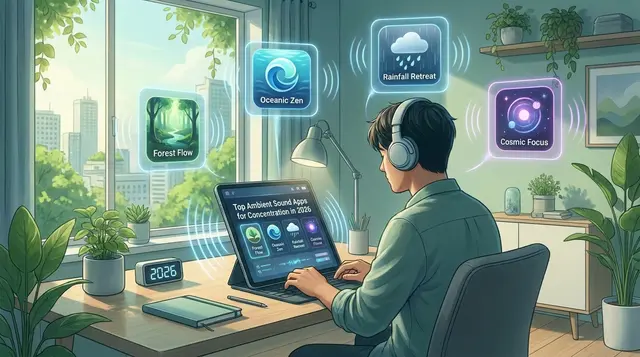
Focus@Will addresses auditory distraction with custom audio streams engineered to filter out human voice frequencies. The app draws on neuroscience research into how auditory stimulation can shape attention in the ADHD brain. Its tracks are composed to avoid melodies, lyrics, or sudden changes that might hijack your focus. For those who find silence as distracting as noise, this tailored soundscape can help sustain concentration.
Effectiveness varies by individual. Some users find audio-based aids helpful, while others prefer silence or different sensory strategies. As with any tool, experimentation is key – what works for one person may not work for another. Audio-based focus tools like Focus@Will offer an option for users looking to create distraction-resistant work environments tailored to ADHD needs.
The evidence for background sound is real but modest. A 2024 meta-analysis of 13 studies found a small but statistically significant benefit of white and pink noise on task performance among children and college-age young adults with ADHD, though the same noise slightly reduced performance for people without attention problems, and volume needs care to protect hearing. Whatever audio you try, keep the volume moderate and check whether it actually helps you rather than assuming it will.
Remember the Milk, Todoist, and Trello: Task Management Staples for ADHD
Traditional to-do lists can be overwhelming for people with ADHD, especially when simple tasks balloon into projects. Remember the Milk, Todoist, and Trello each offer features that help externalize executive function and organize work:
- Remember the Milk: Rapid task capture and smart lists for organizing by context, energy, or priority.
- Todoist: Prioritization, recurring tasks, and natural language input for turning fleeting thoughts into reminders.
- Trello: Visual boards that break big projects into smaller steps, with drag-and-drop progress tracking.
| App | Core Feature | Visual/Audio Support | Collaboration |
|---|---|---|---|
| Remember the Milk | Fast task capture, smart lists, reminders | Visual tags, color-coded priorities, notification alerts | Shared lists, task delegation |
| Todoist | Prioritization, recurring tasks, cross-device sync | Color-coded tasks, project labels, visual progress tracking | Project sharing, comment threads |
| Trello | Kanban-style boards, card movement, checklists | Drag-and-drop boards, checklists, visual templates | Team boards, card assignments, real-time updates |
All three support visual clarity and reminders – critical for ADHD productivity. Collaboration features also help maintain momentum through accountability partners. However, be mindful of app fatigue: advanced features and integrations can quickly become overwhelming. Focus on core features that address your biggest pain points, and disable non-essential notifications to keep your system simple and effective.
FocusTree, Freedom, and Brick: Distraction Blockers for ADHD Focus
Blockers like FocusTree, Freedom, and Brick provide external guardrails for digital self-control. FocusTree and Freedom limit access to distracting apps or websites during work sessions, while Brick physically locks your phone away for a set duration. These tools help externalize impulse control, giving you a pause before acting on distraction.
Distraction blockers are only as effective as your willingness to respect them. Digital blockers can be disabled, and even physical solutions can be circumvented if motivation dips. The real value is in creating a pause – a moment to reconsider before losing focus. Integrating blockers with other apps for ADHD focus can help build a productivity system that respects both your intentions and your reality.
How to Choose the Best Apps for ADHD Focus: A Decision Framework
Start With Your Unique ADHD Challenges
Choosing among the many apps for ADHD focus begins with honest self-assessment. ADHD isn’t one-size-fits-all. Some people struggle with time blindness, others with task paralysis, distraction, or inconsistent motivation. Knowing your main pain points is the only way to cut through the noise and select tools that genuinely help.
Time Blindness and Working From Home
Time blindness is more than losing track of time now and then. Research reviews describe real differences: adults with ADHD have problems estimating and reproducing time intervals and managing time. Working from home can make this harder by removing the external cues and feedback an office provides. If this is your main struggle, favor tools that make time visible, such as a running timer or time blocks placed around your calendar events, over a longer list. Trouble judging time is also one plausible reason for ADHD waiting mode, when one appointment later in the day stalls everything before it.
Software has limits here too. An app can quiet your screen, but it cannot silence a barking dog, a housemate’s “quick question” or a neighbor’s renovation. Sometimes the fix is adjusting your hours, agreeing boundaries with the people you live with, or moving somewhere quieter for the work that needs your full attention.
Match Features to Your Needs
Not every feature is equally useful, and too many can be overwhelming. For visual thinkers, apps with color-coded calendars and drag-and-drop boards provide clarity. If you’re prone to distraction, look for apps with blockers or detailed analytics. AI-based planners are most valuable for users who feel paralyzed by decision fatigue. Multisensory aids, like focus music, help some users maintain attention, especially during repetitive work.
| Challenge | Recommended App Feature | Example Apps |
|---|---|---|
| Time Blindness | Visual time blocking, color-coded daily templates, AI schedule suggestions | Morgen, FocusBox |
| Task Paralysis | AI-generated to-do lists, task breakdowns, prioritized reminders | FocusBox, Todoist |
| Distraction | Website/app blockers, distraction analytics, focus music | RescueTime, FocusTree, Focus@Will |
| Inconsistent Motivation | Gamified attention training, streaks, CBT-based skill building | EndeavorOTC, Inflow |
| Executive Dysfunction | AI scheduling, automation of task sorting, integrated calendars | Motion, Morgen |
| Medication Adherence | Medication reminders, daily check-ins | Medisafe |
| Overwhelm with Large Projects | Visual project boards, step-by-step task management, collaboration tools | Trello, Remember the Milk |
Beware of App Overload and Feature Fatigue
With so many options, it’s tempting to assemble a “perfect stack.” But app overload can backfire, introducing more friction than focus. Too many notifications and overlapping features waste energy and feed procrastination. The most effective approach is to choose one or two core tools that feel intuitive and rewarding. Consistency will always trump novelty when it comes to building habits and seeing results.
Key Insight: The best apps for ADHD focus are those you’ll actually use – simplicity and regularity matter far more than feature count.
Balance Technology With Simplicity
Technology offers real support, but it can also introduce new distractions. AI-driven tools and neuroscience-based focus aids can make a meaningful difference if they align with your needs and don’t get in your way. Be quick to experiment, but ruthless about pruning what doesn’t help. Keep your system as simple as possible while addressing your most persistent challenges. You’re not just looking for the “best” app, but the right mix – one that fits your brain, respects your workflow, and supports your goals without adding clutter.
Above all, remember that consistency – not perfection – drives results. Use technology to support, not replace, the simple routines that help you show up and do your best work.
Where Apps Fit Alongside ADHD Treatment
An app can hold your routine, but it is not a treatment. Standard ADHD treatments include medication and psychosocial interventions, such as cognitive behavioral therapy, and the NHS notes that talking therapies, such as cognitive behavioural therapy (CBT) or mindfulness, may be recommended for adults with ADHD. The tools in this guide work best as support for those, not as a substitute.
Routine is where apps help most. Structured routines are a standard piece of ADHD advice: the CDC suggests following the same schedule every day, from wake-up time to bedtime for children with ADHD, and the NHS lists a regular bedtime and planning support among its tips for adults. A few practical ways to connect the two:
- If your therapist suggests breaking tasks into small steps, use an AI to-do list to turn a vague task into subtasks you can work through one at a time.
- Set a daily reminder if you take medication, so the routine does not depend on memory.
- Add a recurring task for any exercises your therapist gives you, and review it in the evening.
Decisions about medication and therapy belong with your doctor or an ADHD specialist; talk to them before changing anything in your treatment.
Frequently Asked Questions About Apps for ADHD Focus
How do I choose the right app for my ADHD focus challenges?
Start by identifying your main hurdles – time blindness, decision fatigue, or distraction. Match features to your needs: visual schedulers like Morgen for structure, AI-powered tools like Motion for automation, or analytics apps like RescueTime for feedback. Experiment with one or two options before expanding your toolkit.
Are these apps actually effective for ADHD, or just digital to-do lists?
While no app “cures” ADHD, consistent use can make a real difference. The latest generation of tools externalizes executive functions, provides visual clarity, and reduces decision fatigue. Combining visual schedules, focus music, and distraction blockers often creates a system that’s more effective than any single tool.
What about privacy and data security?
Most reputable apps for ADHD focus offer privacy controls and transparent data policies. Always review what information is stored locally versus in the cloud, especially for sensitive data. For journaling or therapy apps, look for end-to-end encryption and clear privacy practices.
Should I use more than one tool at a time?
It’s common to combine apps for different needs – such as pairing a calendar-based planner with a distraction blocker. However, beware of app overload. Start with one or two, and only add another if you’re missing a specific capability.
Any troubleshooting tips for getting started?
- Set realistic expectations – apps support focus, but won’t replace therapy or medication.
- Customize notifications to avoid alert fatigue.
- Schedule a weekly review to tweak routines and clear out unused tasks.
- Ask within ADHD communities for practical tips and app-specific advice.
The 2026 toolkit for ADHD focus is more adaptive and diverse than ever. Start small, focus on consistency, and let technology work for your unique brain – not the other way around.
Powered by PostNext service
Sources
- Time Perception in Adult ADHD: Findings from a Decade, A Review
- White, pink noise improve focus for children with ADHD, OHSU study shows (OHSU News)
- Attention-Deficit/Hyperactivity Disorder (NIMH)
- ADHD in adults (NHS)
- Treatment of ADHD (CDC)