Key takeaways
- Teaching workloads are interrupt-driven, so capture speed matters more than planning depth.
- Look for tools that handle recurring weekly structure without manual re-entry.
- Anything requiring daily upkeep will be dropped in term time.
Teaching is a rewarding yet demanding profession. From lesson planning to grading assignments and managing classroom activities, teachers need to juggle various tasks while staying organized and efficient. Fortunately, there are plenty of productivity apps tailored to help teachers streamline their workload and focus on what matters most: their students.
In this article, we’ll dive into the Best Productivity Apps for Teachers in 2026, providing a detailed breakdown of each app’s features. Whether you’re a teacher looking to enhance your daily routine, or an educator searching for ways to improve time management, we’ve got you covered. From simple task timers to AI-powered planning tools, these apps will save you time and help you stay on top of your responsibilities.
Here’s a quick overview of the top-rated productivity apps for teachers in 2026:
Quick Overview: Best Productivity Apps for Teachers in 2026
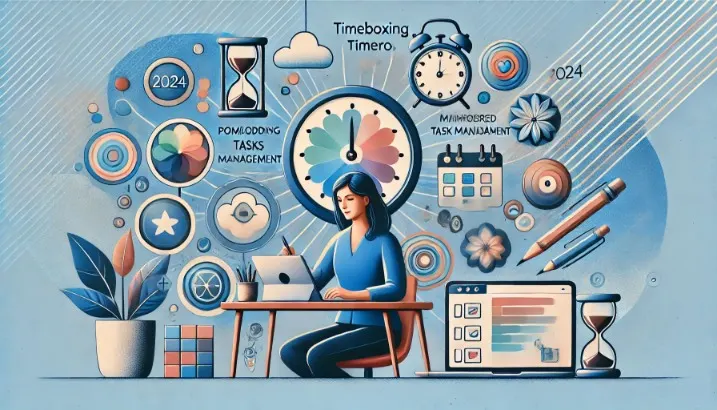
- FocusBox – AI-powered task management and timeboxing
- Be Focused – Perfect for teachers in the Apple ecosystem
- Tide – Focus timer, nature sounds and mindfulness in one app
- TomatoTimer – Simple, no-frills Pomodoro timer
Every feature below was checked on the vendor’s site or App Store listing in September 2026. (Focus Booster, which appeared in earlier versions of this list, has shut down: its site now says the app has come to an end.)
Now, let’s take a closer look at each of these apps, so you can choose the right one for your classroom productivity.
1. FocusBox – AI-Powered Task Management and Timeboxing
Category: AI-Driven Task Management
FocusBox offers AI-powered task planning and timeboxing, which suits teachers balancing lesson planning, grading, and administrative work. Describe what you need to get done in plain text and the AI to-do list and project generators turn it into tasks and subtasks; AI time blocking then fits them around the events imported from your Google Calendar.
Key Features:
- AI Task Generation: Plain text in, tasks and subtasks out. AI generation uses AI credits: the free plan includes 1 a month and paid plans 50 (focusbox.io/pricing, October 2026).
- Timeboxing: AI time blocking around your Google Calendar events, with a timer for each task.
- Ambient Sounds: Background sounds such as rain or beach, plus a full-screen focus mode.
- Reports: See what you completed and how you spent your time.
Best For: Teachers who want to manage their tasks with the help of AI and timeboxing to maintain focus throughout the day. Works on the web and iPhone/iPad.
2. Be Focused – For Teachers in the Apple Ecosystem
Category: Focus Timer for Apple Devices
Be Focused is a good fit for teachers who use Apple devices. It breaks tasks into timed intervals separated by short breaks, and runs on iPhone, iPad, Mac and Apple Watch. It is free to download, with a Pro upgrade for extras such as sync across devices (App Store listing, September 2026).
Key Features:
- Cross-Device Sync (Pro): Keep tasks and sessions in sync across iPhone, iPad and Mac.
- Task Management: Create tasks with notes and due dates, and paste task lists from other apps.
- Customizable Intervals: Set work sessions, short and long breaks, and a daily goal.
Best For: Teachers who are deeply integrated into the Apple ecosystem and want a simple but effective focus tool.
3. Tide – Mindfulness and Focus Combined
Category: Mindfulness and Focus Tool
Tide combines a focus timer with sleep, meditation and breathing features, built around natural soundscapes. It suits teachers who want to manage their stress levels while staying focused during work hours.
Key Features:
- Focus Timer: Pomodoro-style focus sessions with natural sounds, and a customizable timer.
- Mindfulness Exercises: Guided meditation and breathing exercises.
- Nature Sounds: Soundscapes for focus, relaxation and sleep.
Best For: Teachers who want to integrate mindfulness into their daily routines for improved focus and reduced stress.
4. TomatoTimer – Simple, No-Frills Pomodoro Timer
Category: Simple Pomodoro Timer
TomatoTimer is a straightforward online Pomodoro timer, now owned by Toptal, that runs in the browser with no installation. It’s a minimalist tool for teachers who just need a quick, no-fuss way to stay on track with their work.
Key Features:
- Runs in the Browser: Open the page and start the timer.
- Simple Interface: Pomodoro, short break and long break buttons, with keyboard shortcuts.
- Customizable: Set custom times, audio tone and volume, and turn on desktop alerts.
Best For: Teachers who want a simple Pomodoro timer without any extra features.
FAQs About Productivity Apps for Teachers
What is the #1 productivity app?
The top productivity app depends on your needs. For teachers who want help planning, FocusBox turns a plain-text description into tasks and subtasks and time blocks them around your calendar.
How can teachers be productive?
Teachers can boost productivity by:
- Planning tasks with apps like FocusBox to manage lesson plans, grading, and administrative work.
- Using Pomodoro timers like Be Focused or TomatoTimer to break work into manageable intervals.
- Integrating mindfulness techniques to reduce stress, such as Tide’s guided meditation and breathing exercises.
Is there a clever app for teachers?
Be Focused is a useful option for teachers in the Apple ecosystem, because its Pro version syncs tasks and focus sessions across iPhone, iPad and Mac.
What app do teachers use?
Many teachers use apps like FocusBox for timeboxing, Tide for mindfulness, and TomatoTimer for simple timed sessions. These tools help manage work more effectively and reduce stress.
How do you measure teacher productivity?
Teacher productivity can be measured by tracking time spent on tasks, grading, and lesson planning. FocusBox reports show completed tasks and time spent, helping educators see where their time goes.
Conclusion
In conclusion, the Best Productivity Apps for Teachers in 2026 provide a variety of tools to help educators stay organized and focused. Whether you need an AI-powered task manager like FocusBox, a mindfulness-based productivity app like Tide, or a simple timer like TomatoTimer, there’s a tool that fits every teacher’s workflow.
Additionally, with FocusBox, you can load ready-made templates, generate tasks and subtasks with AI, and add ambient sounds and a full-screen focus mode to create the right working environment.