Key takeaways
- A fixed twenty-five minute block is a compromise. It is too short for deep work and too long for admin.
- Session length should follow the task and your energy, not a number you picked once.
- Let the tool adapt from what you actually did, rather than re-planning your day by hand every morning.
When Generic Focus Sessions Fail: Why AI Personalization Matters
The Trouble With One-Size-Fits-All Focus Blocks
You sit down for a daily focus session, determined to knock out your to-do list, but by the end of the hour, you’re not sure what you accomplished. The playlist you picked was distracting, the tasks felt mismatched for your energy level, and the rigid timer meant you either rushed or lost momentum. Sound familiar? This is the reality for many who try standardized productivity routines – especially if you have ADHD or work in a high-interruption environment.
The promise of structured work blocks like Pomodoro is appealing, but without personalized adjustments, these sessions often backfire. Maybe your focus peaks in the afternoon, not first thing in the morning. Or perhaps you thrive with background noise, but your tool assumes silence is best. When a focus session is not aligned with your real habits, you end up wasting time and mental energy forcing yourself into a mold that doesn’t fit.
Why Generic Sessions Miss the Mark
- Mismatched timing: A fixed 25-minute sprint can feel too short for deep work and too long for low-energy tasks.
- Ineffective environment: Not everyone benefits from the same focus triggers – music, silence, or even virtual co-working can have wildly different effects.
- Lack of context: Generic routines ignore your actual workload, deadlines, and fatigue. That’s how you end up burning a session on low-priority admin instead of the high-impact project due tomorrow.
Tools like Windows 11’s Focus Sessions and apps such as Forest and FLOWN show how people respond differently to the same structure. Some find motivation in gamified progress or accountability partners; others need a simple timer and nothing more. The point is, focus is personal.
The Power of AI-Driven Customization
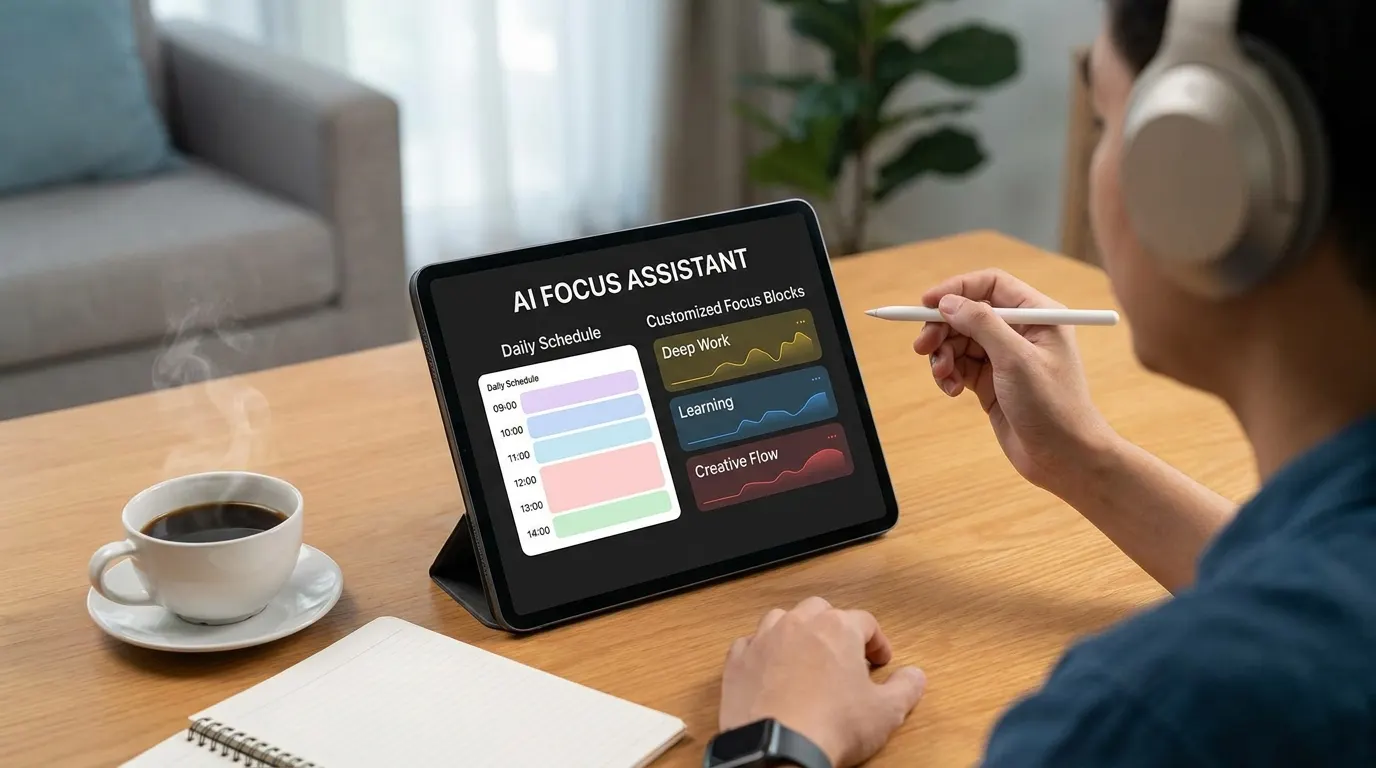
This is where AI-driven tools make a real difference. Instead of treating every user the same, apps like FocusBox turn a plain-text description of your work into tasks, subtasks, and time blocks that fit around your calendar. For instance, if you know you’re more productive in 40-minute bursts with ambient sound, you can set that as your timer length and sound. If your to-do list skews heavy on creative work, you can place those blocks in the mornings when your energy is highest.
AI’s strength isn’t just in automating routines; it’s in cutting planning time, so you can re-plan in seconds when the day changes. You waste less time on trial and error, and more time doing work that matches your strengths and rhythms.
Key Insight: The real value of AI-powered daily focus sessions is in their ability to adapt to your unique patterns – making every work block more effective and less draining.
While no tool can guarantee perfect flow every day, the combination of AI-driven personalization and flexible structure gives you a fighting chance at making your focus time truly productive. Instead of dreading another unfocused hour, you can walk in knowing the session was built for how you work best.
Understanding AI-Powered Daily Focus Sessions
Daily focus sessions have evolved well beyond the standard timer and to-do list routines. With the integration of artificial intelligence, these sessions now adapt in real time, shaping themselves around your unique work habits, attention patterns, and even your mood on a given day. This shift from one-size-fits-all techniques to personalized, data-driven focus routines marks a turning point for anyone who struggles to stay on track – particularly those with ADHD or fluctuating motivation.
Traditional focus methods rely on rigid time blocks and static checklists. In contrast, AI-powered focus sessions learn from your behavior. They can suggest task priorities based on your historical patterns, recommend optimal session lengths, and even prompt breaks when your attention starts to fade. For example, FocusBox uses AI to generate a to-do list from a plain-text description of your work, then time-blocks those tasks around your Google Calendar events.
Key features in products like FocusBox include:
- AI-generated task lists that break a plain-text description of your work into tasks and subtasks
- Timers and templates built around proven timeboxing methods, such as the Pomodoro Technique, with flexible session durations
- Ambient soundscapes, such as gentle rain or ocean waves, that you choose to support concentration, similar in spirit to the Spotify integration in Windows 11’s Focus Sessions
Key Insight: AI-powered focus sessions are most effective when they adapt to individual behavior, merging structured timeboxing with real-time task prioritization and sensory cues.
The Science Behind Focus and Personalization
There’s a growing body of research backing the shift toward personalized focus sessions. For example, recent studies on ADHD have shown that adaptive routines – those that respond to changes in energy, distraction, or motivation – can significantly improve task initiation and completion rates for individuals who struggle with executive function. Unlike static schedules, these adaptive approaches account for natural fluctuations in attention, making it easier to build momentum and avoid burnout.
Platforms like FLOWN, which offer virtual co-working and body doubling, have demonstrated measurable improvements in sustained attention and accountability. Gamified systems such as Forest translate focus time into tangible outcomes, turning each session into a visual reward. These methods tap into both cognitive science and behavioral psychology: dynamic feedback and positive reinforcement are powerful drivers for habit formation.
Personalization also extends to environmental cues. Ambient soundscapes can reduce perceived distractions for some users, especially those sensitive to background noise. The ability to select ambient sounds or music, as FocusBox and Windows Focus Sessions allow, provides another layer of support tailored to your neural profile.
It’s worth noting, however, that not every strategy fits every brain. Some individuals may find music or co-working elements distracting, or become reliant on digital prompts. Still, the trend is clear: the most effective daily focus sessions are those that adapt, respond, and personalize – helping users build sustainable concentration over time.
Step 1: Assess Your Current Focus Patterns
Before you can improve your daily focus sessions, you need to understand where your attention actually goes each day. Most people underestimate how frequently they switch tasks or get pulled off track. The first step to building more focused work sessions is a clear-eyed audit of your actual habits – where you struggle, what triggers interruptions, and how long you can actually maintain deep work before your mind wanders.
Establishing your baseline matters for two reasons. First, it prevents you from setting unrealistic goals – like aiming for two hours of uninterrupted work if your current average is closer to 15 minutes. Second, it gives you a benchmark for measuring improvement, so progress feels tangible rather than vague. Even the most advanced AI-powered productivity tools can’t help if you don’t know what patterns you’re trying to change.
| Check Item | What to Look For | Why It Matters |
|---|---|---|
| Time to First Distraction | Track how many minutes you can focus before an interruption – internal (thoughts) or external (notifications) | Short intervals (under 25 minutes) signal a need for tighter session structures like Pomodoro cycles |
| Types of Distractions | Note patterns: device notifications, social apps, emails, or environmental triggers like noise | Pinpointing specific triggers allows you to tailor digital or physical interventions |
| Frequency of Task Switching | Count how often you jump between unrelated tasks in a typical hour | High rates indicate difficulty with sustained attention and may require stricter boundaries |
| Longest Focused Session | Record your maximum uninterrupted work stretch in one session | Reveals your current upper limit and helps set realistic improvement targets |
| Impact of Background Music or Sounds | Test with and without ambient noise or playlists | Some users report increased focus with music, while others find it distracting – self-experimentation is key |
| Task Completion Rate During Focus Sessions | Track percentage of planned tasks actually finished during dedicated focus time | Completion rates highlight whether your session length and environment support meaningful progress |
Self-Audit: Identifying Distraction Triggers
The next step is to pinpoint exactly when and why your focus lapses. Keep a simple log for two or three workdays. Every time you lose focus, jot down the time, what you were doing, and what pulled you away. For example, you might notice that you check your phone every time you get stuck on a challenging task, or that background chatter in a shared workspace consistently cuts your concentration short.
Patterns matter more than isolated incidents. If you observe that notifications from a particular app disrupt you three times an hour, it’s a clear candidate for silencing during focus blocks. Research on productivity tools like Windows 11 Focus Sessions and Forest shows that reducing external triggers – whether by muting notifications or using music to mask noise – can significantly extend your productive intervals. Conversely, if you find body doubling or virtual co-working (as with FLOWN) helps you stick with tasks, make note of those positive influences too.
Once you see where your attention leaks, you can set realistic improvement goals for your daily focus sessions. Maybe you want to stretch your uninterrupted work from 15 to 30 minutes, or cut phone checks down to once per hour. With a solid self-audit, you’ll know exactly which habits to adjust and what success looks like for you.
Step 2: Setting Up FocusBox for AI-Customized Sessions
Tuning FocusBox for AI-personalized daily focus sessions starts with three essentials: connecting your task sources, enabling AI-driven features, and choosing your first focus durations. While other tools like Windows 11 Focus Sessions and FLOWN have made headlines for syncing music and to-do lists, FocusBox takes the approach further by making these steps accessible for anyone looking to manage ADHD, timeboxing, or simply to work smarter.
Creating an Account and Syncing Tasks
Your first move is to create a FocusBox account. This lets you bring in your tasks, whether you import them from Todoist, Asana, ClickUp, Notion or Jira, pull events from Google Calendar, or start from scratch. Connecting your external task manager is optional but recommended if you want to keep everything in one place.
FocusBox recognizes the value of a unified workflow. For example, importing pulls in your personal and work tasks, and your calendar events give AI time blocking the fixed points to plan around. This kind of integration, as seen in platforms like Windows 11’s Focus Sessions (which combines Microsoft To Do and Spotify), is crucial for reducing tool-hopping and keeping you anchored.
Enabling AI Recommendations and Adaptive Timers
Once your account is active and tasks are loaded, the next step is to turn on AI time blocking and set up your timers. FocusBox places your tasks into time blocks around your Google Calendar events, and you choose the session lengths, break intervals, and Pomodoro templates that suit you.
You adjust the plan as you go, and when the day changes you can regenerate the time blocks in a few seconds. For comparison, Windows 11 Focus Sessions allows durations from 15 to 240 minutes, but users must set these manually. In FocusBox you set timer lengths yourself too, but the AI does the first pass of fitting tasks into your day.
Ambient sound options and Pomodoro-style cycles are also available, but they’re not imposed. If you find music or soundscapes distracting, you’re free to keep them off. The point is flexibility: you pick what helps.
Choosing Initial Focus Block Durations
For your first session, start with a standard focus block – often 25 or 50 minutes, echoing the Pomodoro Technique’s popularity for those managing attention challenges. FocusBox’s Pomodoro and timer templates make these easy to pick. Its reports show which sessions you completed, so over time you can see which durations work best for your daily focus sessions.
The choice isn’t locked in. If you know you can only manage 15 minutes at a time, you can set a shorter timer. This flexibility is especially useful for users with ADHD or fluctuating energy levels. FocusBox’s reports and productivity insights help you spot consistent over- or under-estimation, so you can adjust your blocks yourself.
Before and After: Manual Routine vs. AI-Driven Session
| Before: Manual Routine | After: AI-Driven Session |
|---|---|
| You look at a static to-do list and set a 60-minute timer. The list is long, and you pick three tasks to work on. Halfway through, you realize the first task took 40 minutes, leaving you scrambling to fit the rest. There’s no suggestion of which task to start or how breaks might help. You feel rushed by the end, and a couple of tasks are left undone – again. | FocusBox imports your tasks and the AI time-blocks them around your calendar events. Knowing you tend to underestimate research-heavy work, you give your top-priority task a 40-minute block followed by a 10-minute break. A reminder tells you when it’s time to switch to the next task. By the end, you’ve completed the priority work without the usual last-minute scramble, and your reports show how the day went. |
The difference is not just in automation, but in personalization. In the manual example, you rely on guesswork for timing and sequencing. In the AI-driven session, your plan reflects your actual tendencies and priorities. The session feels less stressful and more productive because the plan is built around you, not the other way around.
Setting up FocusBox this way shifts your daily focus sessions from routine guesswork to guided, data-driven work sprints. The result is more meaningful progress, a better understanding of your own work patterns, and fewer unfinished tasks left hanging.
Step 3: Personalizing Your Daily Focus Sessions With AI
Once you have the basics in place, personalizing your daily focus sessions is where the real impact happens. The best AI-driven productivity tools go beyond generic timers. They adjust to your individual working style – from the kind of sound that helps you concentrate, to how long you can sustain deep work, to the timing and type of breaks you actually need. Getting these details right can mean the difference between a productive day and hours lost to distraction.
Customizing Ambient Audio for Concentration
Ambient sound isn’t just a gimmick. Features like Spotify integration within Windows 11 Focus Sessions have become popular among users. For many, music or brown noise provides a shield against interruptions. But this isn’t universal: while one person thrives with low-fi beats, another might need white noise or total silence. That’s why FocusBox lets you select from a range of ambient soundscapes – from natural rain to coffee shop chatter – to match the mood and task at hand.
It’s worth experimenting with different options. Try a week with nature sounds, then a week with your favorite playlist. Pay attention to which background audio helps you enter flow faster and stay there longer.
Letting AI Suggest Session Length and Break Timing
AI recommendations excel when it comes to right-sizing your focus blocks. Tools like Focus Sessions allow users to set durations from 15 to 240 minutes, mimicking methods like the Pomodoro Technique. That flexibility is crucial. Some people work best in 25-minute bursts with 5-minute breaks. Others can handle 90-minute deep work cycles. The trick is to start with AI’s default suggestions, then tune them:
- If you lose focus before a session ends, shorten the window and add more frequent breaks.
- If you find yourself in the zone and annoyed by timers, try longer intervals.
Let the AI monitor your engagement and suggest tweaks. For instance, if your completion rate drops after 40 minutes, that’s a sign to scale back. On the other hand, if you’re consistently rating sessions as “too short,” it’s time to lengthen your blocks. The smartest AI tools learn from this feedback and refine future recommendations accordingly.
Fine-Tuning With Feedback Loops
Personalization isn’t a one-off task. The most effective daily focus sessions rely on ongoing adjustment. After each session, take a few seconds to rate your experience or jot a quick note. Did that playlist help, or did it distract? Was the break too short to actually recharge? These micro-feedback loops help the AI adapt. Over time, you’ll develop a highly individualized routine that keeps you engaged and minimizes wasted effort.
It’s important to acknowledge that not every “AI-powered” suggestion will work for you. Some users find music distracting, or prefer fewer, longer sessions instead of the classic Pomodoro format. Others might benefit more from the accountability of body doubling – used in tools like FLOWN – rather than background audio. Stay open to experimenting, and don’t be afraid to override the AI when your instincts tell you something isn’t working.
| Personalization Option | How to Adjust | Potential Impact |
|---|---|---|
| Ambient Soundscapes | Select from playlists (e.g., Spotify), nature sounds, or silence | Reduces distractions, improves mood, helps sustain focus (as seen in Windows 11 Focus Sessions users using music integration) |
| Session Length | Set intervals from 15 up to 240 minutes; adjust based on task type | Aligns focus blocks to natural attention spans; boosts completion rates (Pomodoro and deep work cycles supported) |
| Break Timing | Customize break frequency and duration (e.g., 5 mins every 25 mins, or 15 mins every hour) | Improves mental recovery; prevents burnout; adapts to energy fluctuations throughout the day |
| AI Feedback Loop | Rate sessions, provide qualitative feedback after each block | Refines future AI suggestions; increases personalization and session effectiveness |
| Progress Tracking | Set and adjust daily goals, review completion stats via dashboard | Builds motivation through visible progress (mirroring the daily progress widget in Focus Sessions) |
Key Insight: The best daily focus sessions are the result of continual personalization – your optimal routine emerges through small, data-driven adjustments, not a one-size-fits-all template.
Actionable Playbook: Optimizing AI Suggestions
- Start baseline: Accept the AI’s default session length and soundscape for two days. Mark how you feel after each session – energized or fatigued, focused or distracted.
- Test variations: On days three and four, experiment with different ambient sounds or switch from 25-minute to 45-minute sessions. Only change one variable at a time.
- Review data: Check your completion rates and subjective ratings. If you notice more fatigue with longer sessions, revert to shorter intervals. If you’re skipping breaks, set shorter blocks to force regular pauses.
- Incorporate feedback: Use qualitative notes to refine the AI’s suggestions. For example, “Nature sounds worked better for writing, but music was distracting during meetings.”
- Finalize routine: By the end of the week, lock in the configurations that led to your best focus and energy. Allow the AI to continue making micro-adjustments based on new feedback, but keep your core setup stable for at least another week.
Remember, the goal isn’t to find a “perfect” setup, but to create daily focus sessions that reliably support your unique rhythm. Even the best AI is just a starting point – your consistent feedback is what turns it into a truly personal productivity partner.
Step 4: Integrating Task Management and AI To-Do Lists
Syncing Your Existing Tasks
Getting your current to-do lists into FocusBox is the foundation for effective daily focus sessions. Most users already have tasks scattered across apps, sticky notes, or memory. Start by importing or syncing your lists from your preferred platform – whether that’s a project management tool, calendar, or a basic notes app. FocusBox makes this process straightforward, so you aren’t forced to start from scratch. The real payoff comes from seeing all your commitments in one place, ready for AI assistance.
Letting AI Prioritize and Chunk Tasks
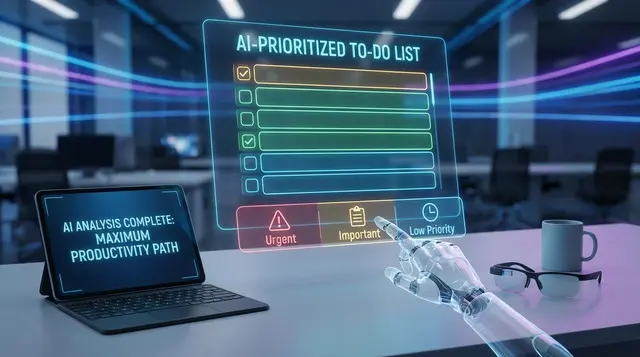
With your tasks centralized, the next leap is letting AI sort and structure your workload for genuine focus. FocusBox’s AI time blocking takes your task list and places it into time blocks around your Google Calendar events. For example, if you tend to lose steam after lunch, you can put high-priority work in the first morning block and leave lighter tasks for the afternoon.
Chunking tasks into “focus blocks” is where the app stands out, especially for users who struggle with overwhelm. Instead of one endless list, AI creates manageable segments – think of it as breaking a marathon into sprints. This mirrors the Pomodoro Technique, widely adopted by platforms like Windows 11’s Focus Sessions, which lets users set targeted intervals between 15 and 240 minutes. The goal: keep your attention on just a few things at a time, reducing the mental load and boosting follow-through.
Avoiding Overload and Common Pitfalls
An easy trap is assuming that more sessions mean more productivity. Overloading your daily focus sessions with too many tasks leads to frustration and unfinished work. AI tools like FocusBox help by breaking work into small tasks and showing, on the time-blocked plan, how much actually fits in your day. If the blocks don’t fit, that’s your cue to move some tasks to another day, preserving your momentum.
- Don’t ignore breaks – short recoveries between focus blocks are crucial, as shown in research around Pomodoro cycles.
- Some users will benefit from integrating background music or ambient sounds. But if these feel distracting, keep sessions silent and let focus come from structure, not stimuli.
- Review your outcomes at the end of each session. Use what you learn to adjust future schedules, making AI recommendations more tailored over time.
Integrating AI-powered task management isn’t just about automation – it’s about building a system that reflects your working style. When you let smart tools handle sorting and chunking, you free up mental space to actually do the work, not just organize it.
Step 5: Using Ambient Sound and AI-Recommended Environments
Most people underestimate the impact of soundscapes and environmental cues on concentration. Yet, research and user experiences show that the right background sounds can make or break your daily focus sessions. FocusBox builds on this with a library of ambient sounds you can pick for each session, especially valuable for people managing ADHD or relying on timeboxing techniques.
Key Insight: The right combination of ambient sound and AI-driven environment suggestions can turn a distracting workspace into a zone for deep, sustained focus.
Types of Ambient Sound and Their Cognitive Effects
Not all sounds are created equal. White noise can drown out unpredictable distractions; it’s a staple for users in noisy households or open-plan offices. Nature sounds – like rain, ocean waves, or forest ambience – have been tied to lower stress and improved mood, which indirectly supports sustained attention. Meanwhile, music without lyrics, such as lo-fi or classical playlists, helps many users maintain their train of thought during complex tasks. Windows 11’s integration with Spotify illustrates this well: users build custom playlists that complement their work rhythms, resulting in higher reported productivity for task-heavy sessions.
Some tools go further by recommending soundscapes for specific activities. In FocusBox you make that call yourself: for instance, energetic sounds for brainstorming, steady rain for writing sprints, or silence for analytical work. Your own notes on past sessions are the best guide.
Choosing the Right Soundscape for Each Task
Pairing the right sound with the right task is an art, and one you get better at with practice. Here are some best practices and pitfalls to avoid:
- Match energy to intent. Use dynamic instrumental music for creative tasks, but opt for white noise or soft nature sounds for repetitive or data-driven work.
- Avoid lyrics when deep focus is required. Lyrics can interfere with reading comprehension and complex problem-solving.
- Switch when it stops working. If you notice you’re distracted, try a different sound or silence for the next session.
- Test and iterate. Everyone responds differently. Try short daily focus sessions with different soundscapes and reflect on which combinations actually keep you on task.
Mistakes are common. Some users default to their favorite playlists, only to find themselves humming along and losing focus. Others crank up the volume in hopes of blocking distractions, inadvertently increasing stress or fatigue. The trick is to treat sound as a productivity tool, not just background filler.
Limitations: When Sound May Distract Rather Than Help
It’s worth acknowledging that ambient sound isn’t a universal solution. Some people – particularly those sensitive to auditory stimuli or with certain types of ADHD – may find any background noise distracting, no matter how well-tailored. Others develop a dependence on digital cues, struggling to focus in environments where their preferred soundscapes aren’t available. If you discover that sound consistently pulls your attention away from the task, experiment with working in silence or using environmental cues like lighting and scent instead.
Ultimately, the most effective daily focus sessions are those that blend technology with self-awareness. Use AI recommendations as a starting point, but don’t hesitate to adjust based on what actually delivers results for you.
Step 6: Tracking Progress and Refining Your AI Focus Routine
Once you’ve established daily focus sessions with FocusBox or similar tools, the real gains come from what happens next: reviewing your progress and adjusting your routine. The difference between “just using a timer” and building an optimized focus practice is in the feedback loop. That’s where regular review, concrete metrics, and incremental tweaks come into play.
Making Sense of Your Focus Data
Modern productivity apps like Windows 11’s Focus Sessions and FocusBox don’t just track time – they surface metrics that help you spot patterns. You’ll typically see:
- Total focus time per day or week
- Session length consistency (are you stopping early or pushing through?)
- Break adherence (skipping, taking too many, or just right)
- Completion rates for tasks during focus sessions
Some tools layer on AI-driven nudges to adjust session lengths, break intervals, or even your task order; FocusBox’s reports, productivity insights and energy audit give you the picture and leave the adjustment to you. Windows Focus Sessions, for example, uses a daily progress widget to help you track focus goals over time, while Forest gamifies your streaks – letting you see if you’re consistently hitting your targets or falling off.
Letting AI Fine-Tune Your Routine
The real power of AI in this context is its ability to spot disengagement before you do. Maybe you start strong on Mondays but lose steam by Thursday. Or perhaps you always break focus after the 25-minute mark. These patterns are hard to notice without data, but AI can flag them and suggest:
- Shorter sessions if you consistently disengage early
- Task reordering if certain items never get done
- Ambient sound tweaks (e.g., adjusting background music or switching to silence)
AI-driven platforms may also prompt you to try new structures – like switching from 50-minute to 25-minute focus blocks if your current rhythm isn’t working. Over time, these micro-adjustments compound, making your daily focus sessions far more effective and easier to maintain.
Recognizing and Correcting Patterns of Disengagement
Disengagement isn’t always obvious. You might think you’re focusing, but frequent tab switches or checking your phone undermine the session. Apps like FLOWN address this by using body doubling and virtual co-working, which increases accountability. FocusBox, on the other hand, gives you reports and productivity insights on your sessions and completed tasks, so you can spot a drop-off and adjust your environment or structure.
Here’s a sample of how to review your weekly analytics and take informed action:
| Metric | What to Look For | Adjustment Action |
|---|---|---|
| Average Focus Session Length | Drop-off after 20 – 25 mins | Switch to shorter Pomodoro cycles (e.g., 25/5) |
| Task Completion Rate | Consistently incomplete tasks | Reorder tasks or break them into smaller steps |
| Break Usage | Skipping scheduled breaks | Set more frequent reminders, experiment with shorter sessions |
| Time of Day Engagement | Lower focus in late afternoon | Schedule high-priority sessions earlier, add energizing sounds |
| Music/Ambient Sound Impact | Distraction from certain playlists | Test instrumental or nature sounds, or try silence |
Actionable Playbook: Weekly Optimization Cycle
Building an effective focus routine isn’t set-and-forget. Here’s a practical cycle you can follow every week to make continuous progress:
- Review your analytics: Check your daily and weekly focus metrics. Look for trends – are you improving, plateauing, or slipping?
- Spot friction points: Identify where focus drops (time of day, session length, task type). Use AI suggestions to confirm or challenge your assumptions.
- Adjust your settings: Use what FocusBox’s reports show, or your own tool’s suggestions, to try shorter sessions, different break intervals, or a new task order. Keep what matches your experience.
- Experiment and observe: Try one change at a time for the following week. Resist the urge to overhaul everything; incremental changes yield clearer results.
- Reflect: At week’s end, note what worked, what didn’t, and what you’ll tweak next. Over time, you’ll see sharper focus and higher task completion rates, with less friction.
This weekly feedback loop transforms data into actionable change. By letting AI surface trends and guide your tweaks, you’ll turn daily focus sessions into a personalized productivity engine – one that adapts to your habits, not the other way around.
Step 7: Troubleshooting Common Issues With AI-Driven Daily Focus Sessions
Recognizing When AI Suggestions Need Adjustment
AI-powered productivity tools like FocusBox are built to streamline daily focus sessions, but sometimes the recommendations can miss the mark. For example, you might notice the AI consistently prioritizes administrative tasks over creative work, or schedules time blocks that don’t fit your concentration patterns. If AI-generated to-do lists leave you overwhelmed or frustrated, that’s a clear signal to intervene. Try tweaking your task priorities, manually reordering your list, or shortening session blocks if suggested times feel unrealistic. Pay attention to your own rhythms – if you focus better in 30-minute sprints, don’t hesitate to override a 90-minute recommendation.
Overcoming Over-Reliance on Technology
AI can structure your day and minimize distractions, but over-reliance on automation comes with tradeoffs. Structured guidance helps most users, but some end up feeling disconnected from their own preferences. If you notice you’re following every AI prompt without reflection, pause and ask: Is this workflow actually helping? For some, features like ambient sounds or body doubling (as seen in platforms like FLOWN) provide accountability. For others, these might distract. Don’t hesitate to mute features or skip suggestions that don’t fit your working style.
Ensuring Human Preference Remains Central
Personalization is only effective when your needs come first. While AI can offer useful patterns – like suggesting break intervals based on the Pomodoro Technique or compiling productivity playlists – these are starting points, not mandates. If an integration (such as Spotify playlists) feels more distracting than helpful, swap it out for silence or your preferred soundscape. The same goes for daily goals and progress tracking widgets. Use these features as tools, not rulers.
- Override AI when recommendations clash with your intuition or real-world constraints.
- Combine AI guidance with self-reflection to refine your process over time.
- Experiment with different settings and integrations until you find a mix that sustains your focus.
Balancing AI support with your own decision-making preserves the core benefit of daily focus sessions: helping you work in the way that actually works for you.
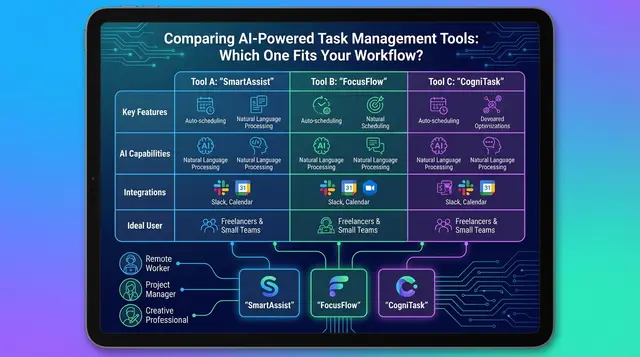
Comparing FocusBox With Other AI Productivity Tools
How FocusBox Stacks Up Against Windows Focus Sessions, FLOWN, and Forest
The market for daily focus sessions is packed with platforms that promise sharper concentration and better task management. FocusBox, Windows Focus Sessions, FLOWN, and Forest each take a distinct approach, shaped by their core features and underlying philosophies. Let’s break down where each tool excels, who gets the most out of them, and what trade-offs you need to be aware of.
| Tool | Core Features | Best For | Limitations |
|---|---|---|---|
| FocusBox | AI-generated to-do lists, Pomodoro timers, ambient sound, ADHD-friendly design, timeboxing, AI time blocking around Google Calendar | Individuals with ADHD, task jugglers, anyone seeking structured, distraction-resistant routines | AI suggestions can occasionally feel repetitive; fewer integrations with third-party apps vs. larger platforms |
| Windows Focus Sessions | Task sync with Microsoft To Do, Spotify integration for music, customizable session duration (15 – 240 min), break scheduling, daily progress tracking | Microsoft ecosystem users, office workers, music-driven focusers, those who want session analytics and integration with their existing workflow | Requires Microsoft account; can be less helpful for users needing more tailored ADHD support; music can distract some users |
| FLOWN | Virtual co-working, body doubling, live accountability groups, scheduled sessions for deep work | Remote workers, freelancers, neurodivergent individuals who benefit from social presence during focus sessions | Relies on live participation; introverts may find the format draining; premium access required for some features |
| Forest | Gamified focus with tree planting, visual progress, supports real-world reforestation, Pomodoro-inspired timers | Students, gamers, environmentally conscious users who enjoy visual motivation and simple timers | Lacks advanced task management; focus mode is simplistic; may not address complex scheduling needs |
Matching Tools to User Needs
FocusBox stands out for its AI-driven to-do lists and ADHD-oriented features. If you struggle to break tasks into manageable chunks or need frequent reminders to stay on track, its AI time blocking and timeboxing make a tangible difference. In contrast, Windows Focus Sessions is best for those already embedded in the Microsoft ecosystem who want to link their existing tasks and playlists into a single, distraction-minimizing workflow.
FLOWN introduces the concept of virtual body doubling, giving remote workers or people with attention challenges a sense of real-time accountability. This format is unique if you benefit from seeing others work alongside you. Forest, meanwhile, makes focus fun and visible. If you’re motivated by visual progress and the idea of contributing to environmental causes, growing a virtual forest as you work is a compelling hook.
Strengths and Limitations
Tools like FocusBox and FLOWN offer more tailored support for users with specific focus challenges, such as ADHD or remote work isolation. Windows Focus Sessions excels at integrating with existing apps and has data-driven tracking, but its experience isn’t as personalized. Forest’s gamification is novel, but it skips advanced task management in favor of simplicity.
Ultimately, your choice should reflect your preferred workflow, need for accountability, and appetite for technology-based motivation. The right mix of AI-powered daily focus sessions, real-world accountability, and visual feedback can turn scattered effort into consistent progress – if you pick the platform that matches your working style.
Summary Checklist
Audit Your AI-Powered Daily Focus Sessions
Fine-tuning daily focus sessions with AI can make a measurable difference in productivity, especially for those managing ADHD or remote work challenges. Use the checklist below as a quick reference to review your own setup, reinforce best practices, and make sure you’re getting the most from your tools – whether that’s FocusBox, Windows 11 Focus Sessions, or another platform.
| Check Item | What to Look For | Why It Matters |
|---|---|---|
| Assess Focus Patterns | Review recent attention lapses and peak productivity times | Identifies when and why you lose focus, helping AI suggest optimal session timing |
| Configure AI Session Parameters | Set durations (15 – 240 min), break intervals, and daily goals | Ensures sessions match your natural energy cycles and reduces burnout risk |
| Integrate Task Management | Sync to-do lists (e.g., Microsoft To Do, FocusBox tasks) with your focus app | Centralizes your workflow so tasks and focus time inform each other in real time |
| Personalize Ambient Environment | Select music (like Spotify playlists) or ambient sounds | Enhances concentration; tailored audio boosts focus for many users |
| Track Progress & Adjust | Review daily progress widgets or AI feedback | Encourages reflection and habit-building – adjust sessions based on tracked results |
| Address Common Distractions | Note if music or co-working features distract, not help | Prevents negative side effects and ensures tech fits your genuine needs |
Periodically running through this checklist helps keep your AI-powered productivity routine sharp. Small, regular adjustments based on tracked data are often what separates a good routine from a truly effective one.
Frequently Asked Questions
How does AI personalize my daily focus sessions in FocusBox?
AI personalization in FocusBox starts from what you tell it. You describe your work in plain text and the AI turns it into tasks and subtasks, then AI time blocking fits them around your Google Calendar events. For example, if you do your best work in the morning, you can put your most demanding tasks in those hours. You set session lengths and break intervals yourself, and reports help you see what works over time.
What features does FocusBox offer to support ADHD and timeboxing?
FocusBox is designed with attention challenges in mind. It combines AI to-do lists, customizable timers built on the Pomodoro method, and ambient sound options to reduce distractions. The tool also supports timeboxing, so you can assign fixed periods to specific tasks and stick to them. These features help break big projects into manageable sessions, making it easier to sustain focus and avoid feeling overwhelmed.
How do AI-generated to-do lists differ from traditional task lists?
AI-generated lists in FocusBox start from a plain-text description of your work and break it into tasks and subtasks you can then order by priority, effort, and deadlines. Unlike static lists, the plan can be time-blocked around your calendar in seconds, with reminders and alarms when needed. If your workload shifts during the day, you can regenerate the plan instead of rebuilding it by hand. This is especially helpful for users who struggle with task switching or procrastination.
Can I integrate FocusBox with my calendar and other productivity apps?
Yes. FocusBox imports events from Google Calendar so AI time blocking can plan your focus sessions around meetings and deadlines. You can also import tasks from Todoist, Asana, ClickUp, Notion and Jira, making it easy to keep all your work in one place. This level of integration helps minimize double-booking and improves the accuracy of your daily plan.
What troubleshooting tips are recommended for session interruptions or missed tasks?
- If you’re missing session notifications, check device permissions and ensure notifications are enabled in your operating system.
- For timer glitches, closing and reopening the app usually resolves the issue. If not, try logging out and back in to refresh your session data.
- If tasks don’t sync after importing from other apps, verify your account connections in settings and reauthorize if needed.
- For ambient sound playback problems, test your device’s audio output and try a different sound option within the app.
In most cases, these steps resolve common issues. If problems persist, contacting FocusBox support ensures your technical concerns are addressed quickly.
What are some best practices for maximizing results with daily focus sessions?
- Start small: If you’re new to structured sessions, begin with 25-minute blocks and short breaks to build momentum.
- Customize your environment: Use ambient sounds or music only if it helps you concentrate; some users find silence more effective.
- Review progress daily: Take 2-3 minutes at the end of each day to reflect on accomplishments and update tomorrow’s plan.
- Limit multitasking: Focus on one task per session to avoid cognitive fatigue.
- Make use of AI recommendations: Accept or tweak suggested session times and priorities as your needs change.
Are there any limitations to relying on AI-powered focus tools?
While AI-driven routines can boost consistency, not every strategy suits everyone. Some users find background music or body doubling distracting, while others thrive with these aids. It’s also possible to become overly dependent on digital prompts, which can reduce your ability to maintain focus independently. It’s wise to periodically test unplugged work blocks and adjust settings to avoid over-automation.
How does FocusBox compare to other popular tools for daily focus sessions?
| Feature | FocusBox | Windows 11 Focus Sessions | FLOWN | Forest |
|---|---|---|---|---|
| AI Task Generation | Yes | No | No | No |
| Pomodoro Timers | Yes | Yes | No | Yes |
| Ambient Sounds | Yes | Via Spotify | No | No |
| Body Doubling/Co-working | No | No | Yes | No |
| Gamification/Tree Planting | No | No | No | Yes |
| Designed for ADHD | Yes | No | Yes | No |
Choosing the right tool depends on your needs: FocusBox excels at AI-driven task management and ADHD support, while other apps shine with co-working or gamification. Experiment with a few to find what fits best for your own daily focus sessions.
Article created using PostNext