Get more done.Wherever you are.
Plan your day with AI, stay focused with timers and ambient sounds, and manage all your tasks from your iPhone. FocusBox puts your productivity in your pocket.
- Kostenloser Plan, ohne Kreditkarte
- Web und iPhone, immer synchron
- Entwickelt für Menschen mit ADHS
Smart Task Management
Smart Task Management
Manage your tasks intelligently
Stay on Top of Everything
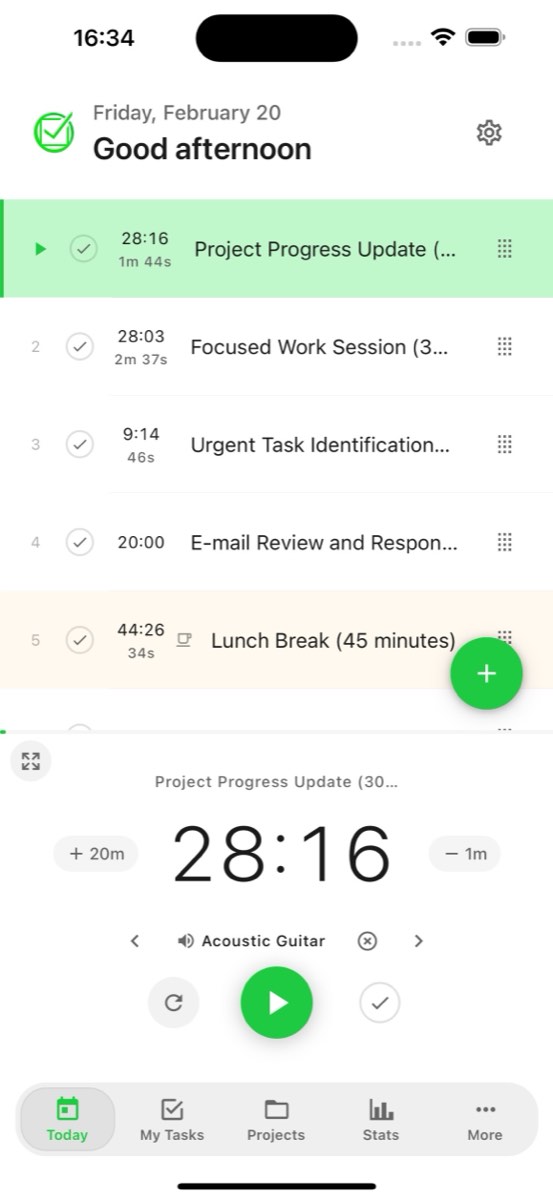
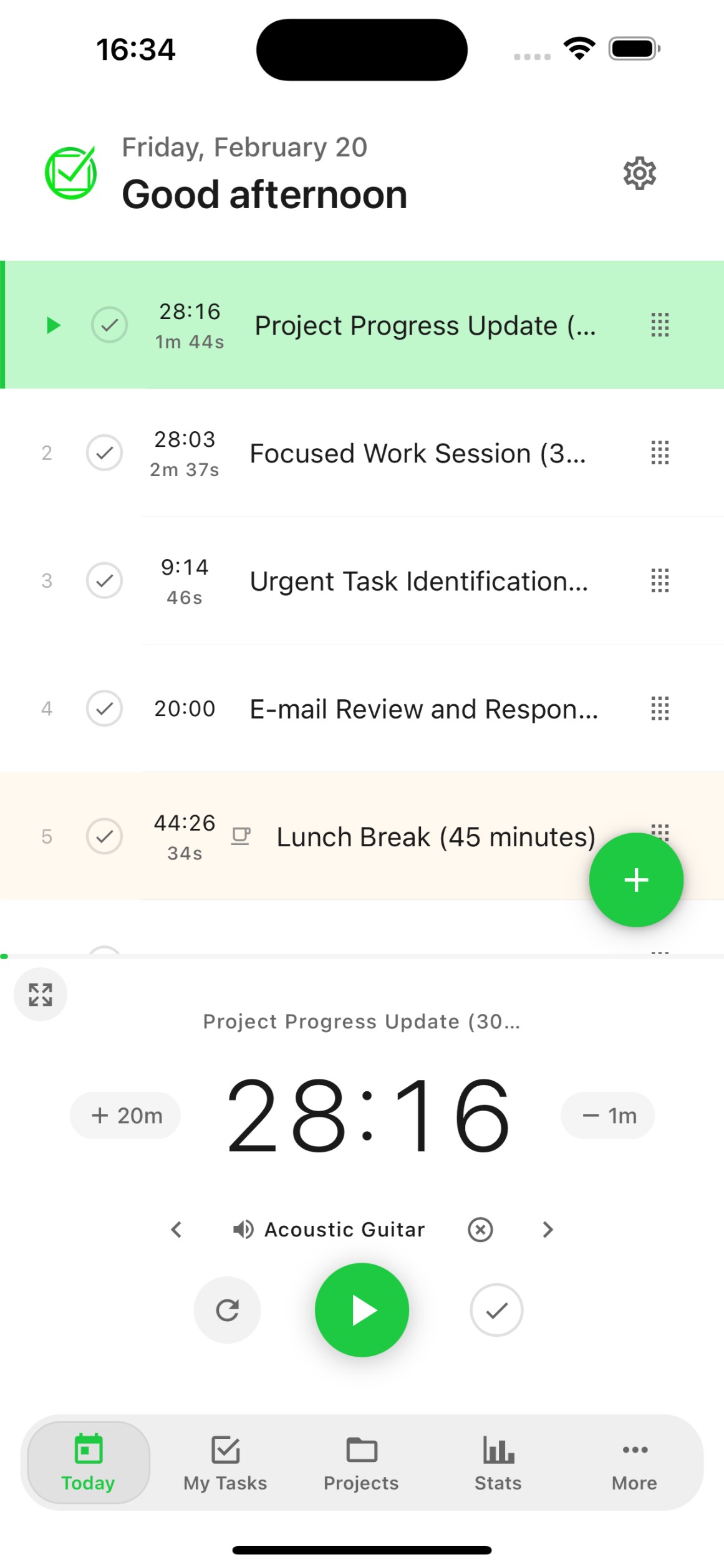
Today View
See exactly what needs to be done today. Your daily tasks, subtasks, and priorities in one clean view designed for quick action.
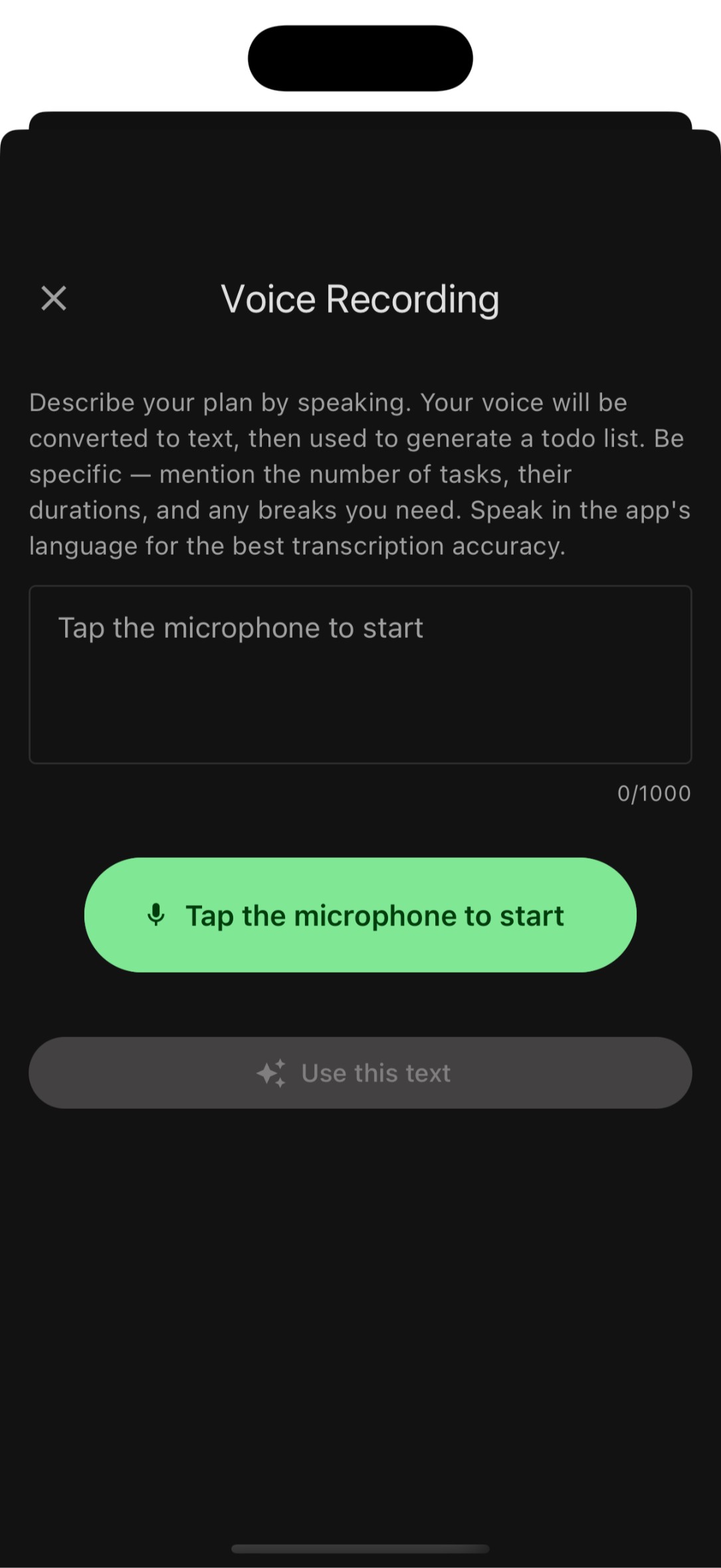
Voice-to-Task
AI voice transcription turns your speech into an organized todo list in seconds. Just speak naturally and FocusBox creates tasks with smart categorization.
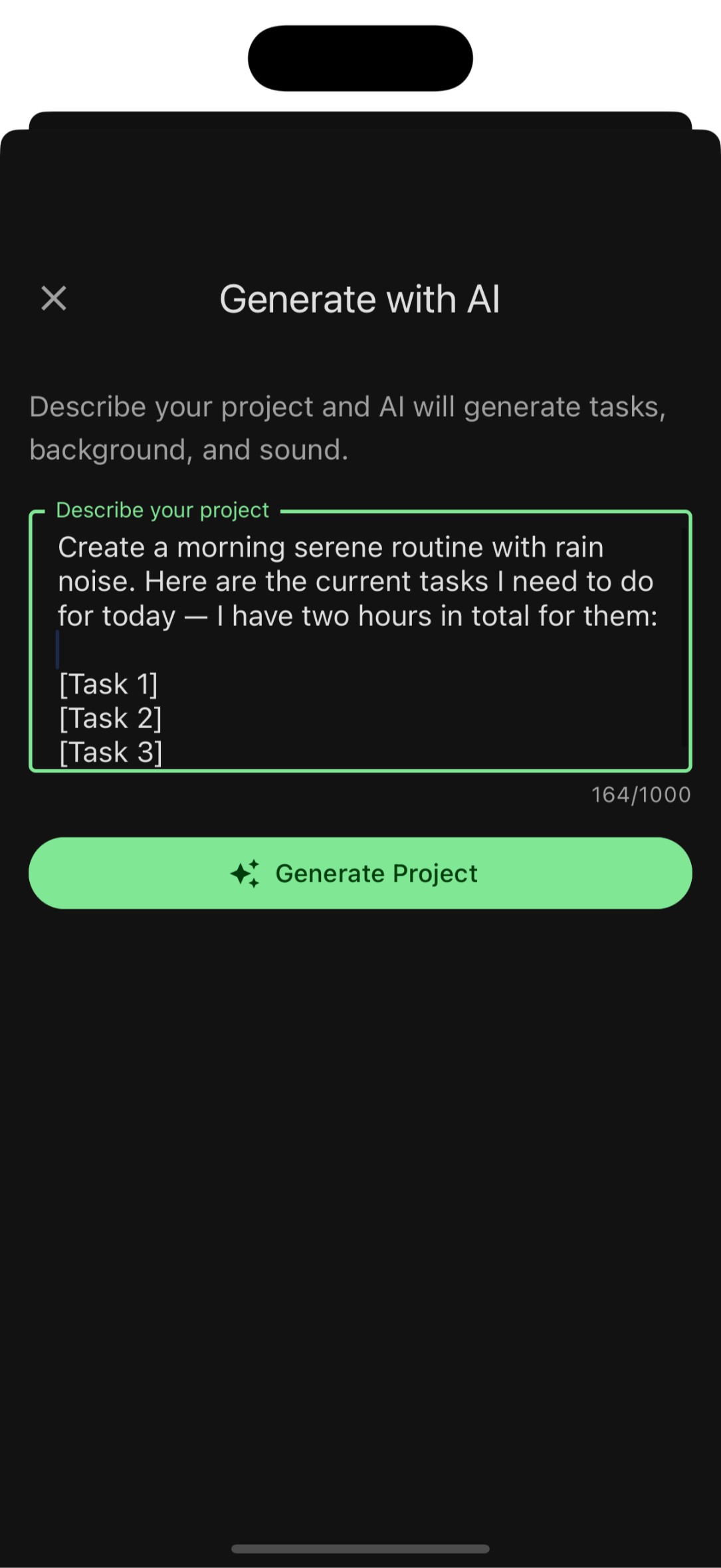
AI Task Generation
Describe your project or goal, and FocusBox AI generates a structured list of subtasks. Plan entire projects in seconds.
Deep focus tools
Focus & Productivity
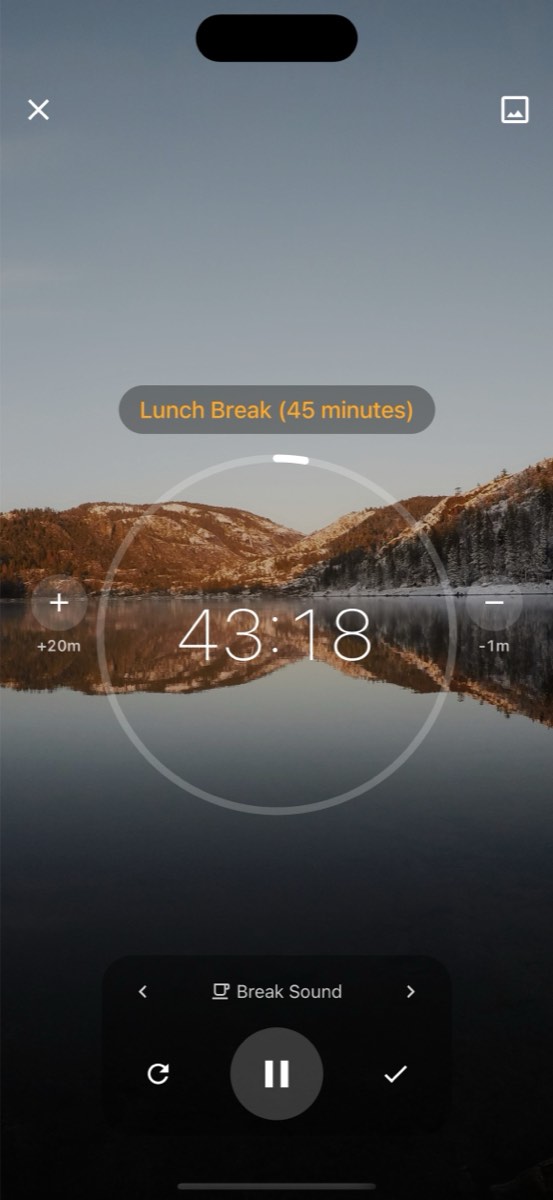
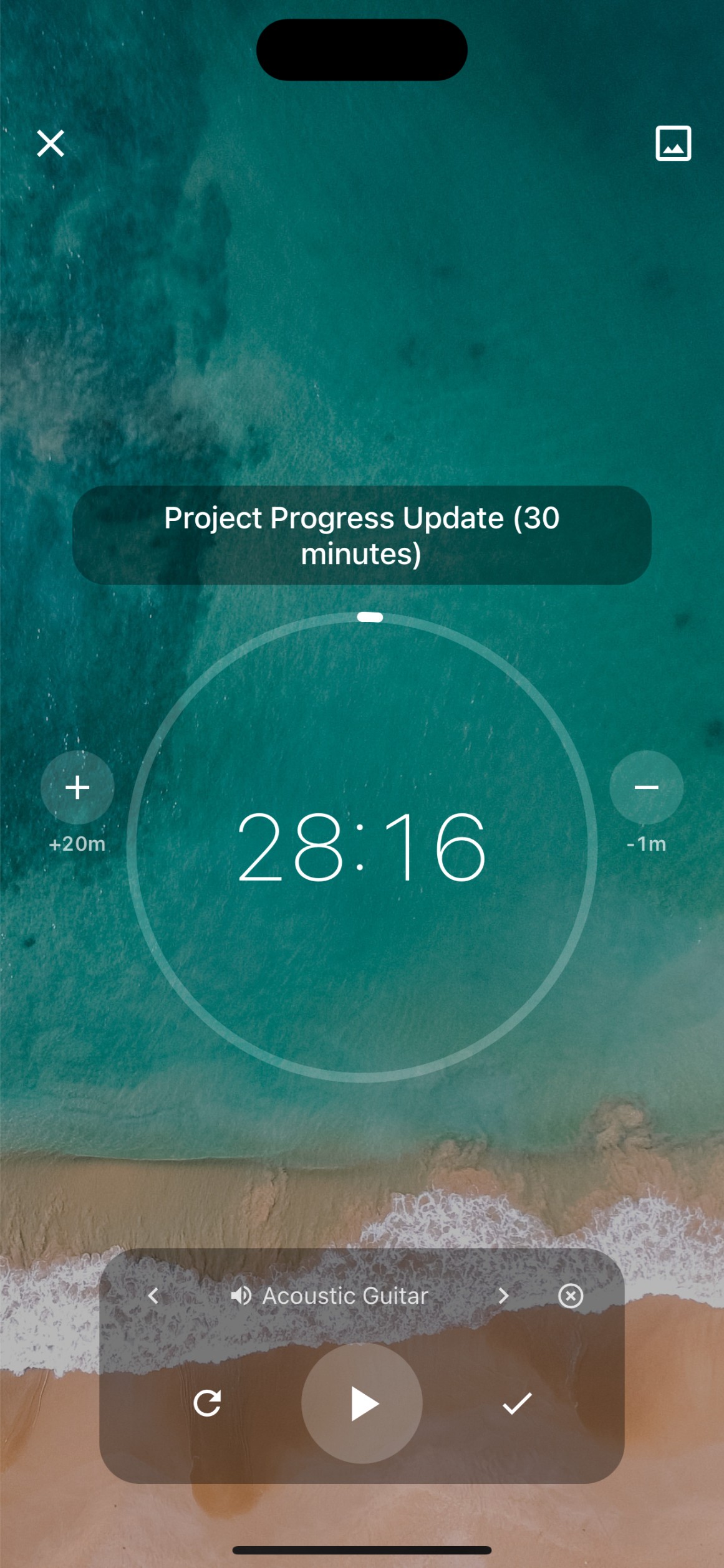
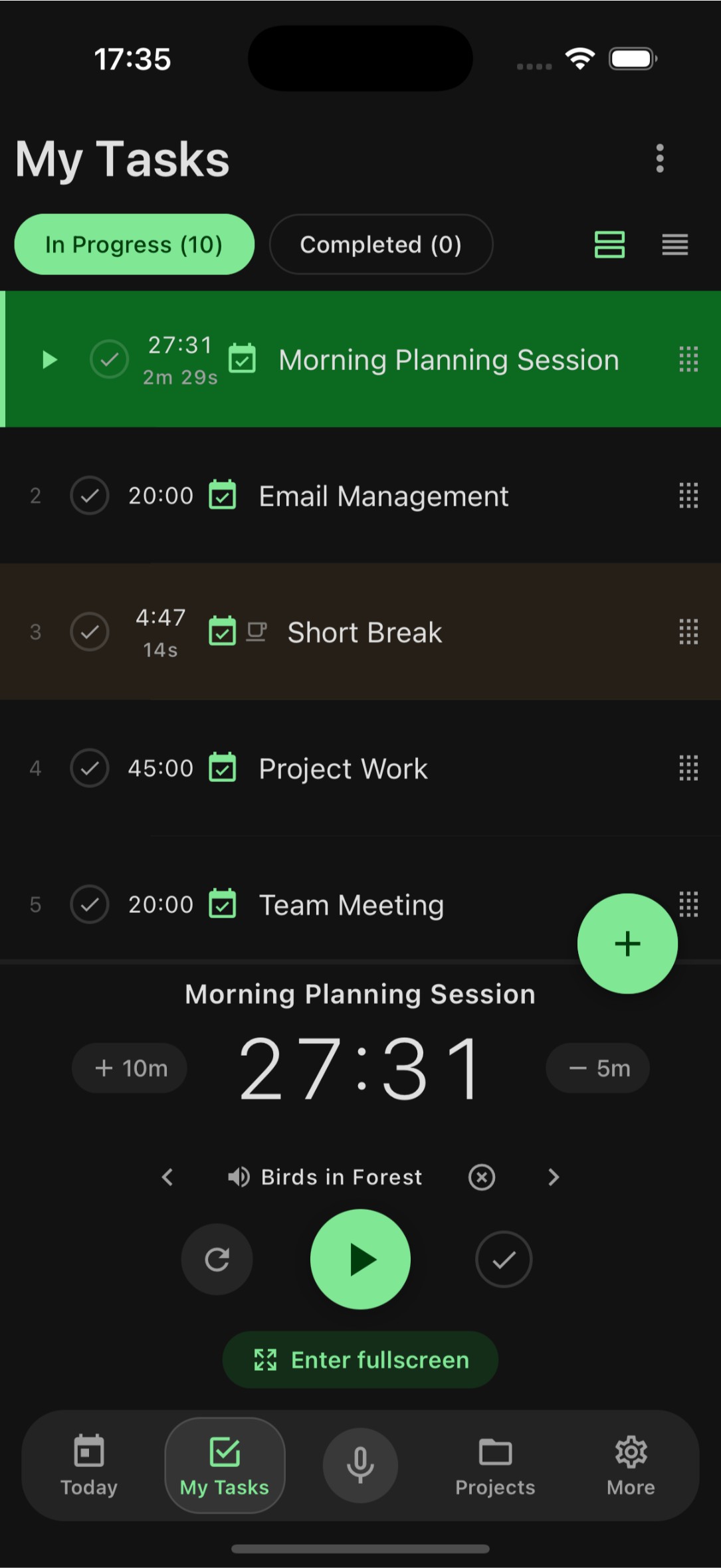
Focus Timer
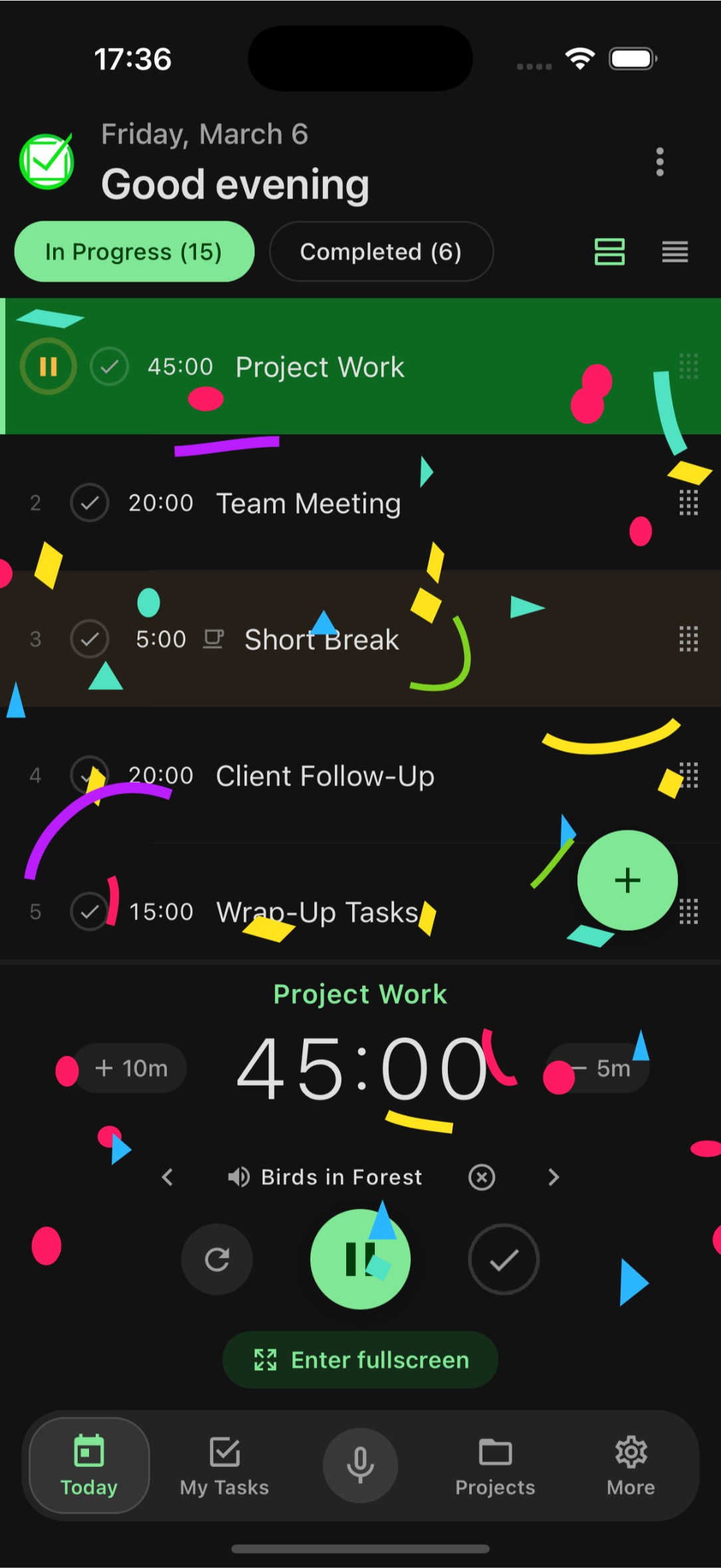
Timebox your tasks with Pomodoro and custom timers. Enter fullscreen focus mode, celebrate completed tasks with fun animations, and build better work habits.
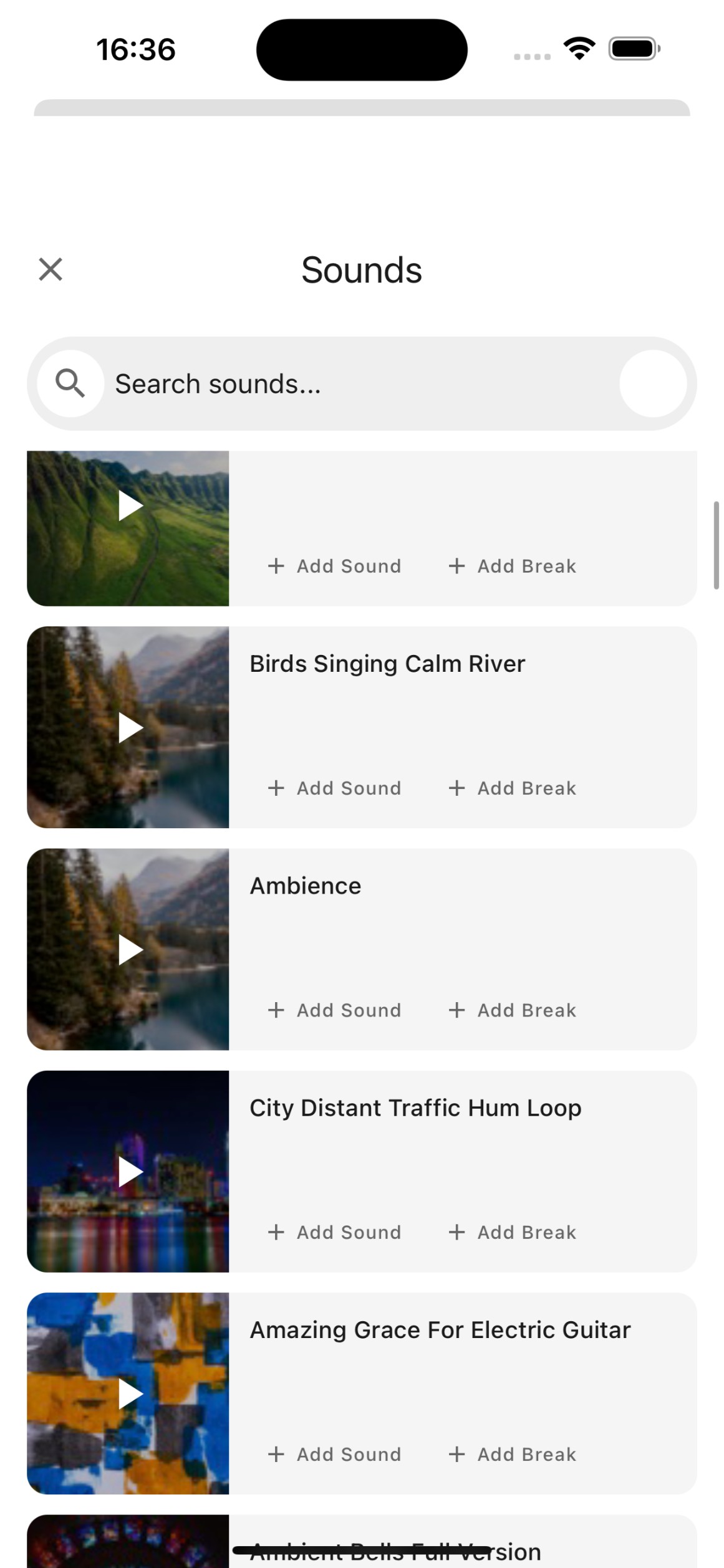
Soundscapes
Ambient sounds like rain, forest, coffee shop, and ocean waves help you get into the zone. Choose the perfect soundscape for your focus sessions.
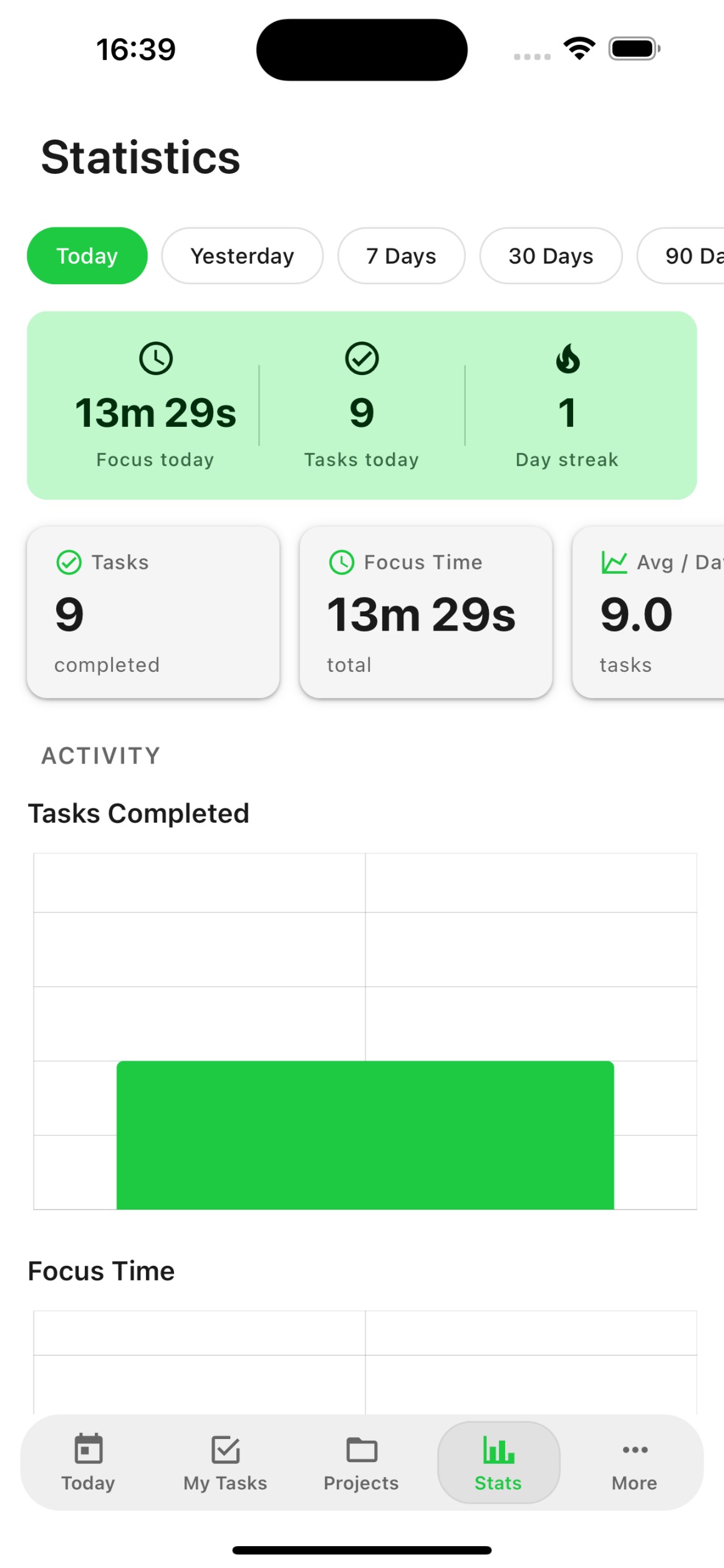
Productivity Analytics
Track your completed tasks, focus time, and productivity trends. Understand your work patterns and optimize your schedule.
Everything connected
Organization & Integrations
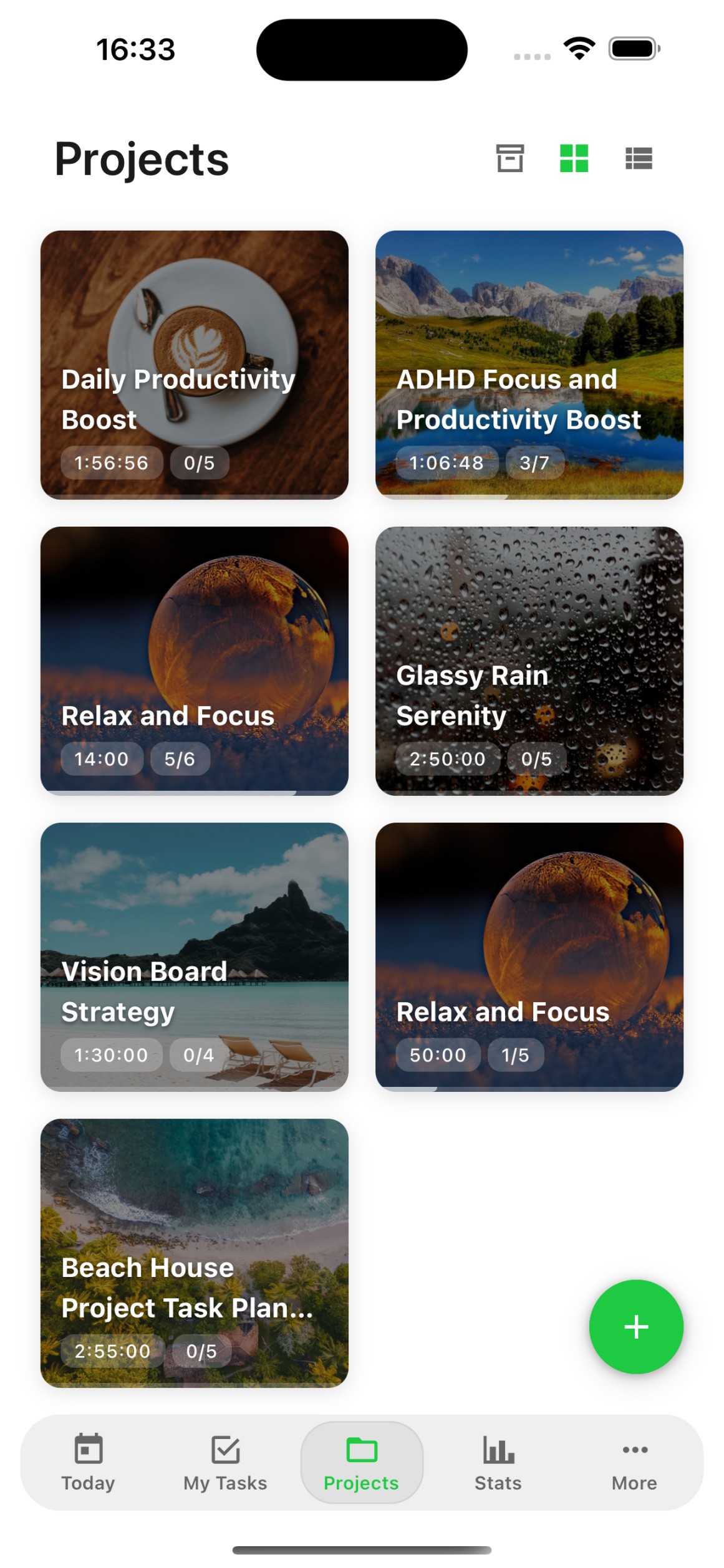
Projects & Streams
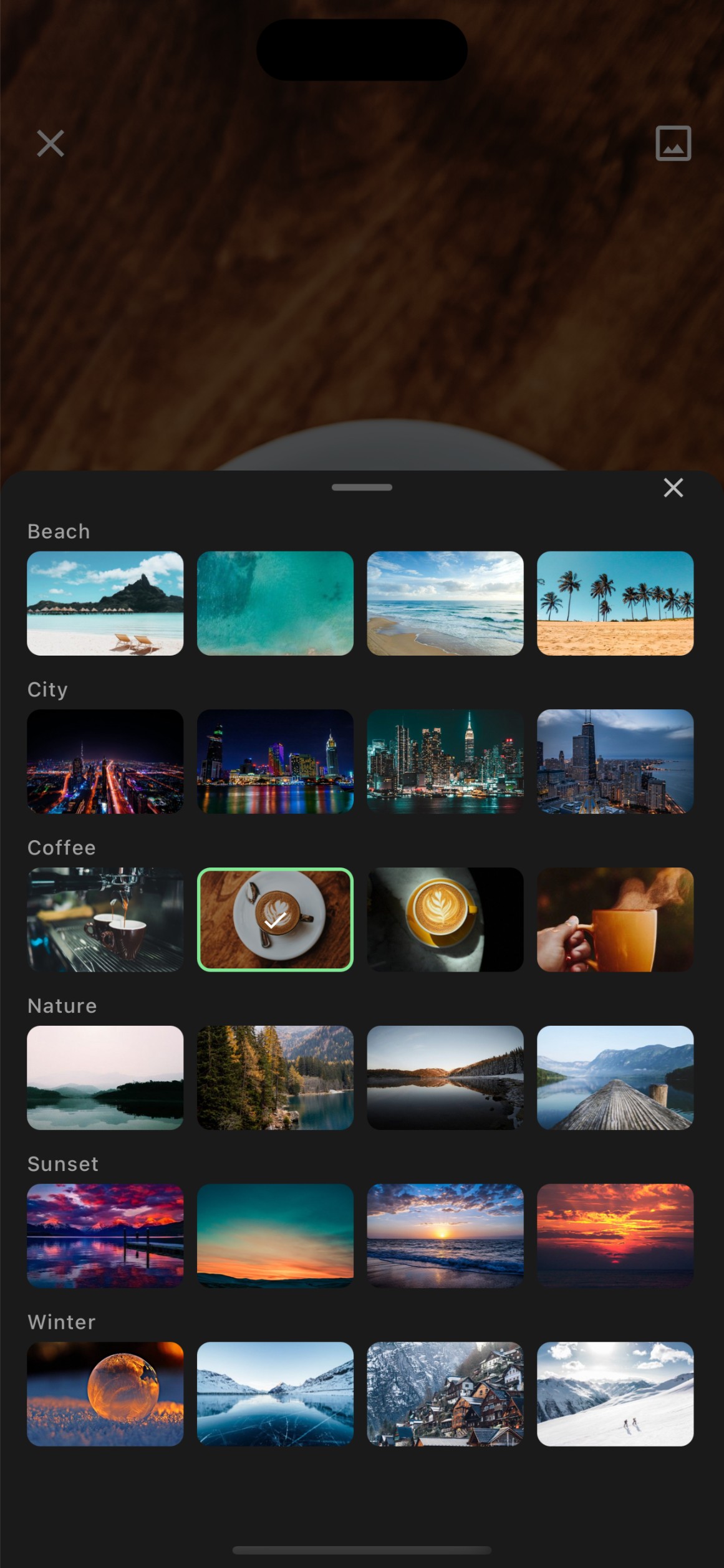
Organize tasks into projects and streams. Keep your work structured with custom categories, backgrounds, and templates.
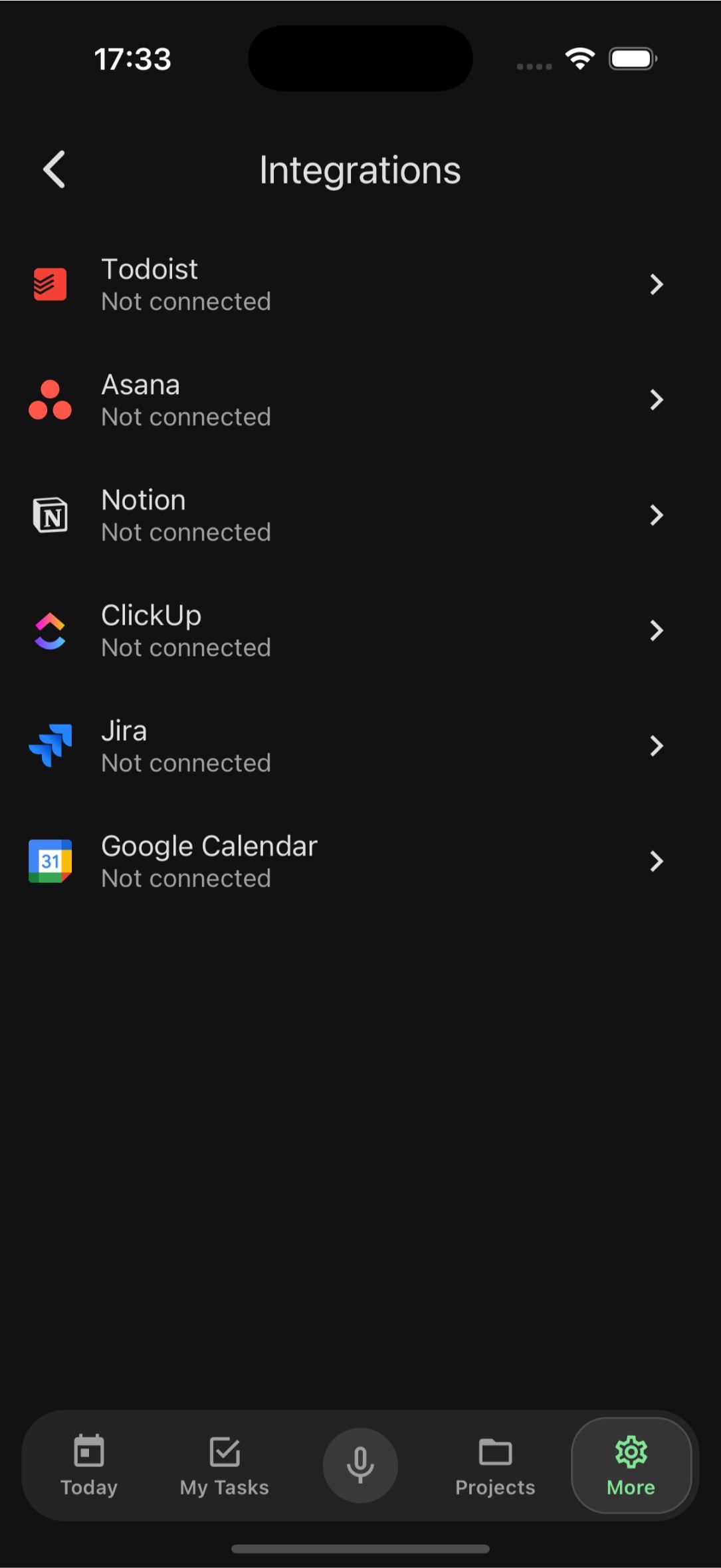
Import from Anywhere
Migrate your tasks from Todoist, Asana, Notion, ClickUp, Jira, and Google Calendar. Switch to FocusBox without losing anything.
Offline Mode
Full offline support means you can view, create, and edit tasks without internet. Everything syncs automatically when you reconnect.
Your data, your way
Security & Personalization
Biometric Security
Protect your tasks with Face ID or Touch ID. Sign in securely with Apple and keep your data private with biometric authentication.
Dark Mode
A beautiful dark theme that is easy on your eyes. Automatically adapts to your system settings or set it manually.
Smart Notifications
Get reminded about upcoming tasks and deadlines at the right time. Customizable notification settings so you stay informed, not overwhelmed.
Häufig gestellte Fragen
Ist die FocusBox-App kostenlos herunterzuladen?
Ja! FocusBox ist kostenlos herunterzuladen und zu nutzen. Der kostenlose Plan umfasst ein Projekt, eine erledigte Aufgabe und ein KI-Guthaben. Der optionale Pro-Plan schaltet unbegrenzte Projekte, erweiterte KI-Funktionen und mehr frei. Pro ist drei Tage kostenlos (mit hinterlegter Karte), danach $8 im Monat oder $60 im Jahr.
Welche Geräte unterstützt FocusBox?
FocusBox ist für iPhone und iPad mit iOS 16 oder neuer verfügbar. Eine Webversion ist auch unter focusbox.io für Desktop-Browser verfügbar.
Kann ich meine Aufgaben zwischen Web-App und mobiler App synchronisieren?
Ja! Ihre Aufgaben werden automatisch zwischen der FocusBox Web-App und der mobilen App synchronisiert. Alle Änderungen, die Sie auf einer Plattform vornehmen, werden sofort auf der anderen angezeigt.
Funktioniert FocusBox offline?
Ja, FocusBox bietet volle Offline-Unterstützung. Sie können Aufgaben ohne Internetverbindung ansehen, erstellen und bearbeiten. Ihre Änderungen werden automatisch synchronisiert, wenn Sie wieder online sind.
Kann ich Aufgaben aus anderen Apps importieren?
Ja! FocusBox unterstützt den Import von Aufgaben aus Todoist, Asana, Notion, ClickUp, Jira und Google Calendar. Sie können Ihren bestehenden Arbeitsablauf mit nur wenigen Fingertipps migrieren.
Sind meine Daten sicher?
Absolut. FocusBox verwendet biometrische Authentifizierung (Face ID / Touch ID) zum Schutz Ihrer Daten. Alle Daten werden während der Übertragung und im Ruhezustand verschlüsselt.
Welche Sprachen unterstützt die App?
FocusBox unterstützt über 24 Sprachen, darunter Englisch, Spanisch, Französisch, Deutsch, Italienisch, Portugiesisch, Niederländisch, Rumänisch, Türkisch, Dänisch, Griechisch, Russisch und viele mehr.
Wie funktioniert die KI-Aufgabenerstellung?
Beschreiben Sie einfach Ihr Projekt oder Ziel, und FocusBox KI erstellt automatisch eine strukturierte Liste von Unteraufgaben. Sie können diese dann anpassen, neu ordnen und nach Bedarf planen.